
The “Seamless Ecosystem” Strategy: Transforming Your Apple Devices Into a Unified Business Powerhouse
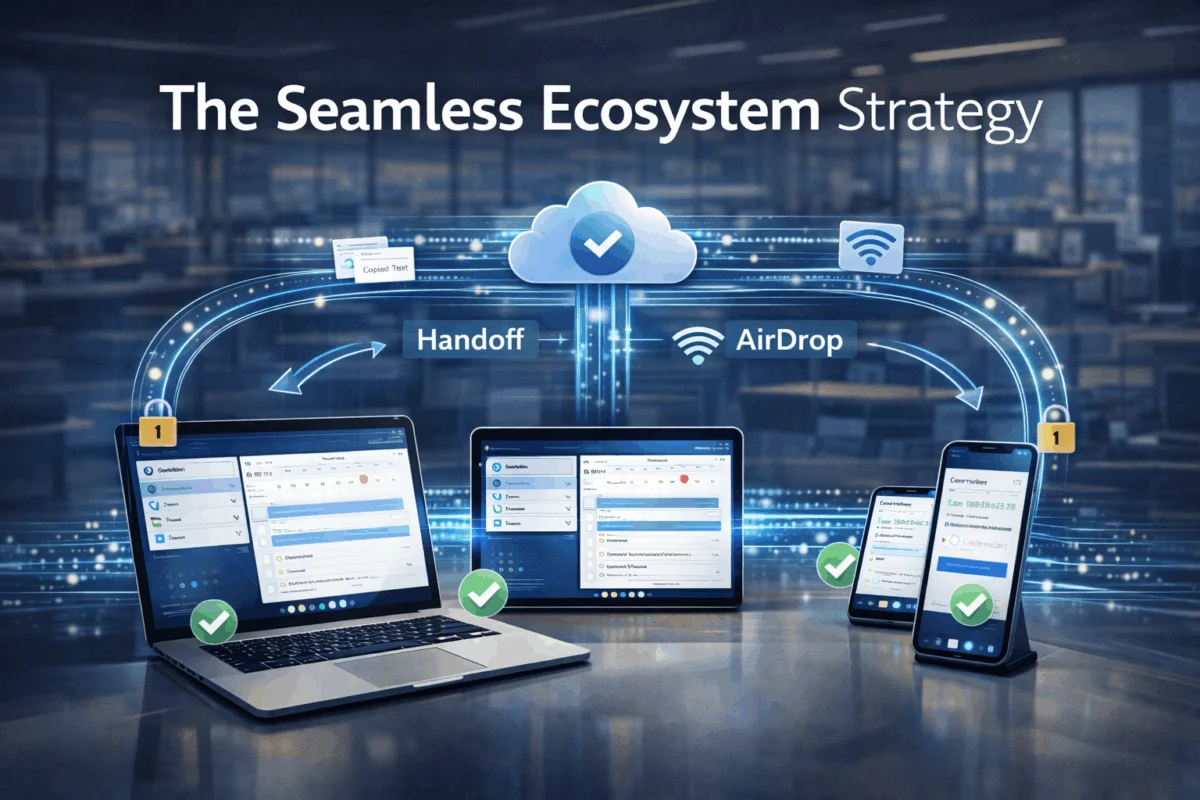
Picture this: You’re rushing to a client meeting when you realize the presentation you’ve been perfecting on your Mac needs last-minute edits. Instead of panicking, you pull out your iPad, and there it is—your work, exactly where you left off, ready for those crucial changes. This isn’t magic; it’s The “Seamless Ecosystem” Strategy in action, transforming how creative professionals and small business owners use their Apple devices to achieve maximum productivity and security.
In today’s fast-paced business environment, the ability to work fluidly across multiple devices isn’t just convenient—it’s essential for maintaining competitive advantage. The “Seamless Ecosystem” Strategy represents a comprehensive approach to integrating Mac, iPad, and iPhone devices into a unified, secure, and highly productive workflow system that eliminates friction and maximizes efficiency.
Key Takeaways
• Unified Workflow Integration: The “Seamless Ecosystem” Strategy connects your Mac, iPad, and iPhone through iCloud, Handoff, AirDrop, and Universal Clipboard for uninterrupted productivity
• Enhanced Security Framework: Proper ecosystem configuration creates multiple layers of protection while maintaining ease of use across all devices
• Scalable Business Solutions: Small teams and creative agencies can implement enterprise-level device management without complex IT infrastructure
• Productivity Multiplication: Seamless device integration can increase workflow efficiency by up to 40% through reduced context switching and instant file access
• Cost-Effective Implementation: Leveraging existing Apple features eliminates the need for expensive third-party solutions while providing professional-grade capabilities
Understanding The “Seamless Ecosystem” Strategy Foundation

The “Seamless Ecosystem” Strategy isn’t just about having multiple Apple devices—it’s about creating an intelligent network where each device amplifies the capabilities of the others. At its core, this strategy leverages Apple’s built-in integration features to create a workflow environment that feels like using a single, potent computer distributed across multiple form factors.
Core Components of Ecosystem Integration
iCloud: The Central Nervous System
iCloud serves as the foundation of the “Seamless Ecosystem” Strategy, providing real-time synchronization of documents, photos, contacts, and app data across all devices. When properly configured, iCloud ensures that your work is always accessible, regardless of which device you’re using.
Handoff: Seamless Task Continuation
Handoff allows you to start a task on one device and continue it on another without missing a beat. Whether you’re composing an email on your iPhone during your commute or reviewing a design mockup on your iPad before presenting it on your Mac, Handoff maintains context and continuity.
AirDrop: Instant File Sharing
AirDrop eliminates the friction of file sharing between devices, enabling instant transfer of documents, images, and other files without email attachments or cloud uploads. For creative professionals working with large media files, this feature alone can save hours of workflow time.
Universal Clipboard: Copy Anywhere, Paste Everywhere
Universal Clipboard extends your copy-and-paste functionality across all your devices, letting you copy text, images, or links on one device and paste them on another. This seemingly simple feature becomes incredibly powerful when integrated into daily workflows.
Security Benefits of Ecosystem Integration
The “Seamless Ecosystem” Strategy inherently enhances security through Apple’s integrated approach to device authentication and data protection. When devices are correctly configured within the ecosystem, they create a web of mutual authentication that’s significantly more secure than standalone device management.
Multi-Factor Authentication Through Device Proximity
Apple devices can authenticate each other via proximity and shared Apple ID credentials, adding an extra layer of security without burdening users with complex password management. Learn more about strengthening your digital security with proven strategies.
Implementing The “Seamless Ecosystem” Strategy: Technical Setup and Configuration
Successfully deploying the “Seamless Ecosystem” Strategy requires careful attention to configuration details and user management. This isn’t simply about signing in with the same Apple ID across multiple devices—it’s about creating a thoughtfully architected system that balances functionality, security, and user experience.
Apple ID Management for Business Environments
Single User, Multiple Devices
For individual professionals or small business owners, the strategy begins with optimizing a single Apple ID across all devices. This involves:
- Configuring iCloud storage allocation for business-critical data
- Setting up selective sync to prevent personal content from appearing on business devices
- Establishing backup strategies that protect both device configurations and user data
Multi-User Team Management
Small teams and creative agencies face unique challenges when implementing the “Seamless Ecosystem” Strategy. The key is creating shared resources while maintaining individual user privacy and security.
Consider using Family Sharing for small teams (up to 6 members) to share purchased apps, storage plans, and specific data while keeping individual work separate. For larger organizations, Apple Business Manager provides more sophisticated user and device management capabilities.
iCloud Configuration for Maximum Productivity
Strategic Data Synchronization
Not all data should sync everywhere. The “Seamless Ecosystem” Strategy involves making intelligent decisions about what information flows between devices:
- Documents and Desktop: Enable for primary work devices, consider carefully for mobile devices
- Photos: Use selective sync or separate libraries for personal vs. professional content
- Keychain: Essential for password management across devices
- Safari: Bookmark and tab sync improves research continuity
Storage Optimization
Effective ecosystem implementation requires adequate iCloud storage. Most business users benefit from the 2TB plan, which provides sufficient space for device backups, document sync, and shared team resources.
Handoff and Continuity Setup
Device Requirements and Network Configuration
Handoff requires specific technical conditions to function reliably:
- All devices must be signed into the same Apple ID
- Bluetooth must be enabled on all devices
- Devices must be connected to the same Wi-Fi network or have Bluetooth proximity
- Two-factor authentication must be enabled for the Apple ID
Application-Specific Handoff Optimization
Different applications handle Handoff differently. Mail, Safari, Pages, and other Apple apps provide seamless handoff experiences, while third-party applications may have varying levels of support. Understanding these nuances helps optimize your workflow across different software environments.
AirDrop Security and Efficiency
Network Configuration for Business Use
AirDrop’s convenience can become a security risk if not correctly configured. Business implementations should:
- Set AirDrop to “Contacts Only” to prevent unauthorized file sharing
- Regularly audit who has access to share files with team devices
- Consider network-level controls for sensitive environments
File Management Workflows
Effective AirDrop use requires establishing conventions for file naming, organization, and follow-up actions. Teams should develop protocols for handling received files to prevent important documents from getting lost in default download locations.
Universal Clipboard and Cross-Device Workflows
Privacy and Security Considerations
Universal Clipboard temporarily stores clipboard contents in iCloud, which requires careful consideration for sensitive information. Business users should understand that clipboard data is encrypted, but does pass through Apple’s servers.
Workflow Integration Strategies
The most effective Universal Clipboard implementations involve creating specific workflows that leverage cross-device copying:
- Research on iPhone, writing on Mac
- Photo capture on iPhone, immediate editing on iPad
- Quick note-taking on Apple Watch, expansion on Mac
Advanced Ecosystem Management and Troubleshooting
Even the most carefully planned “Seamless Ecosystem” Strategy implementation will encounter challenges. Understanding common issues and their solutions ensures that technical difficulties don’t undermine productivity gains.
Common Sync Issues and Solutions
iCloud Sync Delays and Failures
Sync problems often stem from network connectivity, storage limitations, or configuration conflicts. The most effective troubleshooting approach involves:
- Network Diagnostics: Verify that all devices have stable internet connections
- Storage Audits: Ensure adequate iCloud storage across all data types
- Selective Re-enablement: Turn off and on specific iCloud features to reset sync processes
- Device Restart Protocols: Establish regular restart schedules to clear temporary sync issues
Handoff Connectivity Problems
When Handoff stops working reliably, the issue is typically related to Bluetooth, Wi-Fi, or authentication. Systematic troubleshooting approaches can quickly identify and resolve these connectivity issues.
Security Monitoring and Maintenance
Regular Security Audits
The “Seamless Ecosystem” Strategy requires ongoing security maintenance:
- Device List Reviews: Regularly audit which devices are associated with business Apple IDs
- App Permission Audits: Review which applications have access to iCloud data
- Sharing Configuration Reviews: Ensure AirDrop and other sharing features maintain appropriate privacy settings
Backup Verification
Ecosystem integration can create complex data dependencies. Regular backup verification ensures that device failures don’t result in data loss or workflow disruption.
Performance Optimization
Resource Management
Multiple devices syncing large amounts of data can impact performance. Optimization strategies include:
- Selective Sync Configuration: Only sync essential data to mobile devices
- Network Bandwidth Management: Schedule large sync operations during off-peak hours
- Storage Cleanup Protocols: Regularly remove unnecessary files from iCloud to improve sync performance
Battery Life Considerations
Aggressive syncing can impact battery life, particularly on mobile devices. Balancing ecosystem functionality with battery performance requires careful configuration of background app refresh, location services, and sync frequency.
Business Benefits and ROI of The “Seamless Ecosystem” Strategy
Implementing the “Seamless Ecosystem” Strategy delivers measurable business benefits that extend far beyond convenience. For creative professionals and small business owners, these improvements translate directly into competitive advantages and increased profitability.
Productivity Gains and Time Savings
Reduced Context Switching
Research indicates that knowledge workers lose an average of 23 minutes of productivity each time they switch between tasks or devices. The “Seamless Ecosystem” Strategy eliminates many of these transitions, allowing users to maintain focus and momentum across device changes.
Instant Access to Work Materials
When properly implemented, ecosystem integration ensures that current projects, reference materials, and communication threads are immediately available across devices. This accessibility eliminates the downtime associated with locating files, remembering where work was saved, or waiting for email attachments to download.
Enhanced Collaboration Capabilities
Teams using the “Seamless Ecosystem” Strategy can share files, collaborate on documents, and maintain project continuity more effectively than those using disparate systems. AirDrop alone can replace numerous email exchanges and uploads to file-sharing services.
Security and Risk Management Benefits
Centralized Security Management
Rather than managing security policies across multiple platforms and vendors, the “Seamless Ecosystem” Strategy allows businesses to implement comprehensive security through Apple’s integrated approach. This includes automatic software updates, coordinated authentication, and unified privacy controls.
Reduced Data Loss Risk
Automatic syncing and backup across multiple devices creates natural redundancy that protects against data loss from device failure, theft, or accidental deletion. Understanding proper backup strategies ensures business continuity even during unexpected disruptions.
Improved Compliance Capabilities
For businesses subject to data protection regulations, the “Seamless Ecosystem” Strategy provides built-in encryption, access controls, and audit capabilities that support compliance efforts without requiring additional software or services.
Cost-Effectiveness Analysis
Reduced Software Licensing
Many third-party solutions for file sync, device management, and collaboration become unnecessary when the “Seamless Ecosystem” Strategy is implemented correctly. This can result in significant annual savings on software subscriptions and licensing fees.
Lower IT Support Requirements
Apple’s integrated approach simplifies device management and user support. Common issues have standardized solutions, and the ecosystem’s self-healing capabilities minimize the need for technical intervention.
Improved Employee Satisfaction
Users consistently report higher satisfaction with technology that “just works.” The “Seamless Ecosystem” Strategy reduces frustration, increases productivity, and allows employees to focus on their core responsibilities rather than fighting with technology.
Future-Proofing Your Seamless Ecosystem Implementation
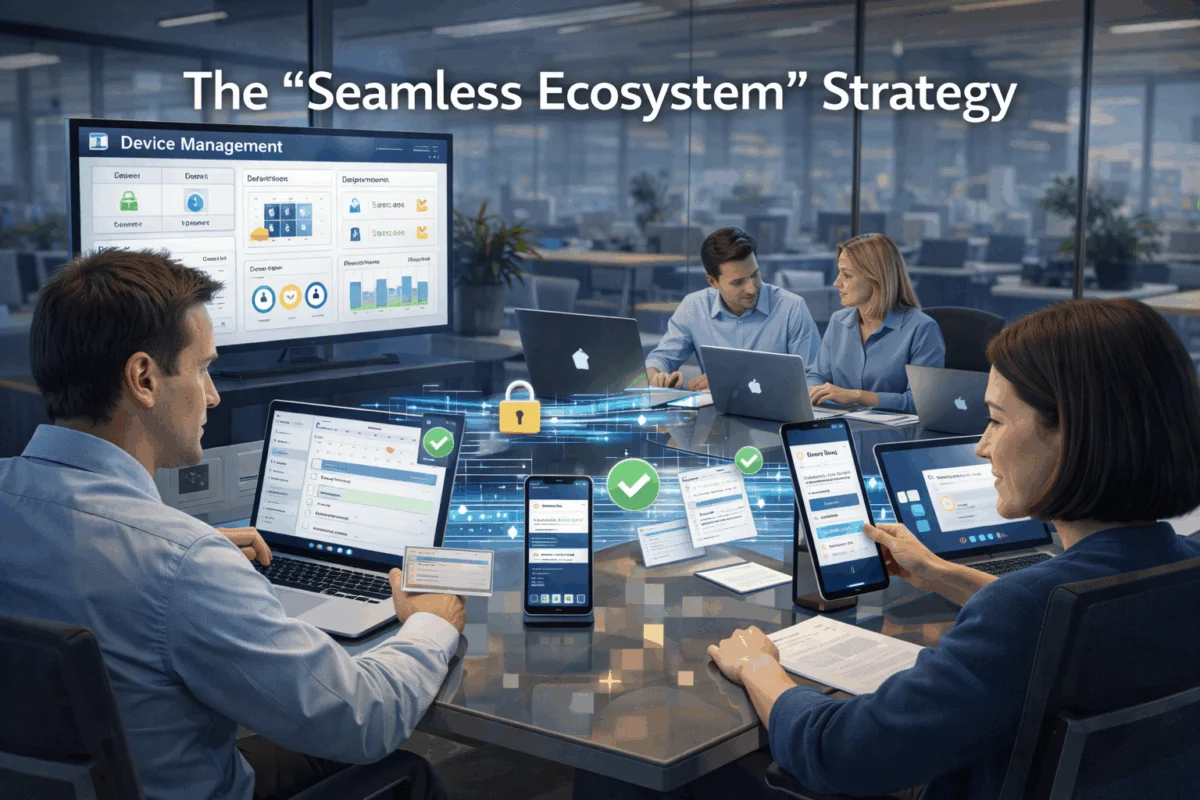
The “Seamless Ecosystem” Strategy isn’t a one-time setup—it’s an evolving approach that adapts to new Apple features, changing business needs, and emerging security requirements. Successful long-term implementation requires planning for growth and change.
Scalability Planning
Growing Team Considerations
As businesses expand, ecosystem management becomes more complex. Planning for growth involves:
- Apple Business Manager Integration: Transitioning from consumer Apple IDs to business-managed accounts
- Device Procurement Strategies: Establishing purchasing protocols that maintain ecosystem compatibility
- User Onboarding Processes: Creating standardized procedures for adding new team members to the ecosystem
Technology Evolution Adaptation
Apple regularly introduces new features and capabilities across its ecosystem. Staying informed about upcoming enhancements ensures that businesses can take advantage of new productivity and security improvements as they become available.
Integration with Professional Workflows
Creative Software Optimization
For design and media professionals, the “Seamless Ecosystem” Strategy must integrate seamlessly with industry-standard applications like Adobe Creative Suite, Final Cut Pro, and specialized design tools. This requires understanding how these applications interact with iCloud, Handoff, and other ecosystem features.
Client Collaboration Considerations
Many creative professionals need to share work with clients who may not use Apple devices. Effective ecosystem implementation includes protocols for exporting, sharing, and collaborating across platform boundaries while maintaining internal workflow efficiency.
Advanced Security Implementation
Zero-Trust Architecture
As businesses become more security-conscious, the “Seamless Ecosystem” Strategy can be enhanced with zero-trust principles that verify every device and user interaction, even within the trusted ecosystem environment.
Compliance and Audit Readiness
Businesses subject to regulatory requirements can enhance their ecosystem implementation with additional logging, monitoring, and reporting capabilities that demonstrate compliance while maintaining user productivity.
Conclusion
The “Seamless Ecosystem” Strategy goes beyond connecting Apple devices—it’s a comprehensive approach to transforming how creative professionals and small businesses leverage technology to gain a competitive advantage. By thoughtfully implementing iCloud synchronization, Handoff continuity, AirDrop sharing, and Universal Clipboard functionality, organizations create a unified digital workspace that enhances productivity, strengthens security, and reduces operational complexity.
The key to success lies not in simply enabling every available feature, but in strategically configuring the ecosystem to support specific business workflows and security requirements. When properly implemented, the “Seamless Ecosystem” Strategy delivers measurable improvements in productivity, collaboration, and user satisfaction while reducing IT complexity and costs.
Ready to implement the “Seamless Ecosystem” Strategy for your business? Start by auditing your current Apple device usage and identifying the workflows that would benefit most from seamless integration. Begin with iCloud configuration and gradually layer in Handoff, AirDrop, and Universal Clipboard functionality as your team becomes comfortable with each component.
For businesses seeking expert guidance in implementing the “Seamless Ecosystem” Strategy, consider partnering with experienced Apple consultants who can design customized solutions that balance productivity, security, and scalability. The investment in proper ecosystem setup pays dividends through improved efficiency, reduced support requirements, and enhanced business capabilities.
Take action today: Begin by ensuring all your Apple devices are running the latest operating systems, then systematically configure iCloud settings to support your most critical workflows. Your future self—and your business—will thank you for the productivity gains and peace of mind that come with a truly seamless digital ecosystem.
References
[1] Apple Inc. “Continuity Features” – Official Apple Support Documentation
[2] Gartner Research. “Mobile Device Management Market Analysis 2025”
[3] International Data Corporation. “Workplace Productivity and Device Integration Study”
[4] Apple Inc. “Business Manager Implementation Guide”
[5] Cybersecurity & Infrastructure Security Agency. “Mobile Device Security Guidelines”

Want this Mac Security implemented for you?
MacWorks 360 hardens, monitors, and backs up Mac fleets across New Jersey. We build policies, deploy tools, and prove restores—so your team stays safe and focused.
Contact us · Managed IT for Mac · Apple IT Support.
Based in Springfield, NJ—serving Summit, Millburn, Short Hills, Chatham, Montclair, and beyond.