
Mac Troubleshooting Myths: Why Google Searches Can’t Replace a Professional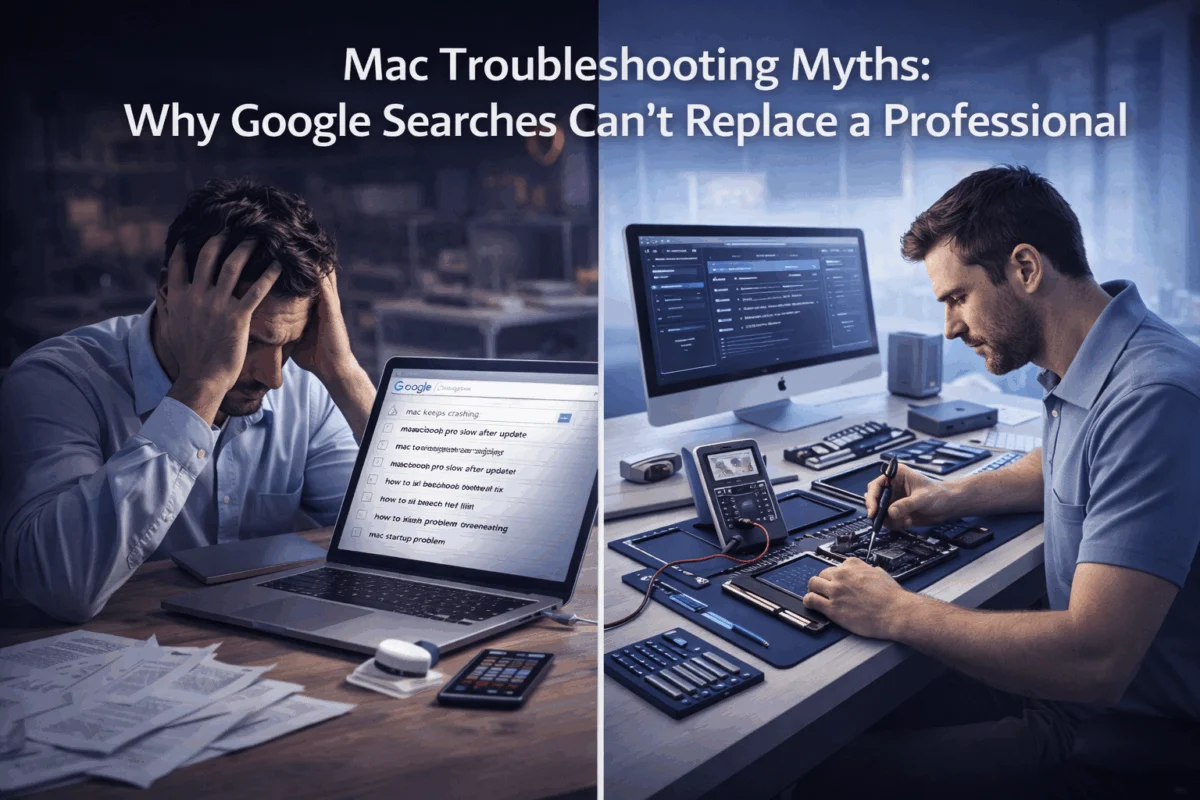
When your Mac starts acting up, the temptation to dive into Google for a quick fix is overwhelming. After all, why wait for professional help when countless forums, YouTube tutorials, and “expert” blogs promise instant solutions? But here’s the uncomfortable truth: Mac troubleshooting myths perpetuated by well-meaning internet searches often create more problems than they solve, turning minor glitches into major disasters that require expensive professional intervention.
Understanding why Mac troubleshooting myths: why Google searches can’t replace a professional, becomes crucial when you consider that creative professionals, small business owners, and Mac fleet managers can’t afford the downtime, data loss, or security vulnerabilities that come from following misguided online advice.
Key Takeaways
• DIY troubleshooting myths like PRAM resets and random third-party apps often mask underlying issues while creating new security vulnerabilities
• Professional Mac diagnostics go far deeper than basic visual inspections, using specialized tools to identify root causes rather than symptoms
• Data loss risks from amateur troubleshooting attempts can devastate creative workflows and business operations
• Expert Apple consultants provide customized solutions that prevent recurring issues, saving time and money long-term
• Proactive professional support offers peace of mind through technology solutions that keep Mac systems running smoothly
The Dangerous Allure of DIY Mac Troubleshooting
 The internet is full of confident voices promising simple solutions to complex Mac problems. Search “Mac running slow,” and you’ll find thousands of results suggesting everything from mysterious PRAM resets to downloading questionable third-party “optimization” apps. These Mac troubleshooting myths persist because they occasionally provide temporary relief—like taking aspirin for a broken bone.
Common Myths That Create More Problems
The PRAM Reset Myth stands as one of the most persistent pieces of outdated advice. While Parameter RAM resets served a purpose on older Mac systems, modern Macs use NVRAM (Non-Volatile Random-Access Memory), which rarely requires manual intervention. Constantly resetting NVRAM can actually disrupt carefully configured system settings and fail to address the real underlying issues causing performance problems.
The “Clean My Mac” App Obsession represents another dangerous myth. Countless websites recommend downloading third-party cleaning applications that promise to speed up your Mac by removing “junk files.” These apps often:
- Delete important system files needed for proper operation
- Install adware or malware disguised as optimization tools
- Create dependency loops that make your Mac “need” the cleaner to function
- Interfere with legitimate system maintenance processes
The Generic YouTube Tutorial Trap lures users into following step-by-step videos created by well-meaning but unqualified individuals. These tutorials rarely account for different Mac models, operating system versions, or unique configurations. Following generic advice can lead to:
- Accidental deletion of critical system files
- Incorrect permission changes that break applications
- Terminal command errors that corrupt system integrity
- Hardware damage from improper diagnostic procedures
The Hidden Costs of Amateur Troubleshooting
When creative professionals attempt DIY fixes based on Google searches, they risk more than just temporary inconvenience. Consider the photographer who followed online advice to “fix” Lightroom crashes by deleting preference files, only to lose months of custom presets and catalog organization. Or the small business owner who downloaded a “Mac optimizer” that installed malware, compromising client data and requiring expensive security remediation.
These scenarios illustrate why understanding Mac troubleshooting myths, such as the idea that Google searches can’t replace a professional, becomes essential for anyone who depends on their Mac for business or creative work. The apparent cost savings of DIY troubleshooting evaporate quickly when amateur attempts create larger problems requiring professional intervention.
Why Professional Mac Diagnostics Outperform Google Searches
Professional Mac consultants bring something Google searches cannot: systematic diagnostic methodology combined with decades of hands-on experience across thousands of unique Mac configurations. While online searches provide generic solutions for common symptoms, professional diagnostics identify root causes and implement customized solutions.
The Depth of Professional Analysis
When MacWorks 360’s consultants encounter a “slow Mac” complaint, they don’t immediately suggest PRAM resets or cleaning apps. Instead, they employ comprehensive diagnostic protocols that examine:
Hardware Health Assessment using specialized tools that monitor component temperatures, hard drive health metrics, RAM integrity, and power management systems. These diagnostics reveal issues invisible to basic system monitoring, such as failing SSDs that haven’t yet triggered obvious symptoms or thermal throttling caused by dust accumulation in specific component areas.
Software Ecosystem Analysis that maps application interactions, identifies resource conflicts, and analyzes system logs for patterns indicating underlying problems. Professional consultants understand how Creative Suite applications interact with system memory management, how browser extensions can create system-wide performance issues, and how seemingly unrelated software installations can disrupt core Mac functionality.
Security Infrastructure Review that examines system permissions, identifies potential malware or adware installations, and verifies the integrity of critical system files. This level of analysis goes far beyond basic antivirus scans, incorporating network traffic analysis and system behavior monitoring that reveal sophisticated threats.
Customized Solutions vs. Generic Fixes
Professional Mac consulting delivers practical solutions with educational value rather than one-size-fits-all prescriptions. Where Google searches offer generic terminal commands or universal software recommendations, professional consultants craft solutions tailored to specific use cases, hardware configurations, and workflow requirements.
For example, a video editor experiencing render failures might find dozens of online suggestions ranging from clearing cache files to reinstalling Final Cut Pro. A professional consultant, however, would analyze the specific codec workflows, examine storage system performance, review thermal management during intensive processing, and potentially discover that the issue stems from incompatible external GPU configurations—a root cause invisible to generic troubleshooting approaches.
This customized approach extends to preventive maintenance strategies that address potential issues before they disrupt workflows. Professional consultants implement proactive risk management protocols that continuously monitor system health, rather than waiting for problems to manifest and requiring reactive fixes.
The Business Impact of Professional Expertise
Small business owners and creative professionals cannot afford the trial-and-error approach inherent in Google-based troubleshooting. Professional Mac consultants understand the business context behind technical issues, prioritizing solutions that minimize downtime and protect revenue-generating activities.
When a design agency’s Mac network experiences connectivity issues, amateur troubleshooting might focus on individual machine configurations. Professional consultants examine the entire infrastructure ecosystem, identifying network bottlenecks, security vulnerabilities, and scalability limitations that could impact business growth. This holistic approach delivers peace of mind through technology solutions that support long-term business objectives.
Professional diagnostics also provide documentation and knowledge transfer, empowering users to understand their technology ecosystem. Rather than simply applying fixes, expert consultants explain the underlying causes and preventive measures, creating long-term consulting relationships that reduce future problem frequency and severity.
The Real Risks of Following Online Mac Advice
The internet’s democratization of technical information creates an illusion that complex Mac troubleshooting can be simplified into step-by-step guides suitable for any user. This misconception leads to serious consequences when users follow advice without understanding the context, prerequisites, or potential risks involved.
Data Loss: The Ultimate Price of DIY Mistakes
Data protection represents the most critical concern when evaluating DIY troubleshooting risks. Online guides frequently suggest procedures that can irreversibly damage or delete important files, often without adequate warnings about backup requirements or recovery options.
Consider the standard online recommendation to use Terminal commands for “deep cleaning” Mac systems. These commands often involve deleting files from system directories, modifying permissions, or clearing caches that may contain essential user data. A single mistyped command can:
- Permanently delete irreplaceable creative work
- Corrupt user account settings and preferences
- Remove application licenses and activation data
- Eliminate email archives and communication history
- Destroy custom configurations and workflow optimizations
Professional Mac consultants implement comprehensive backup and data protection protocols before attempting any system modifications. They understand which procedures carry data risks and ensure proper safeguards are in place. This protective approach contrasts sharply with online tutorials that assume users have adequate backup systems or understand the implications of the procedures they suggest.
Security Vulnerabilities from Amateur Fixes
Security-first approaches distinguish professional Mac consulting from amateur troubleshooting attempts. Online advice often prioritizes quick fixes over security considerations, leading users to:
Download Unverified Software from questionable sources promising to solve Mac problems. These applications frequently contain malware, adware, or privacy-invasive tracking mechanisms that compromise system security long after the original problem is “solved.”
Modify System Security Settings without understanding the implications. Common online suggestions include disabling System Integrity Protection, allowing unsigned applications, or granting excessive permissions to third-party software. These changes create attack vectors that sophisticated threats can exploit.
Expose Sensitive Information through diagnostic procedures that involve sharing system logs, screenshots, or configuration details in public forums. This information can reveal network configurations, installed software, user habits, and other details valuable to malicious actors.
Professional consultants maintain strict identity and access management protocols, ensuring that diagnostic procedures never compromise system security or expose sensitive information. They understand the evolving threat landscape and implement solutions that strengthen rather than weaken security postures.
The Cascade Effect of Incomplete Solutions
Amateur troubleshooting often addresses symptoms rather than root causes, creating cascading effects in which initial “fixes” generate new problems requiring additional intervention. This pattern explains why users who rely heavily on Google-based troubleshooting find themselves in endless cycles of system issues and temporary solutions.
For example, a user experiencing application crashes might follow online advice to delete preference files, clear caches, and reinstall software. These steps might temporarily resolve the crashes while masking an underlying hardware failure that is worsening. Eventually, the hardware issue manifests as more severe problems requiring expensive repairs or replacement—costs that could have been avoided through proper initial diagnosis.
Professional Mac consultants break these cycles by identifying and addressing root causes rather than managing symptoms. Their systematic approach prevents the accumulation of partial fixes and temporary workarounds that ultimately compromise system stability and performance.
When “Free” Advice Becomes Expensive
The apparent cost advantage of free online troubleshooting advice disappears when considering the total cost of ownership for Mac systems. Users who rely primarily on DIY fixes often experience:
- Increased downtime from recurring issues and failed repair attempts
- Higher replacement costs when amateur fixes damage hardware or software beyond repair
- Lost productivity during extended troubleshooting sessions and system rebuilds
- Security incident costs when compromised systems require professional remediation
- Data recovery expenses occur when inadequate backup procedures fail during system failures
These hidden costs often exceed the investment in professional Mac consulting, especially given the guaranteed results and priority response times that professional services offer. Understanding these economics helps explain why Mac troubleshooting myths: why Google searches can’t replace a professional, represents more than technical preference—it’s a business decision with measurable financial implications.
How Professional Apple Consultants Deliver Superior Results
Professional Apple consultants bring systematic methodologies, specialized tools, and decades of collective experience to Mac troubleshooting challenges. This combination delivers outcomes that surpass what individual users can achieve through Google searches and amateur experimentation.
Systematic Diagnostic Methodology
Professional Mac consulting follows structured diagnostic protocols that ensure comprehensive problem identification and resolution. These methodologies have been refined through thousands of client engagements and incorporate best practices from enterprise IT management, creative workflow optimization, and small business technology support.
The Three-Phase Approach employed by experienced consultants begins with a comprehensive system assessment, proceeds to targeted problem identification, and concludes with the implementation of a customized solution. This systematic progression ensures that solutions address root causes rather than symptoms while preventing the creation of new issues during the repair process.
Phase 1: Comprehensive Assessment involves a detailed analysis of hardware health, software configuration, security posture, and workflow requirements. Professional consultants use specialized diagnostic tools unavailable to general users, including enterprise-grade system-monitoring software, hardware-testing utilities, and network-analysis tools that reveal issues invisible to basic troubleshooting methods.
Phase 2: Root Cause Identification applies expert pattern recognition to distinguish between symptoms and underlying problems. Experienced consultants understand how different Mac components interact, how software conflicts manifest across various system configurations, and how user behavior patterns contribute to system issues. This expertise enables accurate problem identification, guiding effective solution development.
Phase 3: Customized Solution Implementation delivers targeted fixes that address specific client needs while strengthening overall system reliability. Professional solutions incorporate preventive measures, performance optimizations, and security enhancements that extend beyond immediate problem resolution.
Advanced Tools and Techniques
Professional Apple consultants employ diagnostic tools and techniques unavailable through standard Mac troubleshooting resources. These specialized capabilities enable deeper system analysis and more effective problem resolution than amateur approaches can achieve.
Hardware Diagnostic Suites provide detailed component health analysis that reveals developing issues before they cause system failures. These tools monitor temperature patterns, power consumption, storage device health metrics, and memory integrity indicators that help predict and prevent hardware failures.
Network Infrastructure Analysis tools examine connectivity issues, security vulnerabilities, and performance bottlenecks that affect Mac system operation. Professional consultants understand how network configurations impact Mac performance and can optimize connectivity for specific use cases and workflow requirements.
Software Conflict Resolution techniques involve systematic analysis of application interactions, system resource utilization, and configuration conflicts that create performance issues or system instability. Professional consultants maintain extensive databases of known software conflicts and compatibility issues that inform solution development.
The Value of Experience and Pattern Recognition
Twenty-plus years of expertise in Mac consulting have given professional consultants pattern-recognition capabilities that dramatically accelerate problem identification and solution development. This experience enables consultants to quickly identify likely causes based on symptom patterns, system configurations, and user workflow descriptions.
Experienced consultants have encountered thousands of unique Mac configurations and problem scenarios, building mental databases of practical solutions and potential pitfalls. This accumulated knowledge enables rapid problem resolution while avoiding the common mistakes that amateur troubleshooting often creates.
Industry-Specific Expertise allows professional consultants to understand the unique requirements and constraints of different user categories. Consultants who specialize in creative workflows understand the specific demands of video editing, graphic design, and photography applications. Those focused on small business support understand the security, reliability, and scalability requirements of business-critical Mac deployments.
Preventive Maintenance and Long-Term Optimization
Professional Mac consulting extends beyond reactive problem-solving to include proactive care and system optimization that prevents issues from developing. This preventive approach delivers superior long-term value compared to reactive troubleshooting based on Google searches.
Customized Mac infrastructure optimization involves analyzing user workflows, system utilization patterns, and business requirements to implement configurations that maximize performance and reliability. Professional consultants can optimize system settings, application configurations, and hardware utilization better to support specific use cases than generic optimization approaches.
Ongoing monitoring and maintenance programs provide continuous system health assessment and preventive intervention that maintains optimal performance over time. These programs include automated monitoring, regular system tune-ups, security updates, and performance optimization, keeping Mac systems running smoothly without user intervention.
Professional consultants also provide educational support that empowers users to maintain their systems effectively and to recognize when professional intervention is necessary. This knowledge transfer creates more informed users who can avoid common pitfalls while understanding when to seek expert assistance.
The combination of systematic methodology, advanced tools, extensive experience, and a preventive focus explains why professional Apple consultants consistently deliver superior results compared to DIY troubleshooting. These advantages become particularly important for users who depend on their Mac systems for business operations, creative work, or other mission-critical activities where downtime and data loss carry significant consequences.
Building Long-Term Mac Reliability Through Professional Support
 The ultimate goal of Mac troubleshooting extends beyond fixing immediate problems to establishing reliable, optimized systems that support productive workflows without interruption. Professional Mac consulting delivers this long-term reliability through comprehensive support strategies that amateur troubleshooting cannot match.
Proactive System Health Management
Professional Mac consultants implement proactive risk management strategies that identify and address potential issues before they disrupt user workflows. This approach contrasts sharply with reactive troubleshooting based on Google searches, which only addresses problems after they manifest as system failures or performance degradation.
Continuous Monitoring Systems track key performance indicators, system health metrics, and usage patterns that reveal developing issues. Professional consultants can identify trends indicating potential hardware failures, software conflicts, or security vulnerabilities while there’s still time for preventive intervention.
Scheduled Maintenance Protocols ensure that Mac systems receive regular tune-ups, security updates, and optimization procedures that maintain peak performance. These protocols include cache cleaning, permission repairs, disk optimization, and software updates performed according to schedules that minimize workflow disruption.
Performance Baseline Establishment establishes reference points for system performance, enabling early detection of degradation or anomalies. Professional consultants document normal operating parameters for each Mac system, allowing them to identify subtle changes that indicate developing problems.
Strategic Technology Planning
Professional Mac consulting includes strategic planning that aligns technology investments with business objectives and workflow requirements. This planning perspective ensures that Mac systems continue to meet user needs as requirements evolve and technology advances.
Hardware Lifecycle Management helps users understand when Mac systems should be upgraded, replaced, or reconfigured to maintain optimal performance and security. Professional consultants can predict when hardware limitations will begin impacting productivity and plan upgrade strategies that minimize disruption and maximize value.
Software Ecosystem Optimization involves analyzing application portfolios, identifying redundancies or conflicts, and recommending software configurations that support specific workflow requirements. This optimization extends beyond individual applications to consider how different software components interact within the broader Mac ecosystem.
Security Strategy Development creates comprehensive approaches to protecting Mac systems and data from evolving threats. Professional consultants understand the current threat landscape and can implement layered security strategies that protect against various attack vectors while maintaining system usability.
Knowledge Transfer and User Empowerment
Effective professional Mac consulting includes educational components that empower users to maintain their systems effectively while recognizing when professional intervention is necessary. This knowledge transfer creates more informed users who can avoid common pitfalls and make better decisions about their technology investments.
Best Practice Training teaches users how to maintain their Mac systems effectively, including proper shutdown procedures, software update management, backup strategies, and basic troubleshooting techniques that don’t risk system damage or data loss.
Risk Awareness Education helps users understand which troubleshooting approaches carry significant risks and should be avoided. This education includes recognizing questionable online advice, understanding the limitations of amateur diagnostic tools, and knowing when problems require professional intervention.
Workflow Optimization Guidance provides recommendations for configuring Mac systems and applications to support specific user requirements better. This guidance can significantly improve productivity while reducing the likelihood of system issues and conflicts.
The Business Case for Professional Mac Support
For small business owners, creative professionals, and organizations managing Mac fleets, professional consulting delivers measurable business value that justifies the investment. Understanding this value proposition helps explain why Mac troubleshooting myths: why Google searches can’t replace a professional, represents a critical business decision rather than simply a technical preference.
Reduced Downtime Costs from professional support often exceed consulting fees, thanks to improved productivity and reduced system failures. Experienced consultants can resolve issues more quickly and effectively than amateur troubleshooting attempts, minimizing the business impact of technical problems.
An improved security posture protects against data breaches, malware infections, and other security incidents that can incur high financial and reputational costs. Professional consultants implement comprehensive security strategies that provide better protection than amateur approaches based on generic online advice.
Enhanced System Performance from professional optimization can improve productivity and enable more ambitious projects that generate additional revenue. Professional consultants understand how to configure Mac systems for specific use cases, delivering performance improvements that support business growth.
Predictable Technology Costs through professional maintenance programs enable better budget planning and reduce unexpected expenses from system failures or security incidents. Professional support provides predictable monthly costs that replace unpredictable emergency repair expenses.
The combination of proactive maintenance, strategic planning, user education, and measurable business value demonstrates why professional Mac consulting delivers superior long-term results compared to reactive troubleshooting based on Google searches and amateur experimentation.
Conclusion
The allure of free online solutions for Mac problems creates a dangerous illusion that complex technical issues can be resolved through simple Google searches and amateur experimentation. As we’ve explored throughout this analysis of Mac troubleshooting myths: why Google searches can’t replace a professional, the reality is far more nuanced and the risks far more significant than most users realize.
Professional Mac consulting delivers value through systematic diagnostic methodologies, specialized tools, extensive experience, and comprehensive support strategies that address root causes rather than symptoms. While Google searches provide generic solutions that may temporarily mask problems, professional consultants implement customized approaches that solve issues permanently while strengthening overall system reliability and security.
The hidden costs of amateur troubleshooting—including data loss, security vulnerabilities, recurring problems, and extended downtime—often exceed the investment in professional support. For creative professionals, small business owners, and anyone who depends on their Mac for meaningful work, understanding these economics becomes crucial for making informed decisions about technology support strategies.
Take Action Today:
- Audit your current troubleshooting approaches and identify areas where professional expertise could provide better outcomes
- Implement comprehensive backup strategies before attempting any system modifications or repairs
- Consider professional Mac consulting for persistent issues that haven’t responded to basic troubleshooting attempts
- Establish relationships with qualified Apple consultants before emergencies arise
- Invest in preventive maintenance programs that address potential problems before they disrupt your workflows
MacWorks 360 offers boutique IT consulting services specifically designed for Mac users who need reliable, secure, and optimized systems without enterprise complexity. Our 20+ years of expertise in Mac consulting, combined with our commitment to practical solutions with educational value, ensure that your technology supports your success rather than creating obstacles.
Don’t let Mac troubleshooting myths jeopardize your productivity, data security, or business operations. Contact MacWorks 360 today to discover how professional Apple consulting can deliver the peace of mind through technology solutions that your work deserves.
References
[1] Apple Inc. (2025). macOS System Requirements and Compatibility Guidelines. Apple Developer Documentation.
[2] Cybersecurity & Infrastructure Security Agency. (2025). Small Business Cybersecurity Best Practices. CISA.gov.
[3] International Data Corporation. (2024). Mac Enterprise Adoption and Support Trends. IDC Research Report.

Want this Mac Security implemented for you?
MacWorks 360 hardens, monitors, and backs up Mac fleets across New Jersey. We build policies, deploy tools, and prove restores—so your team stays safe and focused.
Contact us · Managed IT for Mac · Apple IT Support
Based in Springfield, NJ—serving Summit, Millburn, Short Hills, Chatham, Montclair, and beyond.