
How to Prevent iPhone Thieves From Stealing Your Apple ID–And Your Money
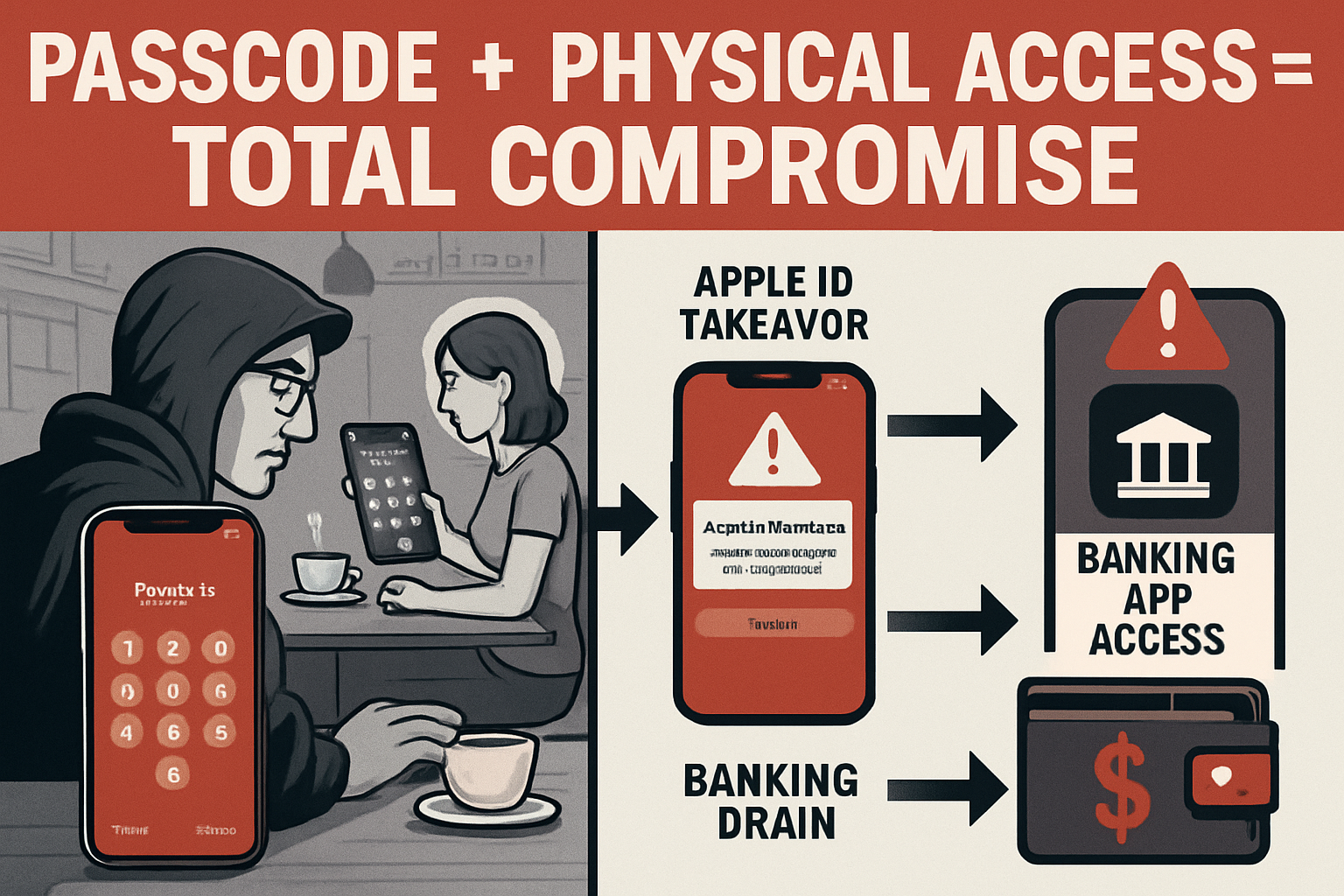
Picture this: You’re enjoying coffee at your favorite café, casually entering your iPhone passcode as someone watches from the next table. Within hours of stealing your device, that observer has drained your bank account, locked you out of your Apple ID, and begun systematically taking over your digital life. This isn’t science fiction—it’s the harsh reality of modern iPhone theft that goes far beyond losing expensive hardware.
Understanding how to prevent iPhone thieves from stealing your Apple ID–and your money has become critical in 2025, as criminals have evolved sophisticated techniques that exploit the deep integration between your device passcode, Apple ID, and financial accounts. The stakes couldn’t be higher: with access to your unlocked iPhone and knowledge of your passcode, thieves can potentially access your entire digital identity within minutes.
Key Takeaways
• Modern iPhone theft targets your identity, not just hardware – thieves use your passcode to take over Apple ID accounts and access financial apps
• Your device passcode is the master key – once compromised along with physical device access, it can unlock your entire digital life
• Stolen Device Protection and strong authentication are essential barriers that prevent thieves from changing critical account settings
• Immediate response protocols can limit damage if theft occurs, but prevention through proper configuration is far more effective
• Professional security audits help identify vulnerabilities across your entire Apple ecosystem before they can be exploited
The Real Threat: How iPhone Thieves Target Your Financial Life
The traditional view of smartphone theft—grab the device, wipe it, and sell it—represents outdated thinking that can leave users dangerously unprepared. Today’s sophisticated thieves operate with a fundamentally different strategy focused on identity theft and financial fraud rather than hardware resale.
The Modern Theft Playbook
Contemporary iPhone thieves follow a methodical approach that begins long before they actually take your device. They position themselves in crowded locations like coffee shops, bars, airports, and public transportation where people frequently use their phones. Their primary objective isn’t watching your screen content—it’s observing your passcode entry.
Once a thief has memorized your passcode pattern, they wait for the optimal moment to steal your device. With both the physical iPhone and knowledge of your passcode, they gain access to what security experts call the “keys to the kingdom.” This combination allows them to:
- Change your Apple ID password immediately
- Disable Find My iPhone before you can track the device
- Access iCloud Keychain containing all your saved passwords
- Reset banking and financial app credentials
- Modify two-factor authentication settings
- Access email accounts to intercept security notifications
Why Traditional Security Measures Fall Short
Many iPhone users feel protected by Face ID or Touch ID, but these biometric security measures become irrelevant when thieves also possess your passcode. Apple’s security architecture allows the device passcode to override biometric authentication in most situations, meaning a thief who knows your six-digit code can bypass your fingerprint or facial recognition entirely.
The integration between your iPhone and Apple ID creates additional vulnerabilities. Since many users configure their devices for convenience rather than security, critical account changes often require only the device passcode rather than re-entering the Apple ID password. This design choice, while user-friendly, becomes a significant liability when your device falls into the wrong hands.
Financial applications present another weak link in the security chain. Many banking and investment apps rely primarily on device-level authentication, assuming that access to your iPhone implies legitimate ownership. When combined with password managers that unlock with your device passcode, thieves can access and modify financial accounts with alarming speed.
Understanding Your iPhone’s Security Vulnerabilities
To effectively protect against theft-based identity fraud, you must understand exactly how your iPhone’s security architecture can be exploited. The device operates on multiple interconnected security layers, and compromise of one layer can cascade through the entire system.
The Passcode as Master Key
Your iPhone passcode serves as the ultimate authentication method, capable of overriding nearly every other security measure on the device. This design ensures users never become permanently locked out of their own devices, but it also creates a single point of failure that thieves can exploit.
When someone knows your passcode, they can:
- Access all unlocked applications without additional authentication
- Modify Face ID and Touch ID settings to add their own biometric data
- Change your Apple ID password through the Settings app
- Disable security features like Find My iPhone and Stolen Device Protection
- View saved passwords in iCloud Keychain and third-party password managers
- Approve app installations and in-app purchases
Apple ID Integration Risks
The seamless integration between your iPhone and Apple ID, while convenient for legitimate users, creates significant vulnerabilities when your device is compromised. Your Apple ID serves as the central authentication hub for:
- iCloud services including photos, documents, and backups
- App Store purchases and subscriptions
- iMessage and FaceTime communications
- Find My device tracking
- iCloud Keychain password synchronization
- Payment methods stored in Apple Pay
When thieves gain control of your Apple ID through your compromised device, they can lock you out of this entire ecosystem while maintaining access themselves. This takeover can persist even after you recover or replace your stolen device, as the thieves may have changed recovery information and trusted device lists.
Third-Party App Vulnerabilities
Banking, investment, and payment applications often inherit the security posture of the device they’re installed on. Many financial apps assume that device access implies user authorization, particularly when the app was previously authenticated and remains logged in.
Common vulnerabilities in financial apps include:
- Insufficient re-authentication requirements for large transactions
- Reliance on device passcode rather than app-specific PINs
- Automatic login persistence that doesn’t timeout appropriately
- Weak integration with device security features like Stolen Device Protection
Understanding these vulnerabilities helps explain why proper two-factor authentication setup becomes so critical for protecting your financial accounts.
Essential iPhone Security Settings to Enable Now
Protecting yourself from iPhone theft requires configuring multiple security layers that work together to prevent unauthorized access and limit damage if your device is compromised. These settings create barriers that slow down thieves and provide you with time to respond.
Stolen Device Protection Configuration
Apple’s Stolen Device Protection feature, introduced in recent iOS updates, specifically addresses the threat of thieves who know your passcode. This feature recognizes when your device is in an unfamiliar location and requires additional authentication for sensitive actions.
To enable Stolen Device Protection:
- Open Settings → Face ID & Passcode (or Touch ID & Passcode)
- Enter your device passcode
- Scroll down to Stolen Device Protection
- Toggle the feature On
When activated, this feature requires Face ID or Touch ID authentication (not just your passcode) for critical actions like:
- Changing your Apple ID password
- Modifying Face ID or Touch ID settings
- Adding or removing Face ID appearances
- Changing device passcode
- Signing out of Apple ID
- Erasing all content and settings
For the most sensitive actions, Stolen Device Protection also implements security delays, requiring you to wait one hour and then authenticate again with Face ID or Touch ID before the change takes effect.
Strengthening Your Device Passcode
Your device passcode represents the most critical security element on your iPhone. Moving beyond simple four or six-digit numeric codes significantly increases security against both observation and brute-force attacks.
Configure a strong alphanumeric passcode:
- Go to Settings → Face ID & Passcode
- Select Change Passcode
- Enter your current passcode
- Choose Passcode Options
- Select Custom Alphanumeric Code
- Create a memorable but complex password
Strong passcodes should be:
- At least 8-12 characters long
- Include letters, numbers, and symbols
- Avoid personal information like birthdays or addresses
- Differ from other passwords you use for accounts
- Be memorable enough to enter quickly when needed
Optimizing Find My Settings
Find My iPhone serves as your primary tool for tracking and remotely managing a stolen device, but its effectiveness depends on proper configuration before theft occurs.
Essential Find My settings:
- Settings → [Your Name] → Find My → Find My iPhone
- Enable Find My iPhone
- Enable Find My network (allows detection even when offline)
- Enable Send Last Location (transmits location when battery is critically low)
Additionally, configure Activation Lock by ensuring your device is signed into your Apple ID. This feature prevents thieves from erasing and reactivating your device without your Apple ID credentials.
Screen Time and App Restrictions
Screen Time restrictions can limit what thieves can accomplish with your device, even if they know your passcode. These controls are particularly effective for preventing installation of malicious apps or modification of security settings.
Configure protective Screen Time settings:
- Settings → Screen Time → Use Screen Time Passcode
- Create a different passcode from your device unlock code
- Settings → Screen Time → Content & Privacy Restrictions
- Enable restrictions and configure:
- iTunes & App Store Purchases → Require password for all purchases
- Account Changes → Don’t Allow
- Passcode Changes → Don’t Allow
These restrictions create additional barriers that slow down thieves and may prevent them from making critical changes to your device configuration.
Learning about additional security features in Apple’s latest operating systems can help you stay ahead of emerging threats and take advantage of new protective capabilities.
Securing Your Apple ID and iCloud Account
Your Apple ID represents the central hub of your digital identity within the Apple ecosystem, making its security paramount for preventing thieves from taking over your entire digital life. Proper Apple ID security goes far beyond choosing a strong password—it requires configuring multiple authentication layers and recovery options that thieves cannot easily compromise.
Implementing Robust Two-Factor Authentication
Two-factor authentication (2FA) for your Apple ID provides essential protection against account takeover, but its effectiveness depends heavily on implementation details. Standard 2FA that relies solely on SMS text messages can be vulnerable to SIM-swapping attacks, where thieves convince cellular carriers to transfer your phone number to a device they control.
Configure secure Apple ID two-factor authentication:
- Settings → [Your Name] → Sign-In & Security → Two-Factor Authentication
- Turn On Two-Factor Authentication
- Add multiple trusted phone numbers including landlines when possible
- Verify trusted devices and remove any you no longer control
- Generate and securely store recovery codes in a location separate from your devices
The key to effective 2FA lies in ensuring thieves cannot easily compromise all your authentication methods simultaneously. This means avoiding reliance on a single phone number or device for authentication codes.
Managing Trusted Devices and Recovery Contacts
Apple’s trusted device system determines which devices can receive authentication codes and approve account changes. Thieves who gain control of your iPhone may attempt to remove other trusted devices and add devices they control, effectively locking you out of your own account.
Audit and secure your trusted devices:
- Settings → [Your Name] → Sign-In & Security → Two-Factor Authentication
- Review all trusted phone numbers and remove any you don’t control
- Check trusted devices and sign out any unfamiliar or old devices
- Add recovery contacts who can help you regain account access
Recovery contacts represent a powerful security feature that allows trusted family members or friends to help you regain access to your Apple ID. Choose recovery contacts who:
- Use different cellular carriers than you do
- Live in different locations to avoid simultaneous physical threats
- Understand the importance of verifying your identity before helping
- Can be reached through multiple communication methods
Strengthening Password Security
Your Apple ID password must be completely unique and sufficiently complex to resist both automated attacks and personal information-based guessing. Since this password protects access to your entire Apple ecosystem, it deserves special attention and protection.
Apple ID password best practices:
- Use a completely unique password not used for any other account
- Make it at least 12-15 characters long with mixed character types
- Avoid personal information like names, dates, or addresses
- Store it securely in a password manager or written form kept separate from devices
- Change it immediately if you suspect any compromise
Consider using a passphrase approach, combining multiple unrelated words with numbers and symbols. For example: “Coffee$Telescope#Mountain92” provides strong security while remaining memorable.
Regular security audits help identify potential vulnerabilities before they can be exploited. Understanding how to identify and respond to security breaches becomes increasingly important as data breaches affect millions of accounts annually.
Protecting Your Financial Apps and Accounts
Financial applications on your iPhone represent the ultimate target for thieves seeking monetary gain. These apps often contain direct access to bank accounts, investment portfolios, credit cards, and payment systems that can be drained within minutes if not properly secured. Protecting these applications requires a multi-layered approach that goes beyond relying solely on your device’s security.
Banking and Investment App Security
Most financial institutions offer robust security features within their mobile applications, but these protections are only effective when properly configured and actively used. Many users disable security features for convenience, inadvertently creating opportunities for thieves to access accounts quickly.
Essential financial app security configurations:
- Enable app-specific PINs or biometric locks separate from your device passcode
- Set up transaction alerts for all account activity, regardless of amount
- Configure daily and per-transaction limits for transfers and payments
- Require additional authentication for large transactions or account changes
- Enable automatic logout after short periods of inactivity
- Disable features like mobile check deposit if not regularly needed
Many banking apps allow you to temporarily freeze accounts or cards directly from the mobile interface. Familiarize yourself with these emergency controls before you need them, as they can be invaluable for limiting damage during the critical first minutes after theft.
Payment App and Digital Wallet Protection
Digital payment applications like Apple Pay, PayPal, Venmo, and others often store payment methods and maintain account balances that thieves can quickly access or transfer. These applications frequently rely on device-level security, making additional protections essential.
Secure your payment applications:
- Apple Pay configuration:
- Require Face ID or Touch ID for all transactions
- Remove unnecessary cards from Wallet app
- Set up transaction notifications through your bank
- Regularly review transaction history
- Third-party payment apps:
- Enable app-specific security PINs
- Limit stored balances when possible
- Configure immediate notifications for all activity
- Set up automatic transfers to secure bank accounts
- Require authentication for sending money
Password Manager Security
Password managers create a double-edged security scenario: they provide excellent protection when properly configured, but can become a single point of failure if compromised. Since password managers often unlock using your device passcode or biometric authentication, thieves who control your iPhone may gain access to all your stored credentials.
Secure password manager configuration:
- Use a master password different from your device passcode
- Enable additional authentication for accessing sensitive entries
- Configure automatic logout after brief inactivity periods
- Regularly audit stored passwords and remove outdated entries
- Use secure password sharing features rather than storing shared credentials
- Enable breach monitoring to alert you when stored passwords are compromised
Consider using separate password managers for different types of accounts, such as keeping financial passwords in a more secure application with stricter authentication requirements than general website passwords.
Understanding common phishing tactics helps protect against social engineering attacks that might compromise your financial accounts even when your device security is properly configured.
Creating Effective Backup and Recovery Plans
When iPhone theft occurs, your ability to quickly regain control of your digital life depends entirely on preparations made beforehand. Effective backup and recovery planning goes beyond simply backing up photos and contacts—it requires creating comprehensive strategies for regaining access to accounts, replacing authentication methods, and restoring security across your entire digital ecosystem.
Essential Information Backup
The most critical information for theft recovery often exists outside your regular device backups. This information enables you to prove your identity to financial institutions, technology companies, and other service providers when your primary authentication methods are compromised.
Create a secure information backup containing:
- Complete list of all financial accounts with account numbers and customer service contacts
- Apple ID recovery codes stored separately from your devices
- Backup authentication codes for all critical services
- Emergency contact information for banks, credit card companies, and other financial institutions
- Device serial numbers and purchase receipts for insurance and replacement purposes
- Important password manager recovery information
Store this information in a secure physical location, such as a safety deposit box or fireproof safe, rather than in digital form that could be compromised along with your devices.
Alternative Device Access
Maintaining access to alternative devices ensures you can take immediate action after theft without waiting for device replacement. These backup devices should be configured with minimal access to your accounts but sufficient capability to execute emergency procedures.
Prepare alternative access methods:
- Secondary device (old iPhone, iPad, or computer) with basic account access
- Trusted family member or friend’s device for emergency authentication
- Work computer or device with appropriate personal account access
- Physical backup codes for critical services that don’t require device access
Ensure these alternative devices are configured with appropriate security measures and that you can access them quickly when needed. Avoid storing sensitive information on these backup devices, but ensure they can receive authentication codes and access password managers when necessary.
Emergency Contact Protocols
When theft occurs, you may need assistance from others to execute your recovery plan effectively. Establishing clear protocols with trusted contacts before an emergency ensures they can help without compromising security or causing delays.
Develop emergency contact protocols:
- Designate trusted contacts who can assist with account recovery
- Provide them with necessary information to help verify your identity
- Establish verification procedures they should follow before providing assistance
- Share emergency contact lists for financial institutions and service providers
- Create communication plans for when your primary phone number is compromised
Consider setting up shared password manager vaults or secure document sharing with trusted family members, allowing them to access critical information when you cannot.
Regular testing of your backup and recovery procedures helps identify gaps and ensures all components work when needed. Schedule quarterly reviews to update contact information, test alternative devices, and verify that backup codes remain valid.
Immediate Response Protocol for iPhone Theft
The first thirty minutes after discovering iPhone theft represent the most critical window for limiting damage and preventing extensive financial loss. During this period, thieves are likely attempting to change passwords, disable security features, and access financial accounts before you can respond. Having a predetermined response protocol eliminates the panic and confusion that can lead to costly delays.
First 10 Minutes: Critical Actions
The initial response to iPhone theft must focus on the highest-priority actions that prevent thieves from taking control of your most important accounts. These actions should be executed in order, using alternative devices or assistance from others when necessary.
Immediate priority actions:
- Mark device as lost in Find My using iCloud.com or another Apple device
- Contact your cellular carrier to suspend service and prevent SIM swapping
- Change your Apple ID password from a secure device
- Alert your primary bank and request temporary account monitoring
- Change email account passwords that could be used for password resets
Execute these actions as quickly as possible, even if you hope to recover your device soon. Thieves work rapidly, and delays of even 15-20 minutes can result in significant account compromises.
10-30 Minutes: Account Securing
After completing the most critical immediate actions, focus on securing additional accounts and preventing further unauthorized access. This phase involves systematically working through your most important services and implementing protective measures.
Secondary priority actions:
- Review and revoke active sessions in major accounts (Google, Microsoft, social media)
- Contact credit card companies to report potential compromise and request monitoring
- Change passwords for financial applications and investment accounts
- Enable fraud alerts with credit reporting agencies
- Document the theft with local law enforcement
- Contact your insurance provider if you have device coverage
Maintain detailed records of all actions taken, including times, confirmation numbers, and contact information for follow-up purposes.
30+ Minutes: Comprehensive Recovery
Once immediate threats are addressed, begin comprehensive recovery procedures to restore full security and functionality. This phase may take several hours or days to complete fully, but the groundwork should be established within the first hour after theft.
Extended recovery actions:
- Review all account activity for unauthorized changes or transactions
- Update security settings across all important services
- Replace physical cards that may have been compromised through digital wallets
- Restore data to replacement device from secure backups
- Audit and update all saved passwords and authentication methods
- Review and update emergency contact information and recovery methods
Communication and Documentation
Throughout the response process, maintain clear communication with financial institutions, service providers, and law enforcement. Proper documentation can be essential for insurance claims, fraud protection, and potential prosecution of thieves.
Documentation best practices:
- Record all confirmation numbers and reference codes from financial institutions
- Save screenshots of unauthorized activity or account changes
- Maintain a timeline of discovery, reporting, and recovery actions
- Keep copies of police reports and insurance claims
- Document financial losses and recovery expenses
Understanding how to respond to data breaches provides additional context for managing compromised account information during the recovery process.
Advanced Protection Strategies for High-Risk Users
Certain individuals face elevated risks of targeted iPhone theft due to their profession, wealth, public profile, or access to sensitive information. These high-risk users require additional security measures beyond standard consumer protections, including enterprise-grade security features and specialized threat mitigation strategies.
Enterprise Security Features for Personal Use
Many advanced security features originally designed for corporate environments can be adapted for personal use by individuals who face elevated threats. These features provide additional layers of protection and control that can significantly limit the damage from sophisticated theft attempts.
Advanced security implementations:
- Mobile Device Management (MDM) for personal devices allows remote wiping and policy enforcement
- Conditional access policies that restrict account access based on location and device characteristics
- Hardware security keys for critical account authentication instead of SMS-based codes
- Separate devices for financial activities with minimal other functionality
- Network-level security monitoring for home and office environments
Consider implementing these features gradually, starting with the most critical accounts and expanding coverage based on your specific risk profile and technical comfort level.
Behavioral Security Practices
High-risk individuals must adopt behavioral practices that minimize opportunities for observation and compromise. These practices require ongoing vigilance but can significantly reduce the likelihood of successful attacks.
Enhanced behavioral security:
- Use privacy screens or strategic positioning when entering passcodes in public
- Vary daily routines to prevent predictable patterns that thieves can exploit
- Employ decoy devices or accounts to confuse potential attackers
- Limit financial app usage in public or unsecured environments
- Regularly rotate passcodes, passwords, and authentication methods
- Maintain situational awareness in crowded or unfamiliar environments
Professional Security Assessment
High-risk users should consider professional security assessments that evaluate their entire digital ecosystem for vulnerabilities. These assessments can identify risks that might not be apparent to individual users and provide customized mitigation strategies.
Professional assessment benefits:
- Comprehensive vulnerability analysis across all devices and accounts
- Customized threat modeling based on individual risk factors
- Implementation of enterprise-grade security measures
- Ongoing monitoring and incident response planning
- Regular security updates and adaptation to emerging threats
At MacWorks 360, we specialize in designing comprehensive Apple ecosystem security strategies that protect against sophisticated threats while maintaining the usability and integration that makes Apple devices valuable for creative professionals and small businesses.
How MacWorks 360 Protects Your Apple Ecosystem
Modern iPhone thieves aren’t after your hardware—they’re after your identity and your money. At MacWorks 360, we help Apple-based professionals lock down their Apple ID, devices, and financial apps so that even if a thief has your iPhone in one hand and your passcode in the other, the damage they can do is strictly limited—and your recovery plan is already in place.
Comprehensive Apple Security Auditing
Our security auditing process examines your entire Apple ecosystem to identify vulnerabilities that could be exploited during theft scenarios. This comprehensive approach goes beyond individual device security to analyze how your iPhone, iPad, Mac, and Apple Watch interact with your digital identity and financial accounts.
Our security audit includes:
- Apple ID configuration review including two-factor authentication, recovery contacts, and trusted devices
- Device passcode and biometric security assessment with recommendations for optimal protection
- Financial app security analysis covering banking, investment, and payment applications
- iCloud Keychain and password manager evaluation to ensure proper security without compromising usability
- Cross-device synchronization security to prevent compromise spreading between devices
We provide detailed reports with specific configuration recommendations and assist with implementation to ensure your security improvements don’t interfere with your creative workflows.
Proactive Risk Management for Creative Professionals
Creative professionals face unique security challenges due to their reliance on Apple devices for client work, intellectual property creation, and business operations. Our proactive risk management approach addresses these specific needs while maintaining the seamless workflows that make Apple devices essential for creative work.
Specialized protection for creative workflows:
- Segregation of personal and professional identities to limit cross-contamination during security incidents
- Secure client data handling procedures that protect both your business and client information
- Backup and recovery strategies designed for large media files and project archives
- Device replacement protocols that minimize downtime during theft recovery
- Insurance and documentation support for business device coverage
Our understanding of creative industry workflows ensures that security improvements enhance rather than hinder your professional capabilities.
Emergency Response and Recovery Support
When theft occurs, panic and time pressure can lead to mistakes that compound the damage. Our emergency response support provides immediate expert guidance to limit damage and accelerate recovery, drawing on our 20+ years of Apple ecosystem expertise.
24/7 emergency response services:
- Immediate consultation for theft response prioritization and execution
- Remote assistance for account securing and device management
- Coordination with financial institutions and service providers
- Rapid device replacement and configuration to minimize business disruption
- Post-incident security assessment to prevent future vulnerabilities
We maintain detailed profiles of client configurations and preferences, enabling rapid restoration of security settings and workflows on replacement devices.
Long-Term Security Partnership
Effective security requires ongoing adaptation to new threats, device updates, and changing business needs. Our long-term consulting relationships ensure your Apple ecosystem security evolves with your requirements while maintaining the peace of mind that comes from proactive protection.
Ongoing security partnership benefits:
- Regular security reviews and configuration updates
- Threat intelligence updates relevant to Apple ecosystem users
- New feature evaluation and secure implementation guidance
- Incident response plan testing and refinement
- Staff training for small business teams using Apple devices
Our boutique approach means you work with the same experienced consultants who understand your specific needs, preferences, and risk tolerance.
For more information about our comprehensive Apple security services, or to schedule a security consultation, contact MacWorks 360. We solve tech challenges to enable smoother workflows while securing your competitive advantage through innovative solutions tailored to your unique requirements.
Conclusion
Understanding how to prevent iPhone thieves from stealing your Apple ID–and your money requires recognizing that modern theft goes far beyond hardware loss. Today’s sophisticated criminals target your digital identity, using your device passcode and physical access to systematically compromise your financial accounts, personal data, and online presence within minutes of theft.
The security strategies outlined in this guide work together to create multiple barriers that slow down thieves and provide you with time to respond effectively. From enabling Stolen Device Protection and strengthening your device passcode to securing your Apple ID with robust two-factor authentication and preparing comprehensive emergency response protocols, each element contributes to a defense-in-depth approach that protects your most valuable digital assets.
Remember that effective security requires ongoing attention and regular updates. As Apple releases new security features and thieves develop new attack methods, your protective measures must evolve accordingly. Regular security audits, whether self-conducted or professionally managed, help identify emerging vulnerabilities before they can be exploited.
Take action today:
- Enable Stolen Device Protection and audit your current iPhone security settings
- Strengthen your Apple ID security with unique passwords and proper two-factor authentication
- Secure your financial applications with app-specific PINs and transaction limits
- Create and test your emergency response plan using alternative devices and trusted contacts
- Consider professional security assessment if you face elevated risks or manage business devices
The investment in proper security configuration pays dividends in peace of mind and protection against increasingly sophisticated threats. Don’t wait until after theft occurs to discover vulnerabilities in your digital security—take proactive steps now to protect your Apple ecosystem and financial accounts from those who would exploit them.
For comprehensive Apple ecosystem security that protects your creative work and business operations without compromising the workflows you depend on, MacWorks 360 provides the expertise and ongoing support that transforms security from a burden into a competitive advantage.
References
[1] Apple Inc. “Use Stolen Device Protection on iPhone.” Apple Support, 2024.
[2] Federal Bureau of Investigation. “Internet Crime Report 2024.” IC3.gov, 2024.
[3] Apple Inc. “Two-factor authentication for Apple ID.” Apple Support, 2024.
[4] Consumer Financial Protection Bureau. “Mobile Banking Security Guidelines.” CFPB.gov, 2024.