
Picture this: It’s Monday morning, and your creative team’s newest hire shows up with a brand-new iPad Pro, ready to dive into client projects. Instead of spending their first day being productive, they’re stuck for hours trying to configure email, install the right apps, connect to your secure Wi-Fi, and figure out your file-sharing system. Meanwhile, you’re wondering if they’ll accidentally access sensitive client data they shouldn’t see, or worse—if that device gets lost next week, will your entire client database be compromised?
If this scenario sounds familiar, you’re not alone. As iPads and iPhones have evolved from consumer gadgets into serious business tools, small businesses are discovering they need professional-grade device management—without the complexity and cost of enterprise IT departments.
Key Takeaways
• Apple device management for small business transforms chaotic device setups into streamlined, secure operations that save time and reduce security risks
• Mobile Device Management (MDM) automates device configuration, app deployment, and security policies, turning hours of manual setup into minutes of automated deployment
• Proper MDM implementation enables 15-minute new hire onboarding, instant lost device protection, and consistent security across all company Apple devices
• Small businesses can choose between managed MDM services (hands-off approach) or in-house solutions, with costs typically ranging from $3-15 per device monthly
• The right MDM strategy prevents data breaches, ensures compliance, and creates a professional IT experience that rivals much larger organizations
Why iPads and iPhones Are Now Essential Business Tools
The transformation has been remarkable. What started as consumer entertainment devices have become the backbone of modern small business operations. Creative agencies use iPad Pros for client presentations and on-site design work. Photographers manage entire shoots from their iPhones. Small business owners run their companies from devices that fit in their pockets.
This shift accelerated dramatically during the remote work revolution of the early 2020s. Suddenly, Apple device management for small business became less of a nice-to-have and more of a survival necessity. Teams needed secure access to company resources from anywhere, on devices that could handle professional workloads while maintaining the simplicity that makes Apple products so appealing.
But with great power comes great responsibility—and significant security challenges.
What “Device Management (MDM)” Means in Plain English
Mobile Device Management (MDM) sounds intimidating, but it’s actually quite straightforward. Think of it as a remote control for your company’s Apple devices. Instead of manually configuring each iPad or iPhone by hand—installing apps, setting up email, configuring Wi-Fi passwords, and establishing security rules—MDM does it all automatically and consistently.
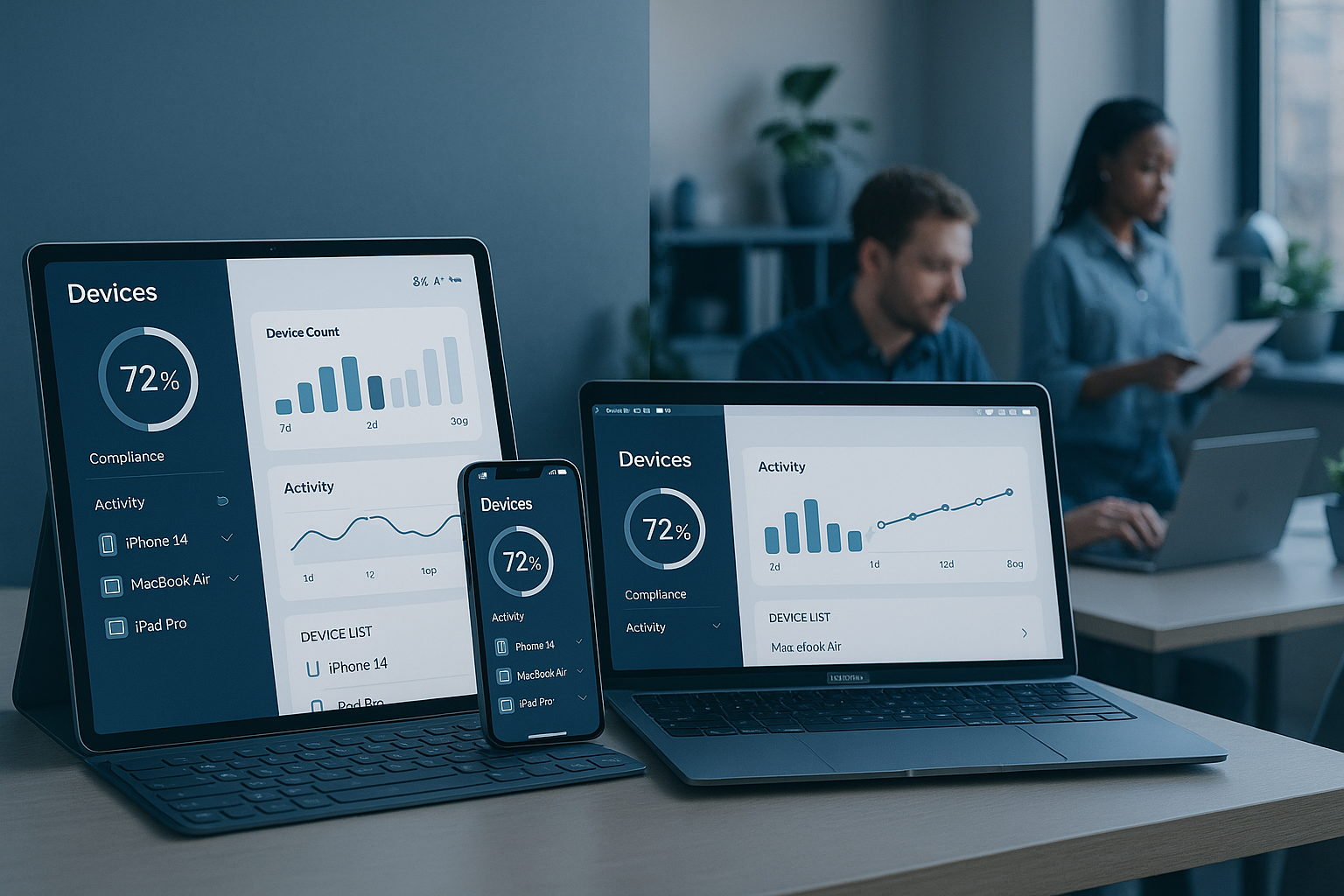
Here’s the simple version: MDM is software that lets you manage multiple Apple devices from a single dashboard. You set the rules once, and every device follows them automatically. It’s like having a dedicated IT person inside each device, making sure everything stays secure, updated, and properly configured.
The magic happens through something called device enrollment. When a new device joins your organization, it automatically downloads your company’s settings, apps, and security policies. No more walking new hires through complex setup processes or hoping they remember to install the right security software.
The Business Problems MDM Solves
Security Without the Headaches
The biggest fear for any small business owner is a data breach. When your team carries company data on personal-feeling devices, the risk multiplies quickly. MDM creates invisible security barriers that protect your business without making devices harder to use.
Real-world example: A design agency discovered one of their freelancers had been saving client files to their personal cloud storage. With MDM in place, company files automatically stayed within approved, encrypted storage systems—no training or policy enforcement required.
Consistency Across All Devices
Nothing screams “amateur operation” like having team members struggle with different app versions, missing company resources, or inconsistent email signatures. Apple device management for small business ensures every device looks and works the same way, creating a professional experience for both employees and clients.
Time Savings That Add Up
Consider the hidden costs of manual device management:
- New hire setup: 3-4 hours of IT troubleshooting becomes 15 minutes of automated deployment
- App updates: Instead of reminding everyone to update critical apps, it happens automatically
- Password resets: Streamlined authentication reduces help desk tickets by 60-80%
- Lost device response: Instant remote lock and wipe capabilities instead of panic and data exposure
Compliance Made Simple
Many small businesses work with clients who require specific security standards. Healthcare photographers need HIPAA compliance. Financial consultants must meet banking security requirements. Legal firms handle confidential client information. MDM provides the documentation and controls that prove you take data protection seriously.
Key Capabilities: The Non-Negotiables
Enrollment & Supervision
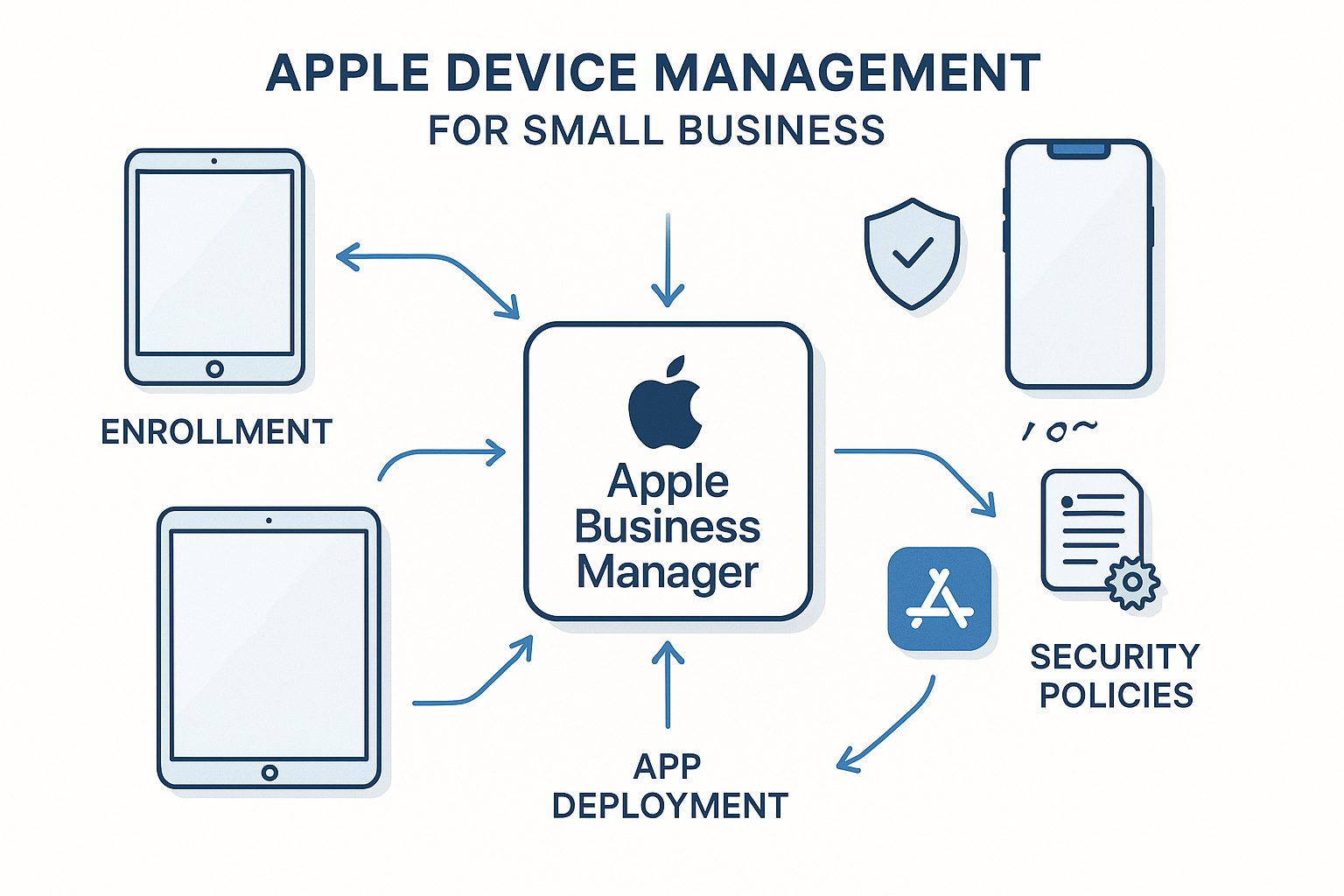
Device enrollment is your first line of defense and efficiency. Modern MDM solutions offer zero-touch deployment—devices arrive pre-configured and ready for business use. When an employee unboxes their new iPad, it automatically connects to your company’s management system and downloads all necessary configurations.
Device supervision takes this further, giving you granular control over device functionality. You can prevent personal app installations during work hours, restrict access to certain websites, or ensure company data never leaves approved applications.
App Deployment & Updates
Gone are the days of creating shared Apple ID accounts or asking employees to purchase business apps with personal credit cards. Professional Apple device management for small business includes automated app distribution, where critical business applications install automatically on enrolled devices.
Update management ensures security patches and app updates happen consistently across your fleet. You can test updates on a small group first, then roll them out to everyone once you’re confident they won’t disrupt workflows.
Email, Wi-Fi, and VPN Configuration
Network configuration becomes effortless with MDM. Devices automatically connect to your secure business Wi-Fi, configure email accounts with proper security settings, and establish VPN connections for remote work—all without employees needing to remember complex passwords or server settings.
Restrictions & Data Protection
This is where MDM shows its true value. You can:
- Prevent screenshot capabilities in sensitive applications
- Block personal cloud storage for company documents
- Require device passcodes that meet your security standards
- Enable automatic device locking after periods of inactivity
- Create separate containers for business and personal data
Lost Device Response
When devices inevitably get lost or stolen, MDM transforms a potential disaster into a minor inconvenience. You can instantly:
- Display custom lock screen messages with contact information for device return
- Remotely wipe company data while preserving personal information
- Track device location (where legally permitted)
- Generate compliance reports for insurance or client notification requirements
OS Update Management
Apple releases iOS updates frequently, and while most improve security and functionality, some can disrupt business-critical applications. MDM lets you control when and how updates install, ensuring business continuity while maintaining security.
Real-World Scenarios: MDM in Action
Scenario 1: New Hire iPad Setup in 15 Minutes
The Old Way: Sarah joins your marketing agency on Monday. She spends her first morning downloading apps, trying to remember the Wi-Fi password, configuring email settings, and calling IT support three times. By lunch, she’s frustrated and behind schedule.
The MDM Way: Sarah unboxes her company iPad, turns it on, and enters her employee ID. Within 15 minutes, she has:
- Secure email access with proper signatures
- All company applications installed and ready
- Access to shared files and project management tools
- VPN configured for secure remote work
- Company branding and wallpapers applied
She’s productive from day one, and your IT workload decreased by 90%.
Scenario 2: Offboarding Without Data Leakage
The Challenge: When employees leave, company data often leaves with them—sometimes intentionally, sometimes by accident. Traditional approaches rely on trust and manual data deletion.
The MDM Solution: When an employee’s last day arrives, you simply remove their device from the management system. All company data, applications, and access credentials disappear automatically, while their personal photos, contacts, and apps remain untouched. You get compliance documentation proving company data was properly removed.
Scenario 3: Lost iPad at a Job Site
The Crisis: Your photographer’s iPad disappears during a wedding shoot, containing hundreds of irreplaceable client photos and personal contact information for future bookings.
The MDM Response:
- Immediate location tracking helps determine if the device is still on-site
- Remote lock activation prevents unauthorized access
- Custom message display offers a reward for return
- Selective data backup ensures client photos are safely stored in company systems
- If necessary, complete remote wipe protects sensitive information while preserving client relationship
Apple Ecosystem Building Blocks
Apple Business Manager Basics
Apple Business Manager serves as the foundation for professional Apple device management for small business. Think of it as your company’s Apple account, but with superpowers. It connects your MDM solution to Apple’s device enrollment services, enables bulk app purchasing, and creates managed Apple IDs for employees.
Setting up Apple Business Manager requires business verification (usually 1-3 business days) and establishes your organization as a legitimate business entity in Apple’s ecosystem. This unlocks features unavailable to consumer accounts, including volume app licensing and automated device enrollment.
Managed Apple IDs: When They Help, When They Don’t
Managed Apple IDs are company-controlled accounts that give employees access to business-appropriate Apple services without mixing personal and professional data. They’re particularly valuable for:
When They’re Essential:
- Shared device environments (reception iPads, presentation devices)
- High-security industries requiring complete data separation
- Organizations with strict compliance requirements
When They’re Overkill:
- Small teams with high trust levels where personal/business boundaries are clear
- Creative professionals who rely heavily on personal Apple ecosystem integration
- Bring-Your-Own-Device policies where employee convenience outweighs control needs
The key is matching your approach to your actual business requirements, not implementing maximum security for its own sake.
What MDM Doesn’t Do: Avoiding False Expectations
Understanding MDM limitations prevents disappointment and helps set realistic expectations:
It’s Not Mind Reading
MDM can enforce policies, but it can’t make good judgment calls. If an employee finds a creative way to work around restrictions, technology won’t stop them. Strong policies work best when combined with clear communication about why they exist.
It’s Not a Replacement for Training
Automated device configuration doesn’t eliminate the need for employee education about security best practices, company policies, or proper device usage. MDM handles the technical implementation, but human behavior still matters.
It’s Not Magic Data Recovery
While MDM can backup certain types of data automatically, it’s not a comprehensive backup solution. You still need proper data backup strategies for critical business information.
It’s Not Invisible to Users
Employees will know their devices are managed. Transparency about what’s monitored and controlled builds trust and prevents resentment about “Big Brother” technology.
How to Choose an MDM Approach
Managed Service vs. In-House Implementation
Managed MDM Services (Recommended for Most Small Businesses):
- Pros: Expert setup, ongoing support, regular updates, compliance assistance
- Cons: Monthly recurring costs, less direct control
- Best for: Teams under 50 devices, businesses without dedicated IT staff, organizations prioritizing core business over IT management
In-House MDM Solutions:
- Pros: Complete control, potentially lower long-term costs, customization flexibility
- Cons: Requires technical expertise, time investment, ongoing maintenance responsibility
- Best for: Tech-savvy organizations, businesses with existing IT staff, companies with unique compliance requirements
Key Decision Factors
Business Size and Growth Plans:
- Under 10 devices: Simple cloud-based solutions often suffice
- 10-50 devices: Managed services provide best value
- 50+ devices: Consider hybrid approaches or dedicated IT investment
Industry Requirements:
- Healthcare, Legal, Finance: Prioritize compliance features and documentation
- Creative Industries: Focus on workflow integration and performance
- Retail, Hospitality: Emphasize ease of use and quick deployment
Technical Expertise Available:
- No IT Staff: Managed services essential
- Part-time IT Support: Hybrid approach with vendor support
- Dedicated IT Team: In-house solutions become viable
Cost and Effort Expectations
Managed Service Pricing Ranges
Basic MDM Services: $3-8 per device monthly
- Device enrollment and basic configuration
- Standard app deployment
- Remote lock/wipe capabilities
- Email support
Professional MDM Services: $8-15 per device monthly
- Advanced security policies
- Custom app distribution
- Priority support with phone access
- Compliance reporting and documentation
Enterprise MDM Solutions: $15-25+ per device monthly
- Custom integrations
- Dedicated account management
- Advanced analytics and reporting
- 24/7 support with guaranteed response times
Implementation Effort
Managed Service Timeline:
- Week 1: Initial consultation and requirements gathering
- Week 2: Service configuration and testing
- Week 3: Pilot deployment with 2-3 devices
- Week 4: Full rollout and team training
In-House Implementation:
- Month 1: Solution evaluation and purchase
- Month 2: Initial setup and configuration
- Month 3: Testing and policy refinement
- Month 4: Full deployment and documentation
Hidden Costs to Consider
Training and Change Management: Budget 2-4 hours per employee for initial training and adjustment period.
Policy Development: Creating comprehensive device usage policies requires 10-20 hours of management time.
Ongoing Maintenance: Even managed services require monthly policy reviews and updates.
Quick Decision Checklist + Questions to Ask Providers
Internal Assessment Questions
How many Apple devices does your organization currently use?
- Under 5: Simple solutions may suffice
- 5-25: Managed services recommended
- 25+: Professional MDM essential
What’s your most significant pain point in device management?
- Security concerns → Focus on compliance features
- Setup time → Prioritize automation capabilities
- Consistency issues → Emphasize standardization tools
Do you have dedicated IT support?
- No → Managed services essential
- Part-time → Hybrid approach
- Full-time → Consider in-house options
What industry compliance requirements apply?
- HIPAA, SOX, PCI-DSS → Ensure provider has relevant certifications
- Client security requirements → Request compliance documentation
- Insurance requirements → Verify coverage compatibility
Provider Evaluation Questions
Technical Capabilities:
- “How quickly can you deploy new devices from unboxing to productivity?”
- “What happens if an employee leaves unexpectedly?”
- “How do you handle iOS updates that might break business applications?”
- “Can you demonstrate the user experience for common tasks?”
Support and Service:
- “What are your actual response times for urgent issues?”
- “Who provides support—your company or a third-party vendor?”
- “How do you handle after-hours emergencies?”
- “What’s included in training, and what costs extra?”
Business Alignment:
- “How do you price for seasonal staff or rapid growth?”
- “What’s your policy on contract terms and cancellation?”
- “Can you provide references from similar businesses?”
- “How do you stay current with Apple’s frequent updates?”
Security and Compliance:
- “What certifications do you maintain?”
- “How do you handle data breaches or security incidents?”
- “Can you provide compliance reporting for our industry?”
- “Where is our data stored, and who has access?”
Making the Right Choice for Your Business
The decision to implement Apple device management for small business isn’t just about technology—it’s about creating a professional, secure, and efficient work environment that scales with your growth. The businesses that thrive today are those that treat their technology infrastructure as a competitive advantage, not a necessary evil.
Consider the total cost of not having proper device management: lost productivity during device setup, security breaches that damage client relationships, inconsistent user experiences that make your business look unprofessional, and the ongoing stress of managing technology instead of focusing on your core business.
The right MDM solution turns these challenges into a competitive advantage. Your team becomes more productive, your clients trust your security practices, and you gain the peace of mind that comes from knowing your technology infrastructure is working for you, not against you.
Conclusion
Apple device management for small businesses has evolved from a luxury for large corporations to an essential tool for any organization serious about security, efficiency, and professional growth. The question isn’t whether you need MDM—it’s whether you’ll implement it proactively or reactively after a security incident or productivity crisis forces your hand.
The businesses that implement thoughtful device management strategies today will be the ones that can scale confidently tomorrow. They’ll onboard new team members in minutes rather than hours, respond to security threats instantly rather than hoping for the best, and deliver a consistently professional experience that builds client confidence.
Your next steps are straightforward:
- Assess your current device management challenges using the checklist above
- Identify whether managed services or in-house solutions better fit your organization
- Request demonstrations from 2-3 providers that align with your requirements
- Start with a small pilot program to test functionality before full deployment
Remember, the goal isn’t to implement the most advanced MDM solution available—it’s to choose the approach that solves your specific business challenges while supporting your growth plans. Whether you’re managing 5 devices or 50, the right Apple device management strategy for small businesses will pay for itself through improved security, increased productivity, and reduced IT headaches.
The technology exists to make device management effortless. The only question is when you’ll decide to stop managing devices manually and start focusing on what really matters: growing your business.
Want an expert second opinion before choosing a platform? Schedule an Apple IT consultation with MacWorks 360 to review your devices, security priorities, and rollout plan.
References:
[1] Apple Business Manager Documentation – Apple Inc., 2025
[2] Mobile Device Management Market Analysis – Gartner Research, 2024
[3] Small Business Technology Security Report – Cybersecurity & Infrastructure Security Agency, 2024