Last updated: September 28, 2026
Quick answer
Mac IT support for print shops in New Jersey means managing Mac hardware, macOS updates, RIP software, and color management as one connected system, not as separate problems. Print production depends on precise version matching between macOS, RIP software (EFI Fiery, Caldera, Onyx, ColorBurst), and color calibration tools, so a provider who doesn’t understand that relationship will eventually break something on your production floor. MacWorks 360 has supported Mac-based creative and production businesses in New Jersey since 1994.
Key takeaways
- Print shops need IT support that treats RIP software, color management, and macOS updates as interdependent, not separate line items.
- A single uncontrolled macOS update can break RIP compatibility for days, costing real production hours.
- Mac-specialized support differs from generic Windows-first IT in troubleshooting speed, ColorSync knowledge, and Apple Silicon migration planning.
- NAS storage configuration, not just internet speed, is usually the real cause of slow job folder access.
- Legacy pre-press software compatibility with Apple Silicon Macs requires planning before a hardware purchase, not after.
- Backup strategy for print shops must cover active job folders, completed archives, and business data separately.
- New Jersey print shops from Springfield to Toms River can get remote diagnosis within minutes during business hours from a Mac-focused provider.
What is Mac IT support for print shops?
Mac IT support for print shops is specialized technical management of Apple hardware and macOS running production software: RIP engines, color management tools, imposition software, and pre-press design applications. It differs from general Mac support because the stakes involve production deadlines, not just office productivity.
A print shop’s IT environment typically includes:
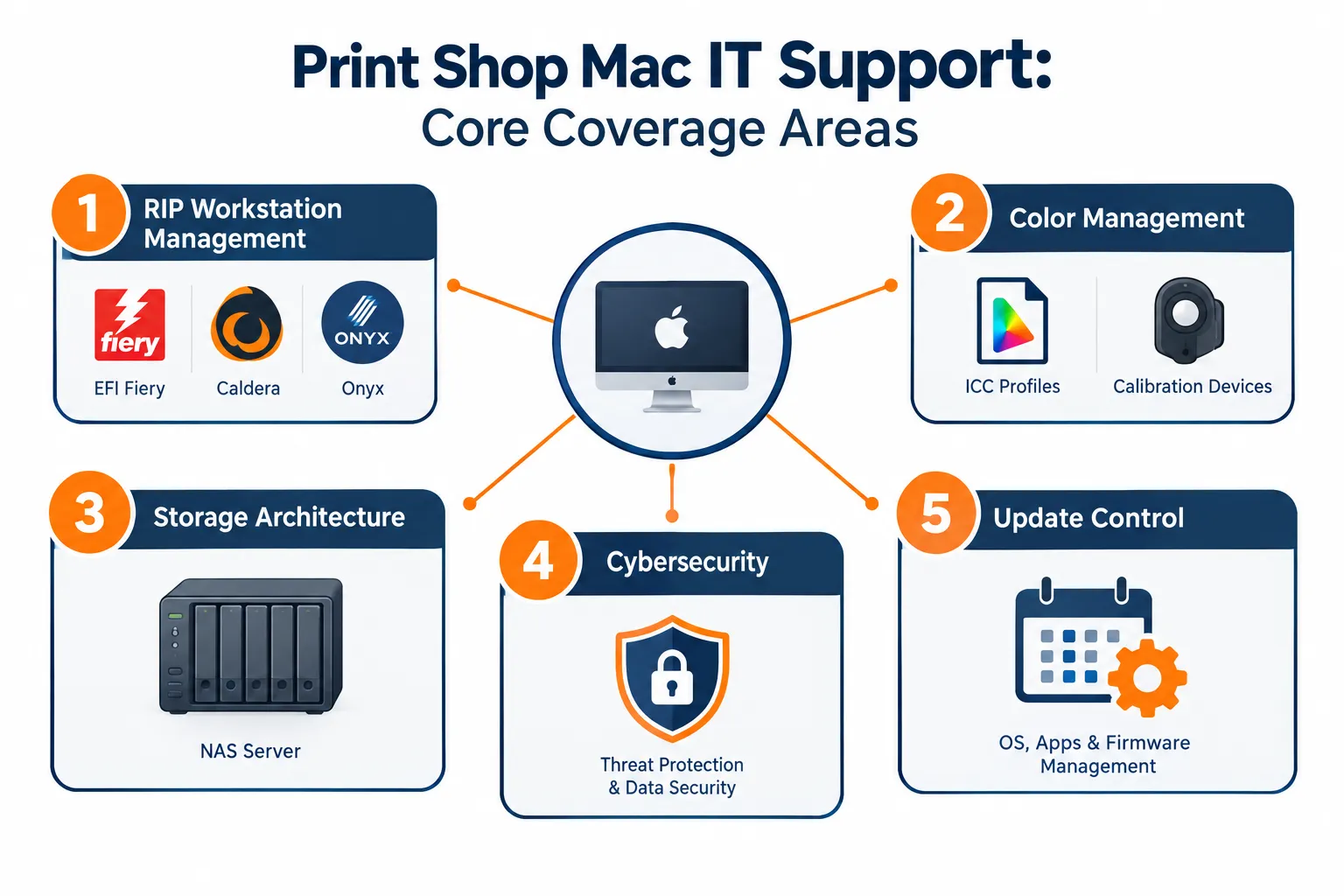
- RIP workstations running EFI Fiery, Caldera, Onyx, or ColorBurst
- Pre-press stations running Adobe InDesign, Illustrator, Photoshop, and QuarkXPress
- Color-calibrated proofing displays tied to ColorSync and ICC profiles
- Shared NAS storage holding large-format job files
- A network built to move multi-gigabyte files without bottlenecks
Providers offering this kind of support, such as MacWorks 360’s managed services build their processes around the reality that RIP software and macOS versions are tightly coupled.
Mac IT support vs Windows support for printing businesses
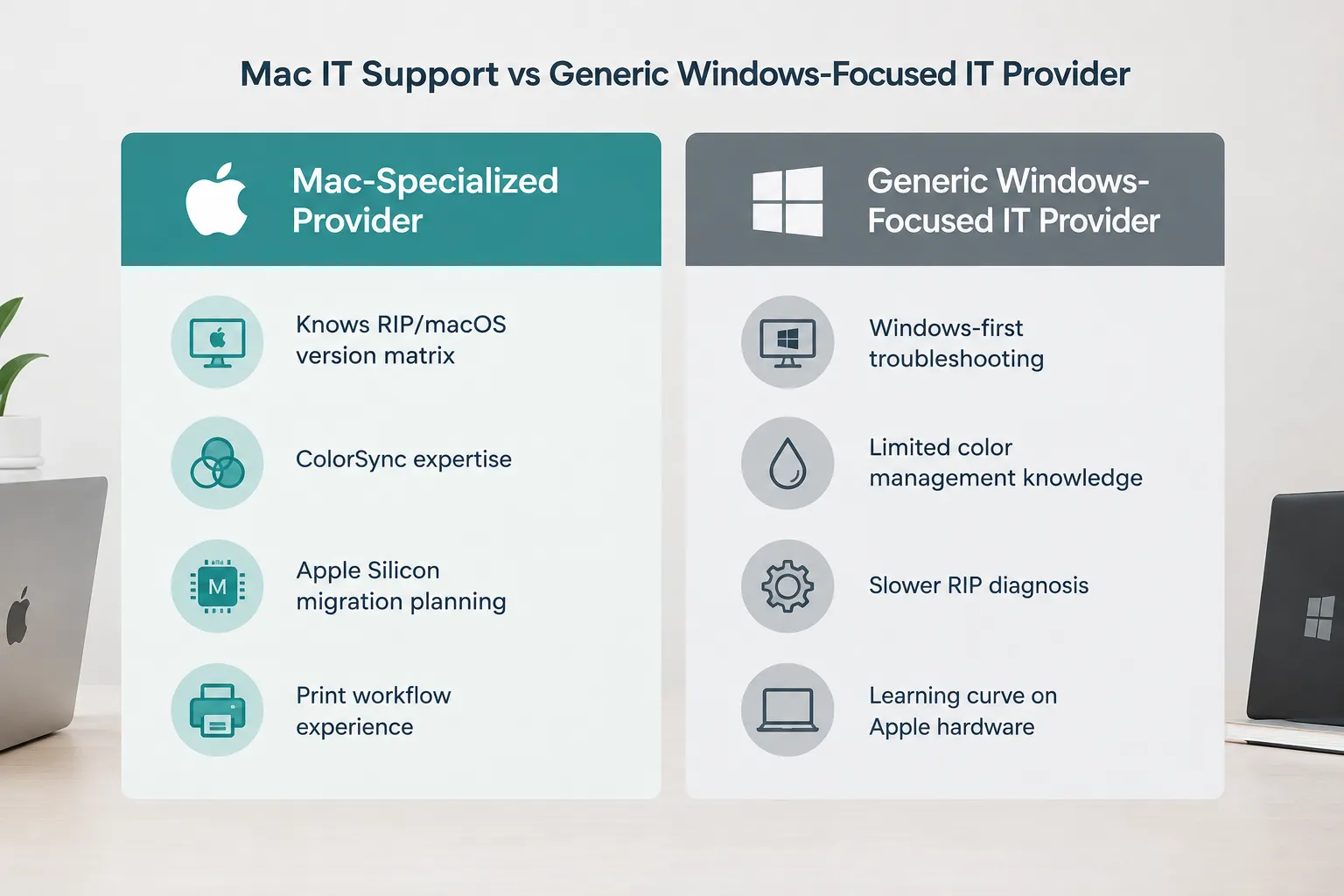
Mac IT support for print shops differs from Windows-focused IT in three practical ways: update control, color management depth, and RIP compatibility knowledge. A technician who mainly supports Windows networks may not know that a routine macOS update can silently break a RIP driver.
Key differences:
- Update philosophy. Mac-focused providers test macOS updates against RIP and color software before applying them to production machines. Generic providers often apply updates on a standard patch schedule that doesn’t account for production software.
- Color management. ColorSync, ICC profiles, and display calibration are Mac-native systems. A provider without deep Apple experience may not know how a macOS update alters color rendering.
- Apple Silicon transitions. Moving from Intel to Apple Silicon Macs changes how legacy RIP and imposition tools run, sometimes requiring Rosetta 2 or vendor updates. This is a narrow specialty most general IT firms haven’t dealt with repeatedly.
Choose a Mac-specialized provider if your shop runs any RIP software tied to specific macOS versions. Choose a generalist only if your production equipment runs entirely on Windows-based RIP servers with no Mac dependency.
Do print shops need dedicated Mac support, and is it worth it for small shops?
Print shops running Mac-based pre-press or RIP workstations need dedicated Mac support because production downtime costs more than most IT contracts. A small print shop with two or three Mac workstations still faces the same version-compatibility risks as a large operation, just with less room to absorb a lost production day.
Signs a shop needs dedicated Mac support:
- RIP software has broken after a macOS update in the past
- Color proofs don’t consistently match final output
- Job folders take longer to mount than they should on a modern network
- Nobody on staff can explain the current ICC profile setup
- The shop is planning to buy new Apple Silicon Macs but isn’t sure the current RIP software will run on them
For a small shop processing a handful of jobs a day, even one unplanned outage tied to a bad update can outweigh a year of proactive support costs. That’s the practical argument for dedicated Mac support regardless of shop size.
How much does Mac IT support cost in New Jersey?
Mac IT support costs in New Jersey vary by shop size, number of workstations, and whether RIP servers and NAS storage are included in the managed scope. Most managed IT arrangements for small and midsize production businesses are priced per device or per user, with print-specific add-ons for RIP management and color calibration support.
Factors that move the price:
- Number of Mac workstations and RIP servers under management
- Whether 24/7 monitoring or business-hours-only support is required
- Storage and backup volume for large print files
- Complexity of the software stack (number of RIP engines, imposition tools, legacy software)
Common Mac problems in print environments (and printer driver troubleshooting)
The most common Mac problems in print environments involve RIP software breaking after an OS update, printer or RIP drivers failing to reconnect after a network change, and ICC profiles disappearing after a macOS update. Most of these issues trace back to an update or driver mismatch, not hardware failure.
Frequent issues and root causes:
- RIP software stops responding after an update. Usually caused by a macOS version the RIP vendor hasn’t certified yet.
- Printer driver disappears from the print queue. Often tied to a network reconfiguration or a macOS permissions change during an update.
- Color proofs drift from output over time. Typically a calibration schedule issue or an ICC profile that got overwritten during a software install.
- Job folder access is slow for multiple users. Usually a NAS configuration or network protocol issue, not a bandwidth problem.
Quick troubleshooting checklist for printer driver issues:
- Confirm the driver version matches the current macOS version.
- Check whether a recent macOS update reset network preferences.
- Reinstall the RIP-specific driver rather than the generic macOS print driver.
- Verify the printer or RIP server still has a static IP or reserved DHCP lease.
- Test print from a second Mac to isolate whether the issue is machine-specific or network-wide.
Mac network setup for print shop production
A print shop network setup needs to be designed around large file transfers, not general office browsing. That means prioritizing wired connections for RIP and pre-press stations, a properly configured NAS, and secure remote access for client file delivery.
Core components of a production-ready network:
- Wired gigabit or better connections for RIP workstations and NAS storage
- VLAN separation between production traffic and guest or admin traffic
- VPN access for remote client file delivery and off-site staff
- NAS drive configuration matched to file size and concurrent-user load
- Automated overnight backup jobs that don’t compete with daytime production traffic
Mac software compatibility with print shop equipment
Software compatibility problems in print shops usually come from mismatches between macOS version, RIP or imposition software, and Apple Silicon hardware. Vendors like EFI, Caldera, and Onyx certify specific macOS versions for each RIP release, and running ahead of that certification is the single biggest cause of production software failures.
Practical compatibility rules:
- Never update macOS on a production machine before checking the RIP vendor’s certified OS list.
- Confirm imposition tools (Preps, Quite Imposing) support the target macOS version before migrating.
- Test legacy pre-press plug-ins on a non-production Mac before rolling out to the floor.
- Keep one machine on a stable, older macOS version as a fallback if the shop depends on legacy software that hasn’t been updated for Apple Silicon.
Mac IT support for large format printers and wide-format workflows
Wide-format print operations need Mac IT support that accounts for larger file sizes, heavier RIP processing loads, and storage systems built for oversized jobs. Wide-format RIP software (Onyx, Caldera, ColorBurst) tends to be more resource-intensive than standard sheet-fed RIP tools, which changes both hardware requirements and network design.
Considerations specific to wide-format shops:
- RIP servers need enough RAM and storage headroom for large-format file processing
- Network throughput matters more, since wide-format files run larger on average than standard print jobs
- Color calibration for wide-format substrates (vinyl, canvas, rigid media) often requires more frequent profile updates
- Legacy wide-format RIP software is one of the slower categories to gain Apple Silicon support, so hardware planning matters
Mac backup solutions for print businesses
Print businesses need backup coverage across three separate categories: active job folders, completed job archives, and general business data. Treating all three as one backup job is a common mistake that leads to slow restores and missed files.
A workable backup structure:
- Active job folders: backed up frequently (hourly or continuous) since these change during production
- Completed archives: backed up on a scheduled basis, often overnight, since they change less often but need long-term retention
- Business data (invoicing, client records): backed up separately with its own retention policy
Automated, tested backups matter more than backup frequency alone. A backup that’s never been tested for restore is a liability, not a safety net.
Mac security for print shop networks
Print shop networks need endpoint protection, disk encryption, and access controls because client artwork and pre-press files often represent unreleased branding or product designs. A security incident at a print shop isn’t just a data loss problem, it’s a client trust problem.
Baseline security measures for a print shop Mac fleet:
- Endpoint protection on every production and admin Mac
- Full-disk encryption on workstations handling client files
- Two-factor authentication on file-sharing and cloud storage accounts, a step made more urgent by recent large-scale password exposure incidents
- Staff training on recognizing phishing attempts targeting file transfer requests
- Secure VPN access for remote artwork delivery instead of open FTP
How to find reliable Mac technician support near you in New Jersey
Finding a reliable Mac technician for a print shop in New Jersey means looking for a provider with documented RIP and color management experience, not just general Apple device support. Ask for specific examples of RIP vendors and color tools they’ve managed, and confirm how they handle macOS update testing before it touches a production machine.
Questions worth asking any candidate provider:
- Which RIP software have you managed directly (EFI Fiery, Caldera, Onyx, ColorBurst)?
- How do you test macOS updates before applying them to production Macs?
- What’s your average response time during business hours if a RIP workstation goes down mid-job?
- Do you manage NAS storage and network design, or only individual machines?
- Can you support both Apple Silicon migration and legacy software compatibility?
Comparing support options for NJ print shops
| Factor | Mac-specialized provider | Generic IT provider | In-house handling |
|---|---|---|---|
| RIP software compatibility knowledge | Deep, vendor-specific | Limited or none | Depends on staff experience |
| Color management (ColorSync, ICC) | Core specialty | Rarely covered | Usually inconsistent |
| Update testing before production changes | Standard practice | Not always followed | Depends on discipline |
| Apple Silicon migration planning | Planned in advance | Reactive | Often overlooked until failure |
| Response speed for production outages | Fast, print-workflow aware | Variable | Immediate but limited scope |
Common problems solved for New Jersey print shops
“Our RIP software stopped working after a macOS update.”
Controlled update schedules and compatibility testing prevent unplanned OS changes from breaking production software.
“Our color proofs don’t match our output.”
A ColorSync configuration audit, ICC profile review, and display calibration check usually finds the root cause.
“The shared job folder is slow for multiple users.”
NAS performance for large print files depends on network configuration, drive setup, and access protocols working together, not just internet speed.
“We can’t run our old RIP software on the new Mac.”
Apple Silicon compatibility is a real constraint for legacy production software, and it requires a managed transition plan before hardware arrives.
“We’re worried about losing client artwork files.”
Automated, tested backup solutions covering job folders, completed archives, and business data close this gap.
Serving print shops across New Jersey
Northern NJ: Springfield, Morristown, Madison, Summit, Chatham, Millburn, Livingston, Montclair, Parsippany, Florham Park, Westfield, Hackensack, Clifton
Central NJ: New Brunswick, Edison, Princeton, Somerville, Bridgewater, Freehold, Piscataway
Jersey Shore: Red Bank, Asbury Park, Long Branch, Toms River, Point Pleasant, Belmar
New York City: Manhattan and Brooklyn (remote and on-site by arrangement)
MacWorks 360’s Apple business setup and support program covers this full service area under a single managed IT agreement.
FAQ
Can Mac IT support handle RIP software on the latest macOS?
Yes, but any provider should test compatibility before applying a macOS update to a production machine. RIP software has specific macOS version requirements that change with each vendor release.
Can a Mac IT provider help migrate from Intel Macs to Apple Silicon?
Yes. Apple Silicon migration in a print environment requires planning around RIP software compatibility, Rosetta 2 configuration, and legacy driver support before new hardware arrives.
Do Mac IT providers support wide-format print environments?
Yes, when the provider has direct experience with wide-format RIP software and the storage and network demands that come with larger file sizes.
Can one provider manage both production Macs and admin Macs?
Yes. A single managed IT program can cover production workstations, pre-press stations, RIP servers, and customer-facing Macs together.
What happens if something breaks during a production run?
A responsive provider should offer a direct contact line with fast response times during business hours, prioritizing remote diagnosis before anything else.
Is Mac IT support more expensive than Windows IT support?
Not inherently. Pricing is usually based on device count and scope of coverage rather than platform, though print-specific services like RIP compatibility testing may carry additional cost.
How often should ICC profiles be checked or updated?
ICC profiles should be reviewed after any macOS update, any new calibration device firmware update, or any noticeable drift in proof-to-output color match.
Ready to take IT problems off your production floor?
Book a free 15-minute consultation with Richard through MacWorks 360’s contact page.