
Skip to content
MacWorks 360
HomeAboutServicesCase StudiesAreas We ServeBlogTestimonialsFree Consultation: 973-671-1122

Tag: iPadOS 18

In iOS 18 and iPadOS 18, Quickly Turn Home Screen App Icons into Widgets
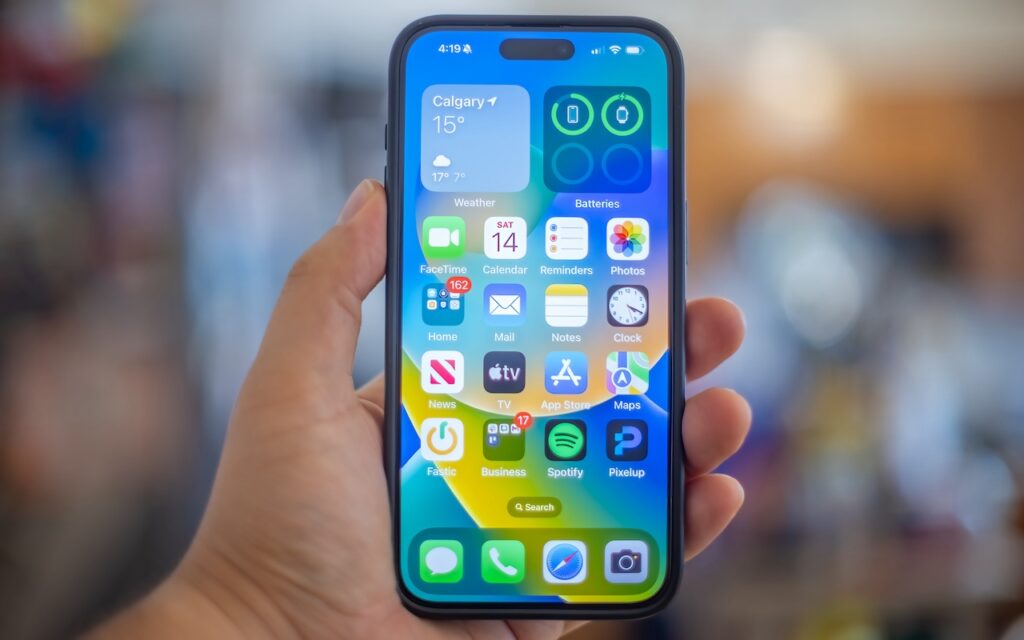
A hand holds an iPhone displaying the home screen with various app icons and a weather widget for Calgary. In iOS 18, you can quickly turn home screen app icons into widgets for enhanced customization and convenience.

Widgets on the iPhone or iPad Home Screen are enhanced versions of app icons that display extra information. You can now bypass the complicated widget creation process and experiment with […]

First Wave of Apple Intelligence Features Appear in macOS 15.1 Sequoia, iOS 18.1, iPadOS 18.1
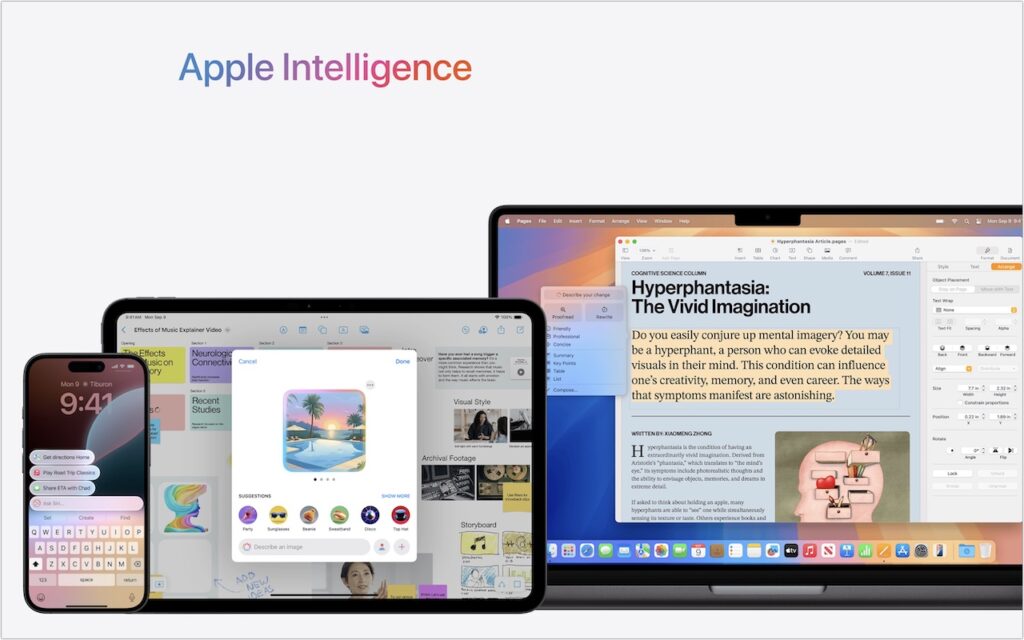
A smartphone, tablet, and laptop display Apple Intelligence features—including messaging, calendar, image generation, and document editing—under a gradient logo. The scene highlights iOS 18.1 and the first wave of Apple Intelligence features in macOS 15.1 Sequoia.

Is it time to make your Apple devices smarter? Apple has just released macOS 15.1 Sequoia, iOS 18.1, and iPadOS 18.1 with an initial collection of Apple Intelligence features and […]

In iOS 18 and iPadOS 18, Control Center Is Now Highly Customizable

A person stands in front of a large transparent screen displaying futuristic digital data, interacting with touch gestures—much like how Control Center is now highly customizable in iOS 18 and iPadOS 18.

Control Center has been a part of our iPhone and iPad experience for over a decade, first appearing in iOS 7 in 2013. It provides direct access to important controls […]

Passwords Becomes a Real App in macOS 15 Sequoia, iOS 18, and iPadOS 18

A notebook with My password written on it lists weak passwords—123456, qwerty, and UfRe8!te3=—next to a keyboard and a green highlighter, hinting at the new Passwords app in macOS 15 Sequoia, iOS 18, and iPadOS 18.

Although we’re still fans of 1Password, and there are plenty of other good password managers out there, like BitWarden and Dashlane, Apple has finally removed the last hurdle to using […]

Restrict Access to Sensitive Apps in iOS 18 and iPadOS 18

A smartphone displays digital graphics and a glowing shield icon with a padlock, symbolizing data protection and cybersecurity—perfect for illustrating how to Restrict Access to Sensitive Apps in iOS 18 and iPadOS 18, set against a starry night sky.

Do you worry about family members with whom you’re otherwise happy to share your iPhone passcode reading your private diary in a journaling app? Or perhaps you want to keep […]

At WWDC, Apple Unveils Apple Intelligence and Previews New OS Features

At WWDC, a man stands on stage in front of a large screen as Apple unveils Apple Intelligence and previews new OS features like writing tools, audio recording, message summaries, photo clean up, and memory movie creation.

Apple’s Worldwide Developer Conference keynote was a lightning-fast (even in the full 1:44-long video—or try the 3-minute recap) look at what Apple is bringing to the software side of the […]

Reliable Mac Support. Local Expertise.

Proudly serving Northern and Central New Jersey and the surrounding NJ/NY metro area.

No walk-ins — on-site service by appointment across our service area.

Contact

973-671-1122
info@macworks360.com

Mon–Fri 7:30 AM–6:00 PM
Weekends by appointment

Explore

Services
Case Studies
Areas We Serve
Blog
Contact
Terms of Service


Independent consultant; not affiliated with Apple Inc. © 2026 MacWorks 360. All Rights Reserved.