
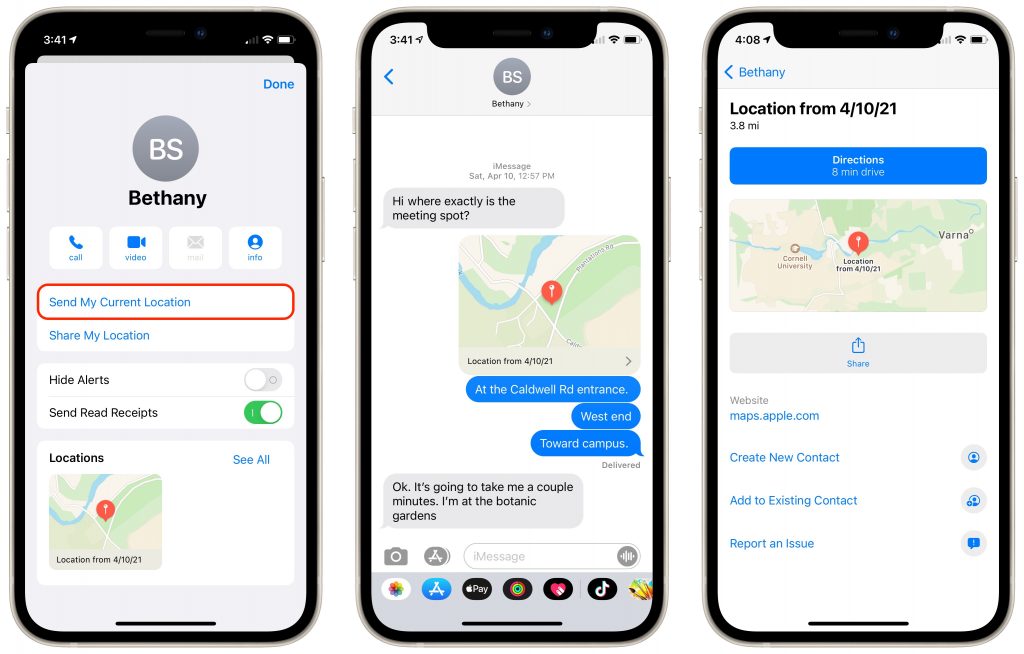
We’ve all gotten that panicked “Where are you?!?” text message at some point. Sometimes it’s an easy question to answer, but at other times, the answer is “Well, right here, wherever that is.” That’s unsatisfying, of course, but using Messages on your iPhone, you can do better. Tap the person’s name at the top of the conversation, tap the Info button, and in the screen that appears, tap Send My Current Location. Messages immediately sends a little thumbnail map showing where you are, and if the recipient taps it, they can see a larger map, get directions, or open it in Maps. It’s a brilliant little feature!
(Featured image by Andrea Piacquadio from Pexels)