
Although Apple’s products and services generally live up to Steve Jobs’s phrase “it just works,” problems do occur, opening the door to scams targeting users seeking tech support. As professional providers of technical support, we’ve seen firsthand how these frauds have evolved from simple pop-ups to disturbingly convincing operations and how easy it is to fall for them if you’re caught off guard. Here’s what to watch for and how to protect yourself.
Tech Support Scam Tactics
Tech support scams have evolved over the years, but the playbook remains the same: get you on the phone, make you panic, and extract money or sensitive information. Here’s what you need to watch out for, based on what clients are reporting to us:
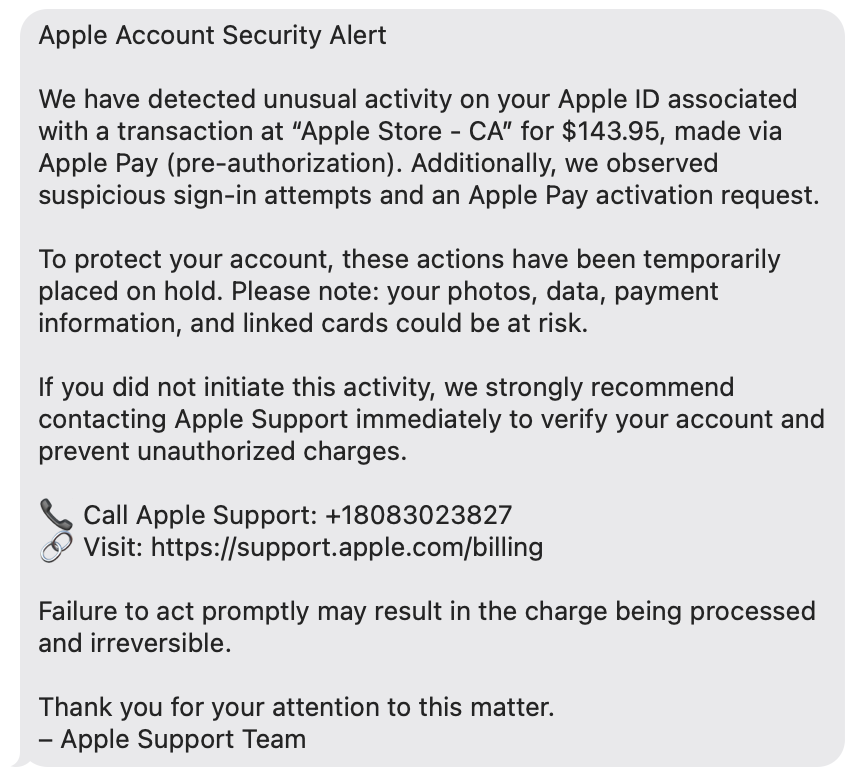
- Phishing texts claiming suspicious activity: You receive a text purporting to be from Apple, warning of “unusual activity” or an “unauthorized Apple Pay transaction” and urging you to call an Apple Support number. The message looks official, but the number connects you to a scammer, not Apple.
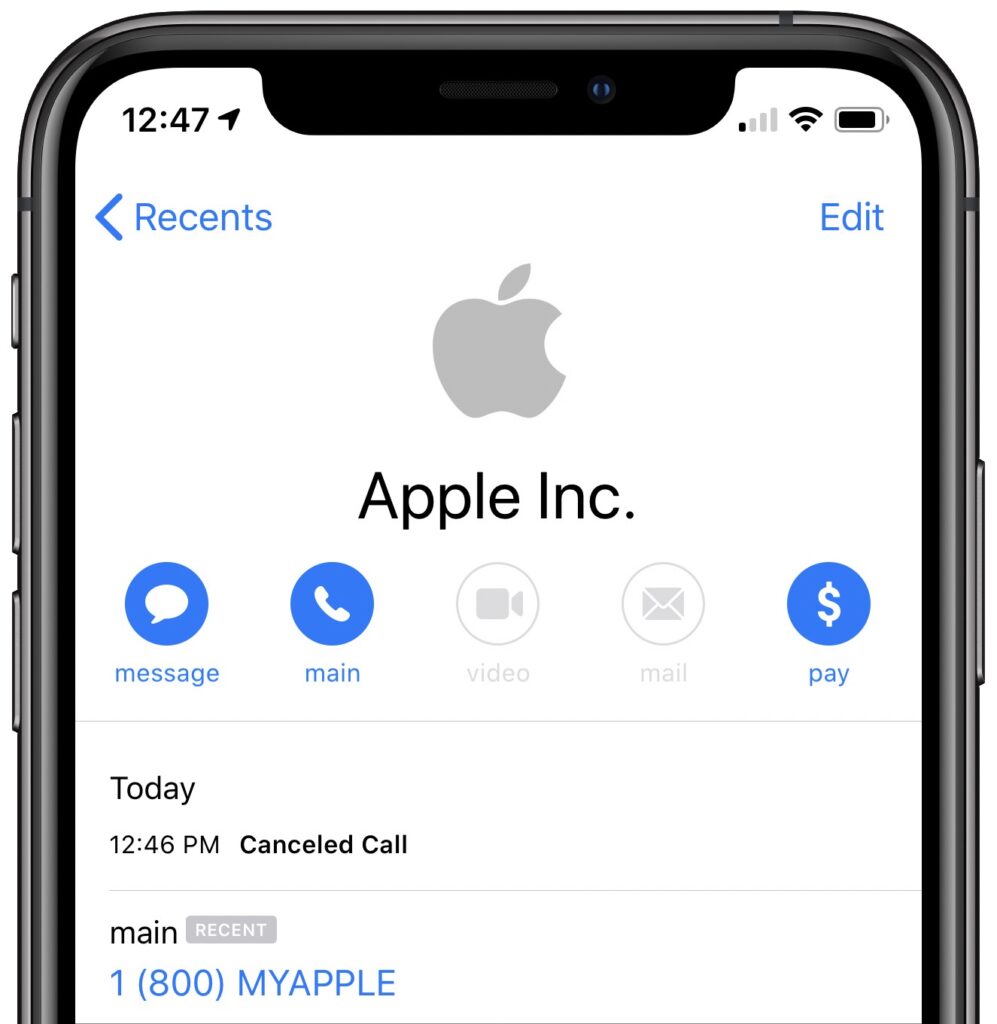
- Robocalls and emails about iCloud changes or breaches: In this scam, you receive an automated call or email purporting to be from Apple, often with the caller ID spoofed to Apple’s actual support number. You’re told to press a number or call back, and once you’re talking to a scammer, they try to get you to grant remote access and change your password so that they can take over your account.
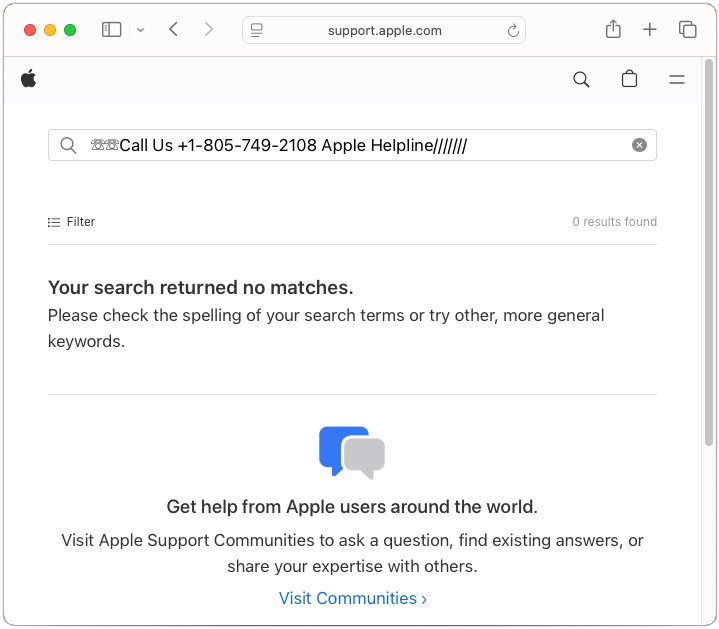
- Fake support numbers in Google search results: A particularly sneaky scam manipulates Google search results and ads. When you search for support (e.g., “Apple help,” “HP support”), you may see ads or top results that appear official. As Malwarebytes Labs reports, clicking these can inject a fake support number directly into the search field on the company’s real website. Call that number, and you’re routed to a scammer who may demand remote access, payment for bogus repairs, or your personal data.
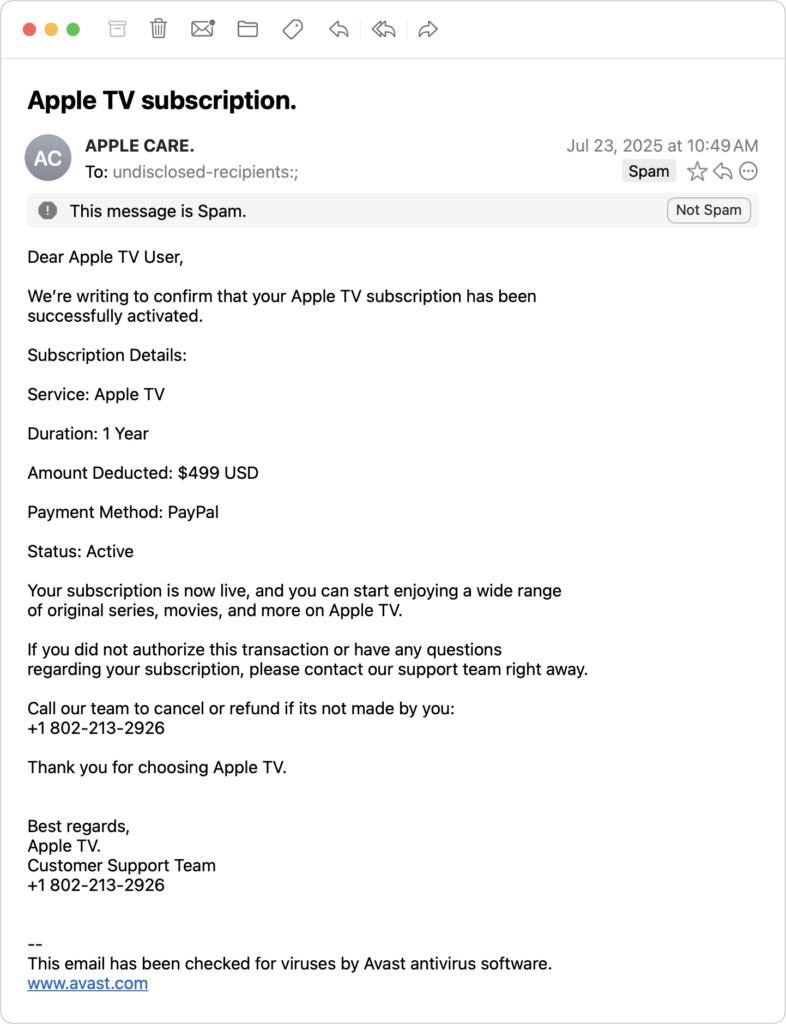
- Pop-ups, ads, and emails mimicking Apple: Fake pop-ups, ads, or emails warn of urgent issues, such as the egregiously expensive Apple TV subscription in the example below, and provide numbers to call to rectify the situation. As always, provided phone numbers lead to scammers.
How to Protect Yourself from Tech Support Scams
In an ideal world, you’d be able to identify every scam for what it is and simply move on with your life. Unfortunately, because technical problems make many of us anxious, the scams can cause people to panic and lose their critical thinking skills. To stay safe, remember these rules:
- Never respond to unsolicited tech support contacts: Ignore phone calls, texts, emails, or pop-ups claiming to be from Apple, Microsoft, Google, Amazon, or any other company.
- Don’t trust caller ID or search results: Scammers can spoof numbers and manipulate search results or ads. Always confirm contact info directly from the company’s official website—type the URL yourself or use a bookmark.
- Be wary of urgent demands: Real tech support doesn’t threaten you or create artificial urgency.
- Never allow remote access unless you initiated the contact: If you didn’t reach out to a trusted provider, don’t let anyone access your device.
- Use only official support channels: When you do need support, contact the company directly. For Apple, use support.apple.com or call 1-800-275-2273 in the United States (look here for other countries’ phone numbers).
If you work with us and we need to call you (for example, because of proactive monitoring), we’ll always identify ourselves clearly. If you’re unsure, hang up and call us back at a number you already have—we won’t be offended.
How to Recover from Being Scammed
What should you (or someone you’re helping) do after falling for a tech support scam? First, we’re here to help for real, so don’t be shy or embarrassed about contacting us for assistance. There are three main areas to focus on:
- Change passwords: Immediately change any passwords that you may have shared or entered during a remote access session. If you use the same passwords on any other websites, change those passwords too. Wherever possible, turn on two-factor authentication. A password manager like 1Password or Apple’s Passwords makes all this easier.
- Run anti-malware software: If you already have legitimate anti-malware software, run it to make sure the scammer didn’t install anything malicious on your Mac. If you don’t have up-to-date anti-malware software, contact us to see what we currently recommend.
- Protect your finances: If you paid for any bogus services, call your credit card company and reverse the charges; you’ll also undoubtedly get a new credit card number. Monitor financial accounts for unauthorized transactions and document any suspicious activity.
Finally, if you do fall prey to a scam, watch out for subsequent “refund scams.” Months after the initial incident, you might get a call offering a refund or compensation, or claims that the scam company is being investigated. These are almost always also scams designed to extract more money or information. If anyone contacts you about a previous tech support interaction, verify their legitimacy independently via official channels.
(Featured image by iStock.com/Supatman)
Social Media: Think you can spot a tech support scam? Today’s fraudsters are using everything from spoofed caller ID to manipulated search results. Here’s what to watch for and how to stay safe.