
Skip to content
MacWorks 360
HomeAboutServicesCase StudiesAreas We ServeBlogTestimonialsFree Consultation: 973-671-1122

Category: Support and Solutions for iPad Pros and Apple Devices | 2025 Apple Consulting NJ

Share Wi-Fi Network Passwords Using QR Codes

A person holds a smartphone and points at a glowing wifi QR code projected above a laptop, with “SCAN HERE TO GET THE ACCESS CODE” displayed, making it easy to share Wi-Fi network passwords using QR codes. A coffee cup sits on the wooden table in the foreground.

A neat feature built into iOS, iPadOS, and macOS is that when you are connected to a Wi-Fi network, your devices will offer to share the Wi-Fi password if others […]

Apple Speed Bumps iPad with A16 and iPad Air with M3

A dynamic, fantasy-style character in flowing white robes leaps mid-air with a large ornate black umbrella, set against a vibrant backdrop of lanterns and traditional Asian architecture. Text reads: “M3. Like Apple Speed Bumps iPad Air with M3—Light it up.”.

Apple has updated the iPad and iPad Air and introduced a new keyboard for the iPad Air. The primary change to the 11th-generation iPad ($349) is the move from the […]

You Can Now Migrate Purchases from One Apple Account to Another

A woman in a white shirt holds two smartphones, looking from one to the other, as a green arrow curves between them on a blue background—illustrating how you can now migrate purchases from one Apple account to another.

Ever since Apple launched the iTunes Store in 2003 with online accounts known as Apple IDs—now referred to as Apple Accounts—many users have ended up with multiple accounts. This situation […]

Manage Default Apps in One Place in iOS 18.2 and iPadOS 18.2

A person holds an iPhone displaying the Default Apps settings menu. Shelves with yellow and white storage boxes are blurred in the background.

An unheralded feature in iOS 18.2 and iPadOS 18.2 helps you manage the default apps on your iPhone and iPad. A default app is one that opens automatically for a […]

Text Replacements Not Working on the Mac? Check This Setting

Three beige keyboard keys with the letters B, T, and W are arranged in a row on a flat, bright blue background—a perfect scene for discussing issues like "Text Replacements Not Working on the Mac? Check This Setting.

Apple provides a handy ecosystem-wide feature that replaces a typed abbreviation—say “eml”—with text you specify, like your email address. (Seriously, copy that one so you don’t have to type your […]

Safari 18 Adds Highlights, Distraction Control, Redesigned Reader, and Video Viewer

A giraffe stands near a tree at sunset, with an orange sky. In the top-left corner, a Safari browser logo and the number 18 reference Safari 18 Adds Highlights for easier reading.

Alongside this year’s crop of operating systems comes Safari 18, the latest version of Apple’s Web browser. Most of what you do in Safari depends on the websites you use, […]

In iOS 18 and iPadOS 18, Quickly Turn Home Screen App Icons into Widgets
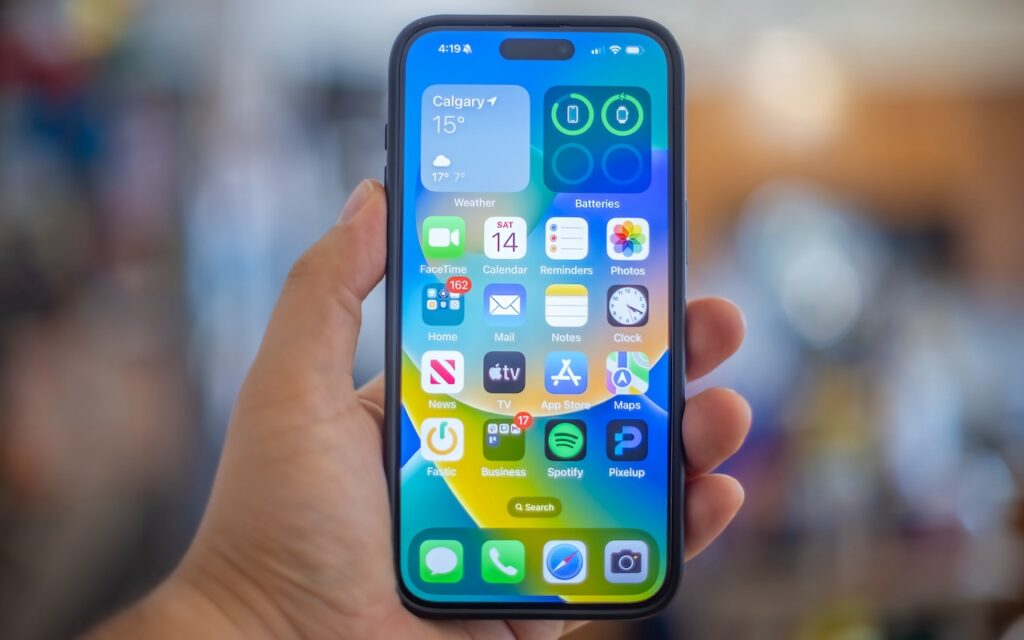
A hand holds an iPhone displaying the home screen with various app icons and a weather widget for Calgary. In iOS 18, you can quickly turn home screen app icons into widgets for enhanced customization and convenience.

Widgets on the iPhone or iPad Home Screen are enhanced versions of app icons that display extra information. You can now bypass the complicated widget creation process and experiment with […]

First Wave of Apple Intelligence Features Appear in macOS 15.1 Sequoia, iOS 18.1, iPadOS 18.1
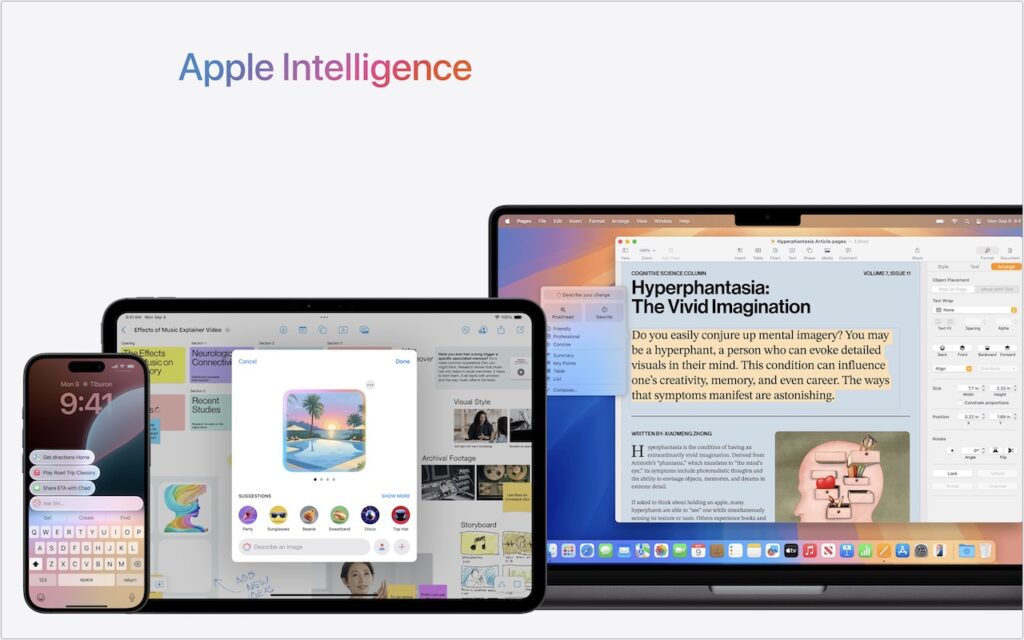
A smartphone, tablet, and laptop display Apple Intelligence features—including messaging, calendar, image generation, and document editing—under a gradient logo. The scene highlights iOS 18.1 and the first wave of Apple Intelligence features in macOS 15.1 Sequoia.

Is it time to make your Apple devices smarter? Apple has just released macOS 15.1 Sequoia, iOS 18.1, and iPadOS 18.1 with an initial collection of Apple Intelligence features and […]

New Seventh-Generation iPad mini Adds A17 Pro for Apple Intelligence

A hand holds an iPad Mini displaying the word “mini” in bold, colorful letters. Above, text reads: “New Seventh-Generation iPad mini Adds A17 Pro for Apple Intelligence.” The background is white.

Although the first wave of Apple Intelligence features won’t upend the user experience for most people, Apple is pushing hard to ensure that all its new devices can participate. That’s […]

Apple’s Tips App Provides Extensive User Guides and Helpful How-Tos

A laptop screen displays the Mac User Guide page with a search bar, a macOS Sequoia icon, and help topics—new features, personalizing the Mac, and managing windows—showcasing how Apple’s Tips App provides extensive user guides and helpful how-tos.

Apple has included the Tips app with the iPhone and iPad since iOS 8 in 2014 and on the Mac since macOS 10.14 Mojave in 2018. Initially, it didn’t contain […]

← Previous
Next →

Reliable Mac Support. Local Expertise.

Proudly serving Northern and Central New Jersey, with on-site support within about 20 miles of Springfield.

No walk-ins — on-site service by appointment across our service area.

Contact

973-671-1122
info@macworks360.com

Mon–Fri 7:30 AM–6:00 PM
Weekends by appointment

Explore

Services
Case Studies
Areas We Serve
Blog
Contact
Terms of Service


Independent consultant; not affiliated with Apple Inc. © 2026 MacWorks 360. All Rights Reserved.