
Skip to content
MacWorks 360
HomeAboutServicesCase StudiesAreas We ServeBlogTestimonialsFree Consultation: 973-671-1122

Category: Mac OS Tricks

Mac OS Tricks

The Best Characters to Use When Naming Files and Folders

A brown file folder is displayed against a blue background, with cut-out letters (uppercase and lowercase) and numbers arranged in rows on the folder, resembling a typeface reference chart.

Back in the early 1980s, DOS filenames couldn’t be more than 8 characters long with a period and a 3-character extension. That was limiting, so when Apple developed the Mac […]

How to Recover from Overzealous Auto-Correct Curly Quotes

A cartoon boy with brown hair and a black shirt is looking up with a hopeful expression, holding up both hands with his fingers crossed. The background is a solid light blue.

Most of the time, it’s appropriate when an auto-correct feature turns single and double hash marks into single and double curly quotes. However, there are times when the curly quotes […]

Put Files in the Mac’s Trash Using the Keyboard

A black trash bin filled with crumpled paper sits on a wooden floor against a white wall. On the wall are large symbols for “Command” and “Delete.”.

You know that you can drag files or folders to the Trash icon in the Dock for later deletion. And you probably know that you can select multiple items on […]

Hidden Tricks for Navigating the Mac’s App Switcher More Quickly

A young man wearing glasses and a denim shirt sits on a chair, appearing to juggle glowing digital icons of a laptop, smartphone, camera, monitor, and email symbol against a gray concrete background.

Although the Mac’s Dock shows all your running apps, it’s often not the most efficient way to switch among them. Instead, turn to the App Switcher. You may know that […]

Export Passwords from Safari to Ease the Move to a Password Manager

A woman in business attire works on a laptop, surrounded by digital icons connected by lines, representing technology, communication, and internet connectivity, with a central web browser symbol highlighted.

Although Apple has improved the built-in password management features in macOS and iOS (you can now add notes to password entries!), third-party password managers like 1Password and LastPass are still […]

Three Tricks for Dealing with Duplicated Contacts

A person typing on a laptop with floating digital profile icons and information cards, representing online networking, data management, or digital communication in a modern setting.

In today’s world, there’s no reason to remember our contacts’ phone numbers or email addresses—that’s a job for our Macs, iPhones, and iPads. This sort of data is so core […]

Use Reduce Transparency for a Consistently Colored macOS Interface
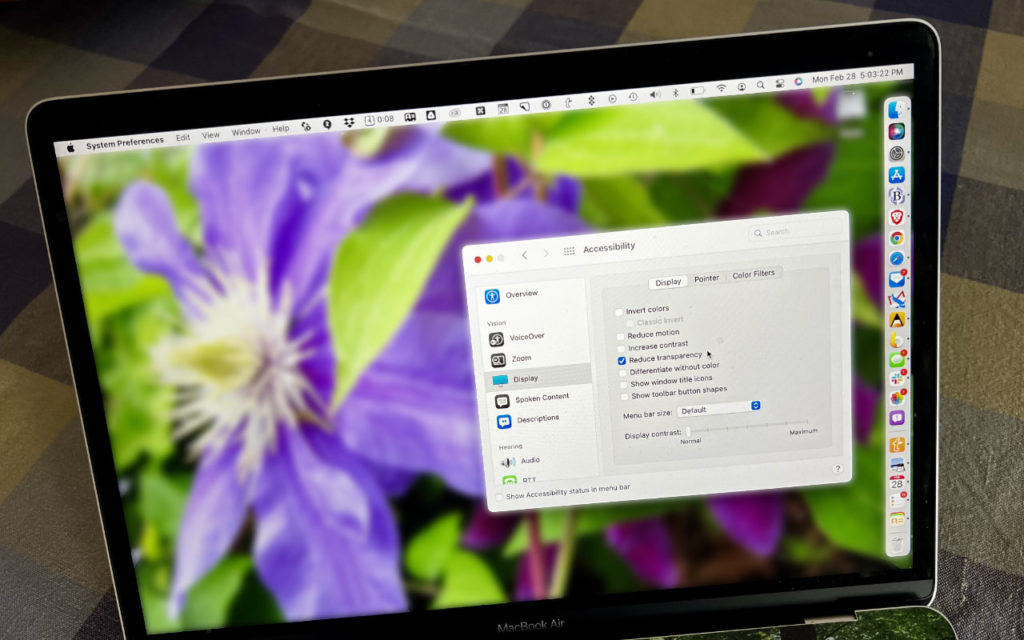
A MacBook Air screen shows the Accessibility settings window over a desktop wallpaper with a close-up photo of a purple flower and green leaves. System icons are visible across the top and right sides of the display.

For years now, Apple has made transparency a part of the macOS interface, which has the effect of blending the menu bar into the background and making menus and some […]

Extend Your Battery Life in macOS 12 Monterey with Low Power Mode

A person in a grey shirt sits at a laptop, resting their chin on their hand. A low battery icon is overlaid in the foreground, symbolizing tiredness or low energy.

We’ve become accustomed to our iPhones and iPads switching into Low Power Mode to preserve battery life, and you can enable it manually if you want to reduce power usage […]

Does Your Magic Mouse Need More Juice? Here’s How to Check

A light brown and white hamster sits on its hind legs with eyes closed, holding its front paws to its face against a soft green gradient background.

It’s unfortunate that the most recent iteration of the Magic Mouse has its Lightning charging port on the bottom, making it impossible to use while charging, unlike the Magic Keyboard […]

You Can Now Upgrade to macOS 12 Monterey When You’re Ready
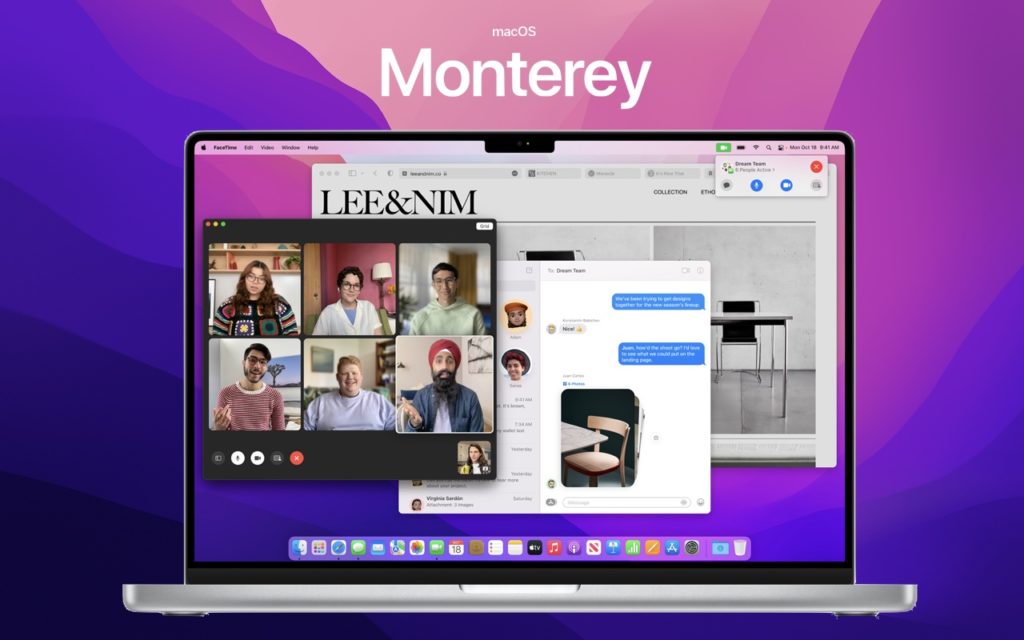
A MacBook displays macOS Monterey, showing a split screen with a video call, a website, and a messaging app; the background features a vibrant pink and purple gradient with Monterey text above.

When it comes to upgrading to a new version of macOS, we err on the side of caution, at least in our recommendations. (We often install even beta releases on […]

← Previous
Next →

Reliable Mac Support. Local Expertise.

Proudly serving Northern and Central New Jersey and the surrounding NJ/NY metro area.

No walk-ins — on-site service by appointment across our service area.

Contact

973-671-1122
info@macworks360.com

Mon–Fri 7:30 AM–6:00 PM
Weekends by appointment

Explore

Services
Case Studies
Areas We Serve
Blog
Contact
Terms of Service


Independent consultant; not affiliated with Apple Inc. © 2026 MacWorks 360. All Rights Reserved.