
Recover Lost Files on macOS: What to Do Before It’s Too Late – Data Integrity & Disaster Recovery
Recover Lost Files on macOS: What to Do Before It’s Too Late – Data Integrity & Disaster Recovery.

Picture this: You’re rushing to meet a critical deadline when your MacBook suddenly freezes. After a forced restart, you discover that weeks of work have vanished—client presentations, financial records, creative projects—all gone. For small business owners and creative professionals, this nightmare scenario can mean the difference between meeting commitments and losing clients. Understanding how to recover lost files on macOS: what to do before it’s too late – data integrity & disaster recovery isn’t just technical knowledge—it’s business survival insurance.
The reality is sobering: data loss affects 60% of small businesses within six months of a significant incident, and 93% of companies that lose their data for 10 days or more file for bankruptcy within a year [1]. Yet many Mac users operate without proper backup strategies, believing their reliable Apple hardware will never fail. This comprehensive guide reveals the critical steps every Mac user must take to protect their digital assets and recover from data disasters.
Key Takeaways
• Act quickly but carefully – The first 24-48 hours after data loss are critical for successful recovery, but hasty DIY attempts can permanently destroy recoverable files
• Prevention trumps recovery – Implementing Time Machine backups and cloud storage before disaster strikes is exponentially more effective than post-loss recovery attempts
• Professional tools matter – Consumer-grade recovery software often fails where specialized forensic tools succeed, making expert intervention crucial for valuable data
• Multiple backup layers provide peace of mind – Combining local Time Machine backups with cloud storage and periodic offline archives creates comprehensive protection
• Business continuity requires planning – Small businesses need documented disaster recovery procedures that minimize downtime and protect client relationships
Understanding Data Loss on macOS: Common Causes and Warning Signs
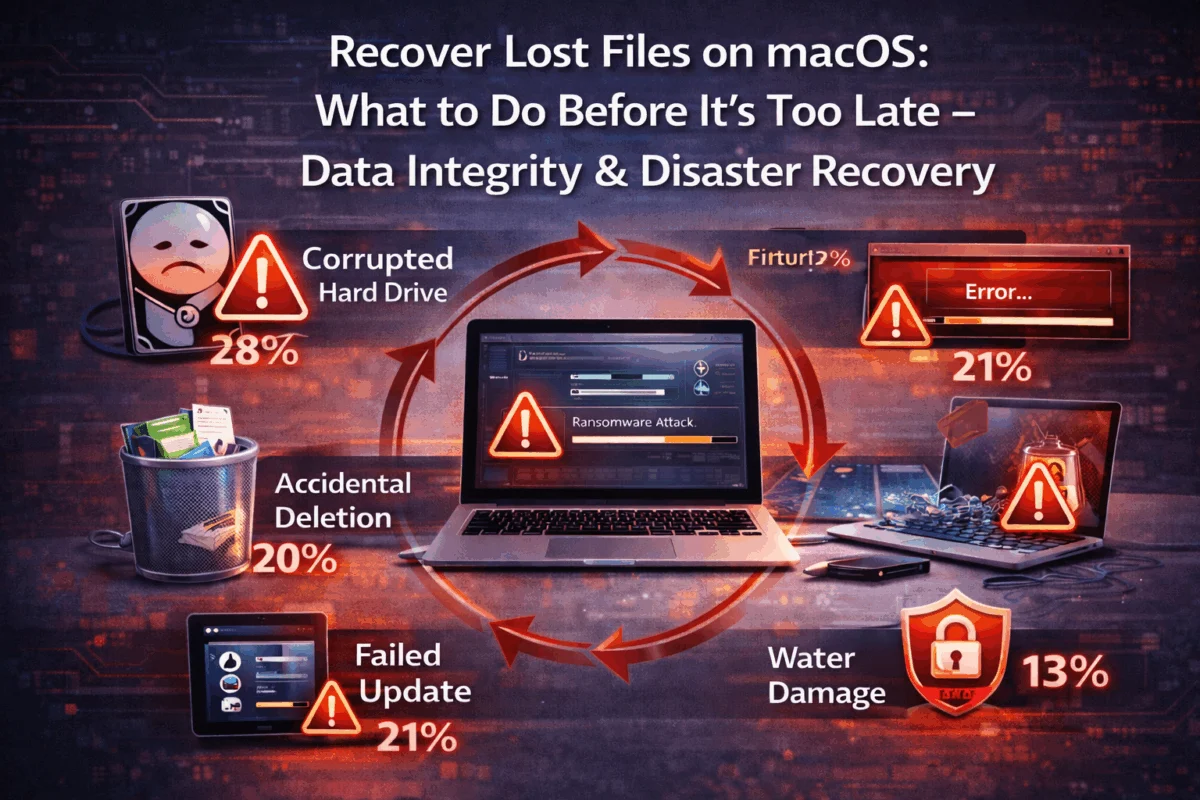
Data loss on Mac systems occurs through various mechanisms, each requiring different recovery approaches. Hardware failures pose the greatest threat, particularly with older MacBooks that may experience logic board issues or solid-state drive degradation. Unlike traditional hard drives that often provide warning signs through unusual noises, SSDs can fail suddenly and completely.
Software corruption frequently stems from interrupted system updates or incompatible third-party applications. macOS Monterey and Ventura users have reported increased instances of file system corruption following major updates, especially on systems with limited storage space. When your Mac struggles to complete an update due to insufficient disk space, critical system files can become corrupted, leading to boot failures and data inaccessibility.
Human error accounts for approximately 40% of all data loss incidents [2]. Accidental deletions, mistaken drive formatting, and incorrect file moves happen more frequently than users realize. The modern Mac interface, while intuitive, can sometimes make destructive actions too easy—a simple drag-and-drop mistake can move entire project folders into the trash without apparent confirmation.
Malware and security breaches pose growing threats to Mac users. While macOS maintains strong security foundations, recent data breaches affecting billions of passwords demonstrate that no system is entirely immune. Ransomware specifically targeting Mac users has increased 165% in recent years, with attackers often focusing on creative professionals who store valuable intellectual property.
Environmental factors create additional risks. Liquid spills, power surges, and physical impacts can instantly destroy hardware and render data inaccessible. Creative studios and small offices often lack the environmental controls found in enterprise data centers, making their Mac fleets more vulnerable to physical threats.
Warning Signs That Demand Immediate Attention
Recognizing early warning signs can prevent complete data loss. Slow file operations often indicate issues with the drive’s health. If your Mac takes significantly longer to open large files or copy data between drives, run Disk Utility’s First Aid immediately. Frequent application crashes when working with specific files suggest corruption that may spread if left unaddressed.
Unusual error messages during startup or file access require immediate investigation. Messages like “The disk you inserted was not readable by this computer” or “The operation can’t be completed because an unexpected error occurred” often precede complete drive failure. Apple’s approach to device longevity emphasizes proactive maintenance, but users must recognize when professional intervention becomes necessary.
Immediate Response: What to Do When Files Go Missing
When you discover missing files, your immediate response determines the success of the recovery. Stop using the affected device immediately—this single action is the most critical factor in successful data recovery. Every additional operation on the drive reduces the likelihood of recovering deleted files, as macOS may overwrite the sectors containing your lost data.
Do not attempt to install recovery software on the affected drive. Well-meaning users often download consumer recovery applications directly to their compromised Mac, potentially overwriting the very files they’re trying to recover. If you must use recovery software, install it on a separate drive or external device.
Document what happened before memory fades. Note the exact time of data loss, what operations you were performing, any error messages displayed, and which files or folders are missing. This information proves invaluable for professional recovery specialists and helps determine the most appropriate recovery approach.
Critical Actions for the First 24 Hours
Create a drive image immediately if you have the technical expertise and appropriate tools. Professional recovery services always work from drive images rather than original hardware, preventing further damage during recovery attempts. However, this requires specialized knowledge—improper imaging can cause additional data loss.
Assess the scope of loss systematically. Check Time Machine backups, cloud storage services, and any other backup locations before assuming files are completely gone. Many users discover their “lost” files exist in backup locations they’d forgotten about. Implementing proper backup strategies prevents most data loss scenarios entirely.
Contact professional recovery services for valuable data. While consumer software may recover some files, professional services using forensic-grade tools achieve significantly higher success rates. The cost of professional recovery often pales compared to recreating lost work or losing clients due to missed deadlines.
Isolate the affected system from networks to prevent potential malware spread if the data loss appears security-related. Identifying phishing emails and other security threats helps avoid future incidents, but immediate isolation protects other systems in your network.
Professional Data Recovery: Tools and Techniques That Actually Work
Professional data recovery operates on principles fundamentally different from consumer-grade solutions. Forensic imaging creates bit-for-bit copies of storage devices, allowing recovery specialists to work without risking further damage to original hardware. These images capture not just existing files, but also deleted file remnants and metadata that consumer tools typically miss.
Specialized recovery software used by professionals can reconstruct file systems, recover partially overwritten data, and extract files from corrupted databases. Tools like R-Studio, UFS Explorer, and proprietary solutions developed specifically for Mac file systems achieve recovery rates exceeding 90% in many scenarios where consumer software fails.
Clean-room facilities are necessary for physically damaged drives. When MacBook logic boards fail, or SSDs suffer physical damage, recovery requires specialized environments free from dust and static electricity. Professional recovery labs maintain ISO-certified clean rooms and possess the microscopic tools needed for component-level repairs.
The MacWorks 360 Recovery Process
With over 20 years of Mac expertise, MacWorks 360 employs a systematic approach that maximizes recovery success while protecting client confidentiality. The initial assessment involves a comprehensive drive analysis using professional diagnostic tools to identify the specific failure mechanism and estimate recovery probability.
Custom recovery strategies address each unique situation. A corrupted database requires different techniques than a physically damaged SSD. This tailored approach, rather than prescriptive solutions, ensures optimal results for each client’s specific circumstances. Proactive risk management principles guide every recovery attempt, prioritizing data safety over speed.
Secure handling protocols protect sensitive business information throughout the recovery process. Client files remain encrypted during recovery, and all recovered data is delivered through secure channels. This attention to security particularly benefits creative professionals and small businesses handling confidential client information.
The educational component of professional recovery helps clients understand what happened and how to prevent future incidents. Rather than simply returning recovered files, MacWorks 360 provides detailed explanations and customized backup recommendations that address each client’s specific workflow and risk profile.
Building Bulletproof Backup Systems: Time Machine and Beyond
Time Machine represents Apple’s elegant solution to backup complexity, but proper configuration requires more thought than most users invest. Dedicated backup drives should be at least twice the size of your Mac’s internal storage, allowing Time Machine to maintain multiple versions of files over extended periods. External SSDs provide faster backup performance than traditional hard drives, reducing the time required for hourly backups.
Exclusion settings optimize Time Machine performance and storage efficiency. Large cache files, temporary downloads, and virtual machine disk images consume backup space without providing meaningful protection. Properly configured exclusions can reduce backup size by 30-50% while maintaining complete protection for irreplaceable files.
Multiple backup destinations provide redundancy that single-drive solutions cannot match. Time Machine supports various backup drives and automatically rotates backups among them. This approach protects against backup drive failure—a surprisingly common occurrence that leaves users with neither original files nor backups.
Cloud Storage Integration for Complete Protection
iCloud Drive offers seamless integration with macOS but requires careful management to avoid sync conflicts and storage limitations. The 2TB iCloud+ plan provides adequate space for most small businesses, but creative professionals working with large media files may need additional solutions. Selective sync helps manage local storage while maintaining cloud protection for critical files.
Third-party cloud services such as Dropbox Business and Google Workspace offer additional features for business users. Version history capabilities allow recovery of files from specific points in time, protecting against corruption and accidental changes. These services also offer superior collaboration capabilities.
Hybrid backup strategies combine local Time Machine backups with cloud storage for comprehensive protection. Local backups provide fast recovery for recent files, while cloud storage protects against site-wide disasters like fire or theft. Staying current with backup technology prevents the technical debt that compromises data protection over time.
Advanced Backup Techniques for Creative Professionals
Project-based archiving addresses the unique needs of creative workflows. Completed projects should be archived in dedicated storage with multiple copies in different locations. LTO tape storage provides cost-effective long-term archiving for video production and photography studios managing terabytes of content.
Automated backup verification ensures backup integrity without manual intervention. Scripts can periodically test backup restoration to confirm that backups actually contain recoverable data. Many users discover backup failures only when attempting recovery—far too late to prevent data loss.
Geographic distribution protects against regional disasters. Cloud storage inherently provides geographic redundancy, but local backup drives should be distributed as well. Keeping one backup set off-site protects against fire, theft, and natural disasters that could destroy both primary systems and local backups.
Business Continuity: Minimizing Downtime During Recovery
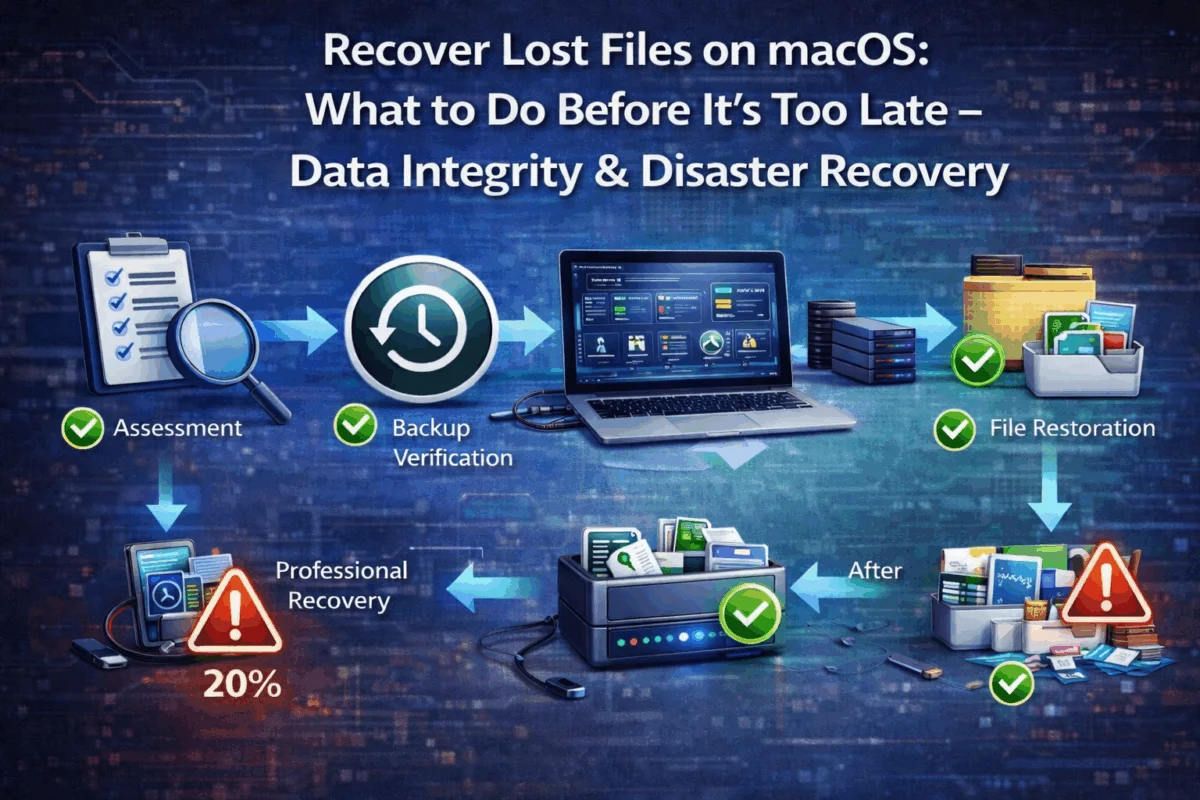 Documented recovery procedures transform chaotic emergencies into manageable incidents. Small businesses should maintain written procedures covering common failure scenarios, including contact information for professional recovery services, backup restoration steps, and client communication protocols. Regular procedure testing ensures these plans work when needed.
Redundant systems minimize downtime during recovery operations. Creative professionals should maintain backup workstations that can access current projects from cloud storage or network drives. This redundancy allows work to continue while primary systems recover or are replaced.
Client communication strategies protect business relationships during data emergencies. Proactive communication about potential delays demonstrates professionalism and maintains trust. Many clients appreciate transparency about technical challenges and prefer honest updates to missed deadlines without explanation.
Insurance and Legal Considerations
Cyber liability insurance increasingly covers data recovery costs and business interruption losses. Policies specifically designed for creative professionals and small businesses often include coverage for professional data recovery services, replacement hardware, and lost income during recovery periods.
Data retention compliance affects recovery procedures for businesses in regulated industries. Healthcare providers, financial services, and legal practices must maintain specific data retention schedules and may face legal requirements for data recovery attempts. Professional recovery services understand these compliance requirements and can provide the necessary documentation.
Intellectual property protection during recovery requires careful consideration. Client files, proprietary designs, and confidential business information need protection throughout the recovery process. Implementing strong security practices helps ensure recovered data isn’t compromised during recovery.
Prevention Strategies: Making Data Loss Nearly Impossible
Proactive monitoring identifies potential failures before they cause data loss. S.M.A.R.T. monitoring tools track drive health metrics and provide early warning of impending failures. Professional Mac management solutions can monitor entire fleets and alert administrators to developing problems across multiple systems.
Regular system maintenance prevents many software-related data loss scenarios. Disk permissions repair, cache cleaning, and system file verification should occur monthly. Keeping systems up to date with the latest security patches and bug fixes reduces vulnerability to corruption and malware.
User education remains the most effective prevention strategy. Team members should understand proper file handling procedures, recognize warning signs of system problems, and know when to seek professional assistance. Regular training sessions can prevent the human errors that cause 40% of data loss incidents.
Technology Solutions for Automated Protection
Network-attached storage (NAS) systems provide centralized backup and file sharing for small businesses. Modern NAS solutions offer automated backup scheduling, RAID redundancy, and cloud replication capabilities. Synology and QNAP systems are specifically designed for Mac environments and integrate seamlessly with Time Machine.
Enterprise backup software scales beyond individual Mac protection to comprehensive fleet management. Solutions such as Acronis Cyber Backup and Veeam offer centralized management, automated testing, and compliance reporting. These tools are particularly beneficial for creative agencies and small businesses managing multiple Mac workstations.
Zero-trust security models prevent data loss from security breaches. By assuming that all network traffic and user access attempts are potentially malicious, zero-trust architectures limit the scope of successful attacks. Implementing proper access controls creates multiple barriers against data theft and corruption.
Conclusion: Your Data Protection Action Plan
Data loss doesn’t have to be a business-ending catastrophe. The key to recovering lost files on macOS: what to do before it’s too late – data integrity & disaster recovery lies in preparation, quick response, and professional expertise when the stakes are high. Every Mac user—from individual creatives to small business owners—needs a comprehensive data protection strategy that goes beyond hoping their reliable Apple hardware never fails.
Take action today by implementing Time Machine backups, establishing cloud storage redundancy, and documenting your recovery procedures. The few hours invested in proper backup configuration pale compared to the weeks or months required to recreate lost work. Professional support from experienced Mac specialists like MacWorks 360 provides the expertise and tools necessary for both prevention and recovery.
Remember: your data is only as secure as your backup strategy. Don’t wait for disaster to strike—invest in comprehensive data protection now and ensure your business can weather any digital storm. Peace of mind through technology solutions isn’t just a service promise—it’s the foundation of sustainable business success in our digital world.
Next steps:
- Audit your current backup systems immediately
- Test backup restoration procedures this week
- Document your data recovery plan and share it with key team members
- Contact MacWorks 360 for a comprehensive data protection assessment
- Schedule regular backup system reviews to maintain protection as your business grows
References
[1] National Archives & Records Administration, “Statistics on Data Loss and Recovery,” 2024
[2] Ponemon Institute, “Cost of Data Breach Report 2024,” IBM Security

Want this Mac Security implemented for you?
MacWorks 360 hardens, monitors, and backs up Mac fleets across New Jersey. We build policies, deploy tools, and prove restores—so your team stays safe and focused.
Contact us · Managed IT for Mac · Apple IT Support.
Based in Springfield, NJ—serving Summit, Millburn, Short Hills, Chatham, Montclair, and beyond.