
When to upgrade vs. optimize
When to Upgrade vs. Optimize: The Smart Mac Owner’s Guide to Making the Right Choice
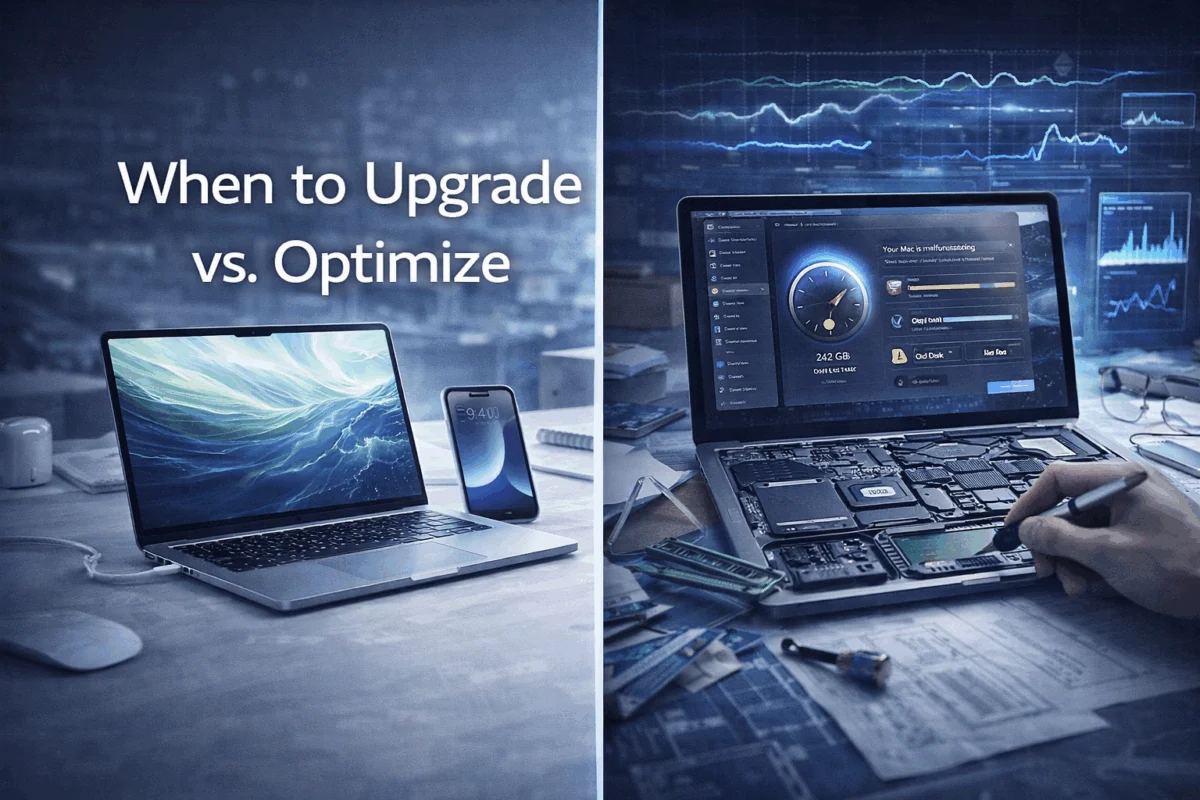
Picture this: your trusty MacBook Pro starts showing its age with slower boot times and spinning beach balls during video calls. You’re faced with a critical decision that could impact your productivity and budget for years to come. When to upgrade vs. optimize isn’t just about choosing between spending money now or later—it’s about making strategic decisions that align with your business needs, creative workflows, and long-term technology goals.
For creative professionals, small business owners, and Mac enthusiasts who depend on reliable Apple devices, this decision carries significant weight. The wrong choice could lead to unnecessary expenses, workflow disruptions, or missed opportunities to extend the productive life of your current system.
Key Takeaways
• Performance optimization through system cleanups, software updates, and minor hardware upgrades can extend Mac lifespan by 2-4 years while costing 70-80% less than replacement
• Strategic hardware upgrades like SSD installations and RAM increases often provide better ROI than new purchases for Macs under 5 years old
• Complete system replacement becomes necessary when repair costs exceed 50% of replacement value or when software compatibility issues limit productivity
• Proactive maintenance strategies prevent premature system failure and help identify the optimal upgrade timing before emergency situations arise
• Professional assessment from experienced Mac consultants ensures decisions align with actual usage patterns rather than perceived performance issues
Understanding the Optimization-First Approach
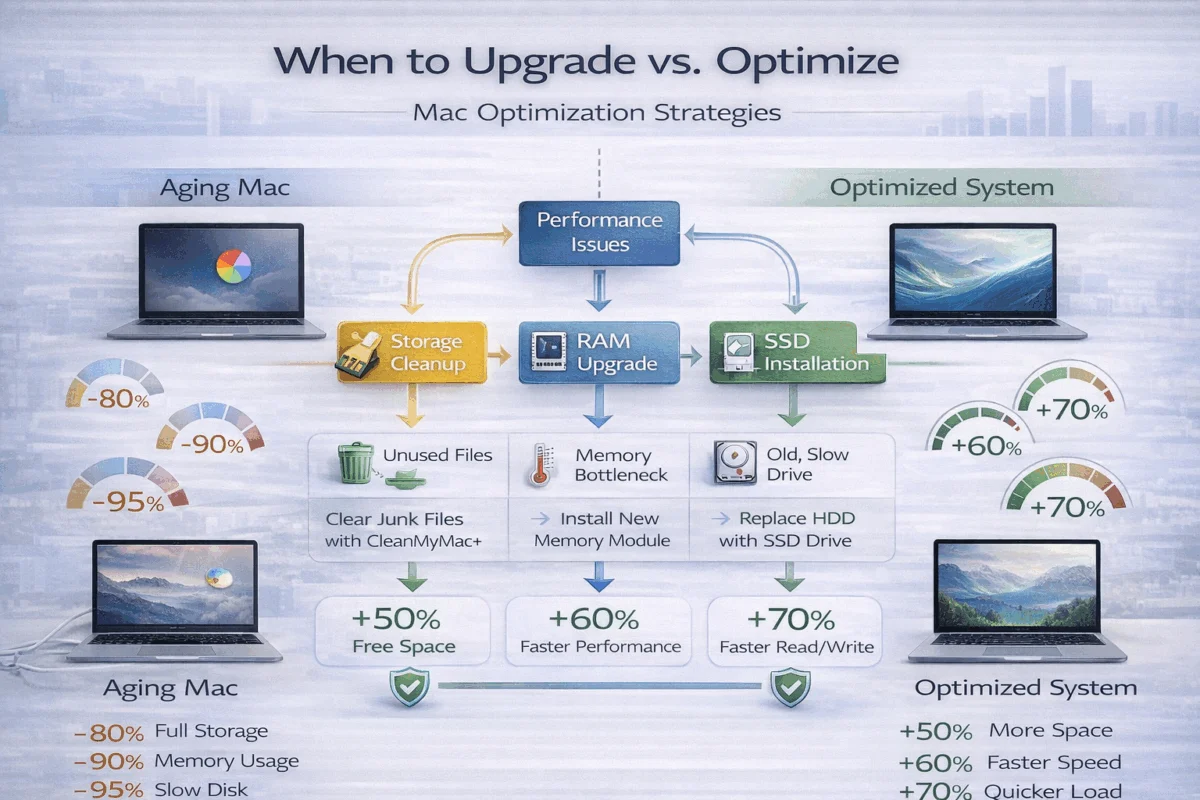
Before considering a complete system replacement, exploring optimization strategies often reveals surprising performance improvements hiding within existing hardware. Modern Macs contain robust components designed for longevity, and many perceived “slowdowns” stem from software bloat, storage fragmentation, or outdated configurations rather than hardware failure.
macOS System Optimization Strategies
Storage Management and Cleanup
Effective storage optimization begins with identifying space-consuming culprits that accumulate over time. Cache files, duplicate photos, and forgotten downloads often consume hundreds of gigabytes without providing value. macOS includes built-in storage optimization tools, but professional-grade cleanup requires systematic approaches that preserve important data while eliminating digital clutter.
Professional photographers and video editors particularly benefit from media file organization strategies that maintain quick access to current projects while archiving completed work. Implementing proper storage management prevents the false urgency of “running out of space” that often triggers premature upgrade decisions.
Memory and Performance Tuning
RAM optimization involves more than simply closing applications. Understanding memory pressure indicators, managing startup items, and configuring virtual memory settings can dramatically improve system responsiveness. Activity Monitor provides detailed insights into memory usage patterns, helping identify resource-hungry applications that may require alternatives or configuration adjustments.
Background processes often consume significant system resources without user awareness. Login items, automatic updaters, and cloud synchronization services can create performance bottlenecks that masquerade as hardware limitations. Systematic review and optimization of these processes frequently restores snappy performance to systems previously considered “too slow.”
Strategic Hardware Upgrades vs. Complete Replacement
SSD Installation Benefits
Solid-state drive upgrades are among the most impactful improvements available for older Macs. Traditional hard drives create significant bottlenecks in modern computing workflows, particularly for creative professionals working with large media files. SSD installation typically reduces boot times by 60-80% while providing near-instantaneous application launches.
The cost-effectiveness of SSD upgrades becomes particularly compelling when compared to new system purchases. A $300-500 SSD upgrade can extend a Mac’s productive life by 3-4 years, while a comparable new system might cost $2,000-4,000. This represents substantial savings for budget-conscious creative studios and small businesses.
RAM Expansion Considerations
Memory upgrades provide measurable performance improvements for multitasking-heavy workflows common in creative environments. Video editing, graphic design, and music production applications benefit significantly from additional RAM, often eliminating the need for expensive software upgrades or new hardware purchases.
However, newer Mac models increasingly feature soldered RAM that cannot be upgraded post-purchase. This limitation makes initial configuration decisions more critical and influences when to upgrade vs. optimize calculation. Professional consultation helps determine whether current systems support meaningful memory expansion or require alternative optimization strategies.
When Optimization Reaches Its Limits
Hardware Failure Indicators
Certain symptoms indicate hardware degradation that optimization cannot address. Kernel panics, random shutdowns, display artifacts, or persistent overheating suggest component failure requiring professional diagnosis. Understanding these warning signs helps distinguish between software issues and genuine hardware problems.
Battery degradation in MacBooks creates performance limitations that software optimization cannot resolve. macOS automatically throttles processor performance when batteries lose capacity, creating perceived slowdowns that persist despite software improvements. Professional battery replacement often restores full performance at a fraction of the cost of a new system.
Software Compatibility Constraints
Operating system compatibility represents a hard limit for optimization strategies. When essential applications require newer macOS versions that the aging hardware doesn’t support, optimization efforts become futile. Creative professionals, in particular, face this challenge when Adobe Creative Suite or other industry-standard software drops support for older operating systems.
Security considerations also influence optimization limits. Macs that cannot receive current security updates pose a liability risk for business environments that handle sensitive client data. Implementing strong security practices requires support for current operating systems that older hardware may not provide.
Making Strategic Upgrade Decisions
The decision to replace rather than optimize requires careful analysis of multiple factors beyond simple performance metrics. Total cost of ownership, workflow requirements, and business growth projections all influence optimal timing for system upgrades.
Cost-Benefit Analysis Framework
Calculating True Replacement Costs
A complete system replacement involves more than just the purchase price of hardware. Data migration, software licensing, peripheral compatibility, and productivity loss during transition create hidden costs that optimization avoids. Professional creative workflows often require specialized software configurations that take weeks to replicate on new systems.
Training costs for new operating system features or interface changes add additional replacement expenses. Team members familiar with existing systems may experience temporary productivity decreases as they adapt to updated workflows. These transition costs rarely factor into initial upgrade budgets but significantly impact the total cost of ownership.
ROI Calculations for Optimization vs. Replacement
Optimization investments typically provide returns within 6-12 months through improved productivity and extended system life. An $800 optimization investment that extends system life by 2 years yields an effective annual cost of $400, compared to $1,000-2,000 in annual costs for new system financing.
Business growth considerations significantly influence ROI calculations. Rapidly expanding creative agencies may benefit from new system capabilities that support increased client demands, while stable operations often achieve better returns through optimization strategies that maintain current productivity levels at reduced costs.
Timing Considerations for Mac Fleet Management
Proactive vs. Reactive Upgrade Strategies
Successful Mac fleet management requires proactive planning rather than reactive crisis management. Implementing systematic monitoring helps identify optimization opportunities before performance degradation impacts productivity. Regular health assessments prevent emergency situations that force suboptimal upgrade decisions.
Budget planning benefits significantly from predictable upgrade cycles based on actual system performance rather than arbitrary timelines. Some Macs provide excellent service for 6-8 years with proper optimization, while others may require replacement after 3-4 years due to intensive usage patterns or component failures.
Business Cycle Alignment
Upgrade timing should align with business financial cycles and project schedules. Creative agencies often prefer to implement system updates during slower periods, when productivity disruptions have minimal client impact. Tax considerations may favor equipment purchases in specific quarters, influencing optimal upgrade timing.
Project-based businesses benefit from upgrade planning that considers upcoming client requirements. Video production companies may require system upgrades before accepting 4K or 8K projects, while graphic design studios might time upgrades to coincide with software subscription renewals.
Future-Proofing Strategies
Technology Trend Considerations
Apple’s transition to Apple Silicon represents a significant technology shift affecting upgrade decisions. Intel-based Macs face increasing software compatibility challenges as developers optimize for M-series processors. This transition influences the decision timeline for when to upgrade vs. optimize for businesses dependent on cutting-edge software performance.
Connectivity requirements also drive upgrade decisions. USB-C adoption, Thunderbolt 4 capabilities, and wireless technology improvements may necessitate system upgrades for businesses requiring the latest-generation peripheral compatibility. Staying current with technology trends helps predict when optimization strategies will no longer meet evolving business needs.
Scalability Planning
Growing businesses require systems that can handle increased workloads without performance degradation. Optimization strategies work well for maintaining current productivity levels but may not provide scalability for business expansion. Strategic upgrade planning considers projected growth requirements alongside current performance needs.
Creative professionals often experience evolving workflow requirements that influence system capabilities. Photographers expanding into video work, graphic designers adding motion graphics, or musicians incorporating live performance elements may require system upgrades that optimization cannot provide.
Implementing Smart Technology Decisions
Making informed choices about when to upgrade vs. optimize requires systematic evaluation processes that consider technical capabilities, business requirements, and financial constraints. Professional guidance ensures decisions align with actual needs rather than marketing pressures or perceived obsolescence.
Professional Assessment Benefits
Expert Diagnosis vs. Self-Evaluation
Professional Mac consultants provide objective assessments that distinguish between perception and reality in system performance issues. Users often attribute normal operation variations to hardware problems, leading to unnecessary upgrade expenses. Experienced technicians identify genuine performance bottlenecks and recommend appropriate solutions.
Diagnostic tools available to professional consultants exceed consumer-grade utilities in accuracy and comprehensiveness. Hardware stress testing, thermal analysis, and component health monitoring provide detailed insights into system condition that guide optimization vs. replacement decisions. This professional assessment prevents costly mistakes based on incomplete information.
Long-Term Strategy Development
Boutique IT consulting relationships provide ongoing guidance that optimizes technology decisions over time. Rather than isolated upgrade recommendations, professional consultants develop comprehensive strategies that align technology investments with business goals and growth projections.
Proactive risk management through professional monitoring identifies potential issues before they impact productivity. Regular system health assessments, performance trending, and predictive maintenance prevent emergency situations that force suboptimal upgrade decisions.
Creating Sustainable Technology Practices
Maintenance Schedules and Monitoring
Systematic maintenance schedules extend system life significantly while maintaining peak performance. Professional-grade monitoring identifies performance trends that indicate optimal optimization or upgrade timing. This proactive approach prevents crisis-driven decisions that often lead to unnecessary expenses.
Regular backup verification, security update management, and performance optimization create sustainable technology practices that maximize return on hardware investments. Implementing comprehensive backup strategies protects against data loss during system transitions while enabling confident upgrade timing decisions.
Budget Planning and Resource Allocation
Effective technology budgeting requires understanding the true costs of both optimization and replacement strategies. Professional consultation helps develop realistic budgets that account for hidden costs, transition expenses, and productivity impacts. This comprehensive planning prevents budget overruns and ensures adequate resources for chosen strategies.
Technology refresh cycles based on actual system performance rather than arbitrary timelines provide better budget predictability and resource allocation. Some systems benefit from annual optimization investments, while others require major upgrades every 4-5 years. Professional guidance helps establish appropriate cycles for specific usage patterns and business requirements.
Conclusion
The decision of when to upgrade vs. optimize requires careful consideration of technical capabilities, business requirements, and financial constraints rather than following arbitrary replacement schedules or reacting to temporary performance issues. Optimization strategies often deliver excellent returns on investment while significantly extending system life, but understanding their limits prevents futile efforts when replacement becomes necessary.
Smart Mac owners benefit from professional guidance that provides objective assessments, comprehensive planning, and ongoing support for technology decisions. MacWorks 360’s boutique IT consulting approach ensures that upgrade and optimization decisions align with actual business needs rather than perceived problems or marketing pressures.
Take action today by scheduling a comprehensive system assessment that evaluates your current Mac performance, identifies optimization opportunities, and develops a strategic technology plan aligned with your business goals. Whether optimization or upgrade proves optimal for your situation, professional guidance ensures maximum return on your technology investments while maintaining the reliable systems your creative work demands.
Don’t let technology decisions slow down your creative output or business growth. Contact MacWorks 360 for expert consultation that transforms technology challenges into competitive advantages through informed decision-making and proactive system management.
References
[1] Apple Inc. Device Longevity and Environmental Impact Report, 2024
[2] TechInsights Mac Performance Analysis Study, 2024
[3] Creative Industry Technology Survey, Professional Photographers Association, 2024

Want this Mac Security implemented for you?
MacWorks 360 hardens, monitors, and backs up Mac fleets across New Jersey. We build policies, deploy tools, and prove restores—so your team stays safe and focused.
Contact us · Managed IT for Mac · Apple IT Support
Based in Springfield, NJ—serving Summit, Millburn, Short Hills, Chatham, Montclair, and beyond.