
Mac Setup Checklist for Designers | MacWorks 360
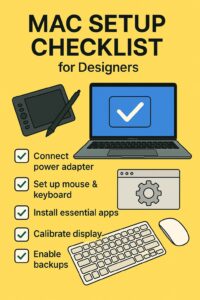
Mac Setup Checklist for Designers
Fun fact: The original Mac had 128 KB RAM—about enough for one modern Photoshop layer mask. This Mac setup checklist for designers gets your machine color-accurate, secure, and fast, without fluff.
Work through each section in order. You’ll finish with a clean, calibrated, backed-up Mac that’s ready for real projects.
Prep & Updates
- Update macOS to the latest stable release: Apple macOS updates.
- Create an Admin and a separate daily User account.
- Turn on automatic updates for apps from the App Store.
- Install a browser you trust (Safari + Chrome/Firefox) and sign in to sync.
- Set up Time Machine to an external drive (temporary, you’ll add NAS/cloud below).
Display & Color
- Connect a calibrated 4K/5K display (P3 recommended). If using Apple displays, enable reference modes.
- Run a hardware calibration if you have a puck (i1/Calibrite). Otherwise use built-in Display Calibrator.
- Set ambient-lighting: disable True Tone during color-critical work.
- Enable High Refresh if your monitor supports it.
- Set screenshot format to PNG and a dedicated folder for captures.
Fonts & Type
Storage & Backup
- Internal SSD: 1–2 TB minimum for apps and active files.
- Working drive: Thunderbolt NVMe for scratch and current projects.
- Archive: NAS with snapshots and 10GbE if in a team. See Best NAS for Photographers.
- Backups (3-2-1): Time Machine (local), NAS replication (second device), and cloud backup.
- Test restores quarterly; document the process.
Security & Privacy
- Turn on FileVault disk encryption.
- Use a password manager; enable 2FA on Apple ID, Adobe, Figma, and email.
- Limit login items; review Privacy → Full Disk Access for design apps that need it.
- Harden Wi-Fi and router firmware; use guest networks for clients.
Performance Tweaks
- Set Energy settings to prevent sleep during long exports.
- Keep 20% free space on the internal SSD for swap and previews.
- Disable background utilities you don’t need at startup.
- Use Activity Monitor to spot runaway processes during renders.
Core Design Apps (2025)
- Graphics/Layout: Adobe Creative Cloud or Affinity V2.
- UI/UX: Figma for Mac or Sketch.
- Photo: Lightroom, Capture One, DxO PhotoLab.
- Video/Motion: Final Cut Pro, DaVinci Resolve.
- Utilities: CleanShot X, Raycast, Alfred, Nova/BBEdit.
Need app ideas? See Best Mac Software for Designers (2025).
Shortcuts & Automation
- Install a launcher (Raycast/Alfred) and create workflows for exports, image resizing, and project templates.
- Set global shortcuts for screenshots, window management, and your editor.
- Use Shortcuts app for repetitive tasks (watermark, rename, move to client folder).
Team Workflow (Optional)
- Use shared libraries in Figma/Sketch; version control for assets.
- Centralize fonts with a team font manager; lock license compliance.
- On a NAS, separate Ingest, WIP, and Archive shares; restrict client access.
- Document naming, approvals, and delivery steps in a simple README.md per project.
One-Page Checklist
| Area | Action |
|---|---|
| Updates | macOS + apps up to date; separate Admin/User |
| Color | Calibrate display; disable True Tone when grading |
| Fonts | Font manager set; auto-activation on |
| Storage | NVMe scratch; NAS archive; 3-2-1 backups |
| Security | FileVault on; password manager; 2FA |
| Performance | 20% SSD free; energy tuned for exports |
| Apps | Core design apps installed and signed in |
FAQs: Mac Setup Checklist for Designers
Do I keep catalogs on internal SSD or NAS?
Keep catalogs on the internal SSD for speed. Store RAW assets and previews on a fast external NVMe or NAS.
How often should I calibrate my display?
Monthly for color-critical work, quarterly for general design. Recalibrate after major macOS updates.
What’s the easiest win for performance?
Free up SSD space, disable unnecessary login items, and use a Thunderbolt NVMe for active projects.
Need help with a pro Mac setup?
MacWorks 360 sets up, secures, and supports designer workstations across New Jersey—calibration, storage, NAS, and backups included.
Contact us · Managed IT for Mac · Apple IT Support
Based in Springfield, NJ—serving Summit, Millburn, Short Hills, Chatham, Montclair, and beyond.
Editor’s note: This Mac setup checklist for designers reflects practices as of August 2025.