
Last updated: September 28, 2026
Quick Answer
Managed IT for Mac in New Jersey means outsourcing the setup, security, monitoring, and support of your Apple devices to a provider that specializes in macOS, iOS, and iPadOS, not Windows. For NJ businesses running Macs, this typically costs $100 to $250 per device per month, depending on fleet size and service tier, and covers everything from zero-touch deployment to cybersecurity and help desk support. MacWorks 360 provides this service across northern and central New Jersey and the Jersey Shore.
Key Takeaways
- Managed IT for Mac covers device management, security, backups, patching, and help desk support built specifically for Apple hardware and software.
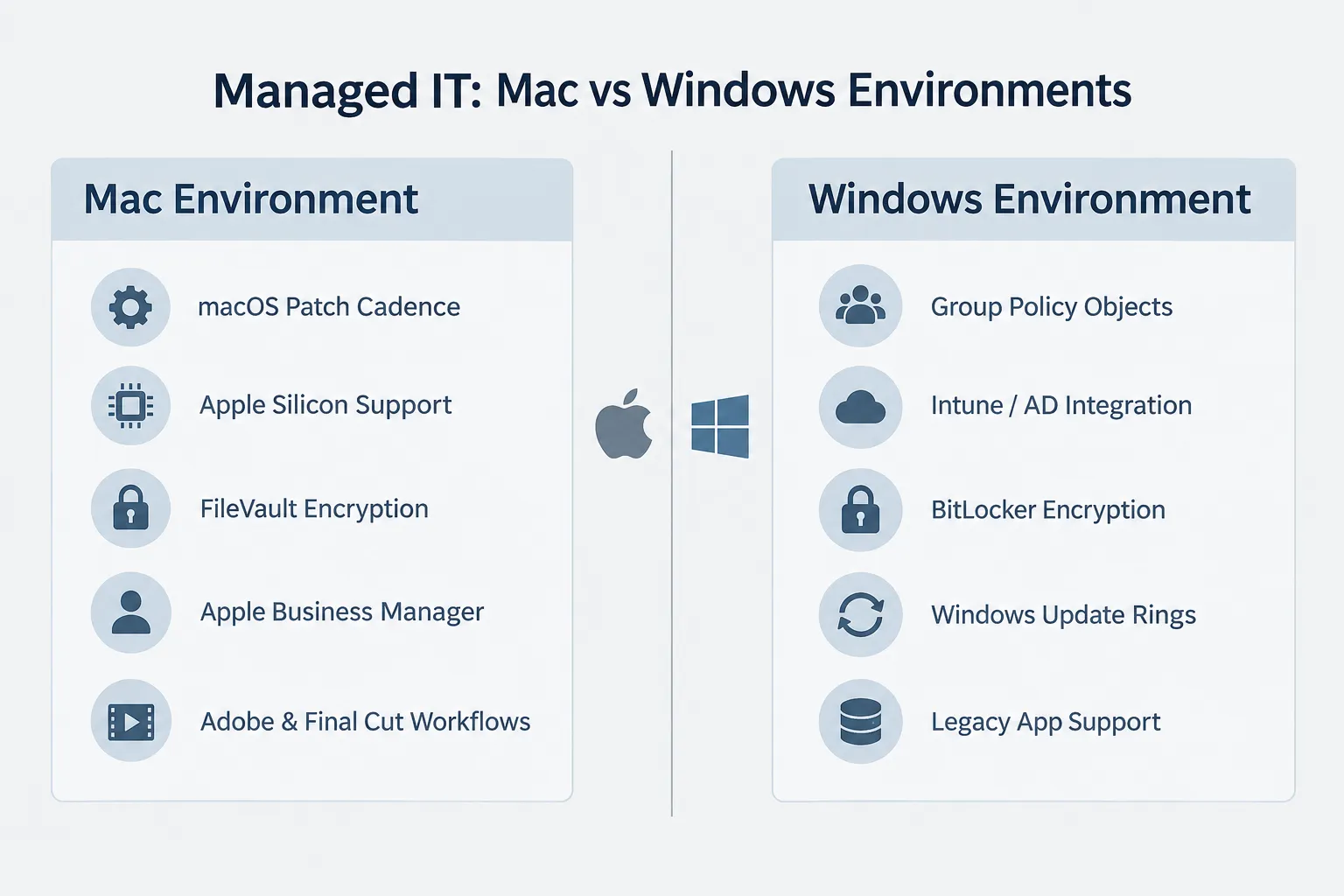
- Mac environments need different tools than Windows environments: Apple Business Manager instead of Active Directory, FileVault instead of BitLocker, and macOS update ring scheduling.
- Pricing for NJ businesses generally scales with fleet size, ranging from Essentials plans for 1 to 10 Macs up to Enterprise tiers for 50+ devices.
- Businesses running only Macs still need managed IT for security, backup verification, and compliance work that Apple’s built-in tools don’t fully cover.
- Remote and hybrid Mac teams can be fully supported through zero-touch enrollment and VPN configuration, with no on-site visit required for most setups.
- Switching providers or moving from DIY IT to managed IT typically takes one to three weeks depending on fleet size and existing documentation.
- iPhone and iPad management should run through the same MDM stack as your Macs, so policies stay consistent across every Apple device.
What Is Managed IT Support for Mac Computers?
Managed IT support for Mac computers is an ongoing service where a provider monitors, secures, patches, and troubleshoots your Apple devices instead of your team handling those tasks internally or calling for help only when something breaks. It replaces reactive, break-fix support with proactive monitoring and scheduled maintenance.
For Mac-based businesses, this looks different than generic IT support because the tools, update cycles, and security models are Apple-specific. A provider offering true managed IT for Mac will use Apple Business Manager, mobile device management (MDM) platforms built for macOS, and endpoint security tools tuned for Apple Silicon rather than repurposed Windows tools.
Choose managed IT for Mac if:
- Your team relies on Macs for creative, technical, or client-facing work.
- You’ve outgrown “the owner fixes it” IT support.
- You need predictable monthly costs instead of surprise repair bills.
What Does Managed IT Support Include for Mac?
A complete managed IT package for Mac includes device management, security, patching, backups, identity controls, networking, help desk support, and reporting, delivered as one coordinated service rather than separate vendors.
Here’s what that typically covers in practice:
- Device management (MDM): Zero-touch enrollment, configuration profiles, app deployment, and OS update rings managed from a single dashboard.
- Security stack: Endpoint protection (EDR), FileVault disk encryption, firewall management, phishing protection, and DNS filtering built for macOS.
- Patch and update management: Scheduled OS and application patching with maintenance windows that don’t interrupt your team’s workday.
- Backup and recovery: Time Machine, NAS snapshots, and cloud backups following a 3-2-1 strategy, with restores tested and documented rather than assumed to work.
- Identity and access management: Single sign-on (SSO) integrations, least-privilege admin controls, and remote lock or wipe for lost or stolen devices.
- Network and VPN configuration: Secure network infrastructure, VPN tunnels for remote staff, and site-to-site connectivity between offices.
- Help desk support: Phone, chat, and remote assist support from technicians who already know your environment.
- Monthly reporting: Device inventory, license status, patch compliance, and security posture summaries.
Common mistake: Businesses often buy MDM software on its own and assume it equals managed IT. MDM handles deployment and app distribution, but it doesn’t cover cybersecurity monitoring, help desk response, or backup verification. Those require an actual managed service layer on top.
Managed IT Services for Mac vs Windows: What’s Different
Managed IT for Mac differs from Windows-focused IT mainly in the tools used, the patching rhythm, and the vendor expertise required. Applying Windows-style IT processes to a Mac fleet often creates gaps rather than savings.
| Factor | Mac Environment | Windows Environment |
|---|---|---|
| Device enrollment | Apple Business Manager + MDM | Active Directory / Intune |
| Disk encryption | FileVault | BitLocker |
| Update cadence | macOS point releases, less frequent forced reboots | Patch Tuesday, more frequent forced updates |
| Common software | Adobe Creative Cloud, Final Cut Pro, Logic Pro | Office 365, industry-specific Windows apps |
| Hardware diversity | Limited to Apple Silicon and Intel Macs | Wide range of OEMs and configurations |
| Help desk knowledge base | macOS-specific troubleshooting | Windows-specific troubleshooting |
Decision rule: If more than half your fleet is Apple hardware, choose a Mac-first managed IT provider rather than a generalist that “also supports Mac.” Generalist providers often lack Apple Business Manager depth and default to Windows-first security tooling that doesn’t map cleanly to macOS permissions.
How Much Does Managed IT Cost for Mac in New Jersey?
Managed IT for Mac in New Jersey typically runs from roughly $100 to $250 per device per month, depending on fleet size, service tier, and whether it includes compliance reporting or advanced hardening. Smaller studios with under 10 Macs generally land at the lower end; compliance-driven businesses with 50+ devices land higher due to audit support and conditional access requirements.
| Plan | Fleet Size | Best For | What’s Included |
|---|---|---|---|
| Essentials | 1 to 10 Macs | Startups and small studios | MDM, EDR, SaaS logging, network hardening, backups, help desk |
| Professional | 10 to 50 Macs | Agencies and growing teams | Everything in Essentials, plus compliance reports and update rings |
| Enterprise | 50+ Macs | Compliance-driven businesses | Advanced hardening, SSO, conditional access, audit support |
Edge case: Businesses with a mixed fleet (some Macs, some Windows PCs) sometimes get quoted a blended rate. Ask providers to break out Mac-specific pricing separately, since Mac support labor and tooling costs differ from Windows support.
Do I Need Managed IT If I Only Use Macs?
Yes, an all-Mac office still needs managed IT because macOS’s built-in security and backup tools require configuration, monitoring, and testing that most businesses don’t have time to do consistently. Apple’s reputation for being “more secure out of the box” doesn’t eliminate the need for patch management, endpoint monitoring, or verified backups.
Mac-only businesses commonly assume they’re low-risk because there’s no ransomware epidemic targeting macOS the way there is for Windows. That assumption misses phishing, credential theft, and misconfigured cloud storage, which affect every operating system equally. Mac-only shops without managed oversight still experience data loss and downtime, just from different causes than Windows shops.
Managed IT for Mac Small Business and Startups in New Jersey
Small businesses and startups in New Jersey benefit from managed IT for Mac because it replaces unpredictable repair costs and DIY troubleshooting with a fixed monthly fee and faster problem resolution. This matters most in the first 12 to 24 months, when founders still handle IT themselves while juggling other responsibilities.
A startup with five to ten Macs in Hoboken or Red Bank doesn’t need enterprise-grade infrastructure, but it does need:
- Reliable backups from day one, before a lost laptop becomes a lost client project.
- Basic endpoint security to satisfy client vendor questionnaires or insurance requirements.
- A help desk contact who responds in minutes, not days, when someone can’t log in before a deadline.
Quick example: A five-person design studio in Asbury Park onboarding onto an Essentials-tier plan can typically get zero-touch enrollment, EDR, and backup coverage live within a week, without buying separate software licenses for each function.
Best Managed IT Providers for Mac in New Jersey: What to Look For
The best managed IT providers for Mac in New Jersey are Apple-focused specialists, not generalist IT firms that treat Mac support as an afterthought. Look for evidence of Apple-specific certifications, documented MDM experience, and response times measured in minutes, not business days.
Evaluate providers using these criteria:
- Apple-first specialization: Ask how much of their client base runs Mac versus Windows. A provider like MacWorks 360 that positions itself specifically around Apple environments will have deeper macOS troubleshooting knowledge than a mixed-fleet generalist.
- Response time guarantees: Get a specific number, not “fast support.” A five- to fifteen-minute response during business hours is a realistic benchmark for a dedicated local provider.
- Local presence: Regional providers serving New Jersey and New York understand local compliance nuances and can send someone on-site when remote fixes aren’t enough.
- Transparent pricing tiers: Providers should show clear plan breakpoints (by device count) rather than vague “custom quote” pricing for everything.
- Backup verification, not just backup software: Ask whether restores are actually tested on a schedule, not just configured once and left alone.
Managed IT Mac Support: Remote vs On-Site
Most day-to-day Mac support issues can be resolved remotely, but certain hardware failures and initial network setups still benefit from on-site visits. A well-run managed IT provider should offer both without forcing every ticket into an on-site appointment.
- Remote-appropriate issues: Software crashes, permission errors, VPN configuration, app deployment, password resets, phishing cleanup.
- On-site-appropriate issues: Physical hardware failure, new office network wiring, conference room AV setup, multi-device rollouts for a new office location.
Decision rule: Choose a provider offering zero-touch enrollment if your team is remote or hybrid. New Macs ship pre-configured directly to employees’ homes, which removes the need for an in-office IT visit to get someone started.
Common Mac Problems Managed IT Can Fix
Managed IT catches and resolves the Mac issues that quietly cost businesses the most time: storage running out, battery health decline, software update conflicts, and phishing attempts that slip past default Mail filtering.
Frequent examples include:
- Storage warnings on Macs running Adobe Creative Cloud or Final Cut Pro, caught before a render job fails mid-project.
- Battery health degradation on daily-used laptops, flagged before a device dies unexpectedly during client work.
- Failed OS updates that stall mid-install, resolved through scheduled patch windows instead of employees clicking “remind me tomorrow” indefinitely.
- Phishing emails targeting Apple ID credentials, filtered and reported before a click leads to account compromise. See this practical guide to identifying phishing emails for common warning signs.
- Lost or stolen devices, resolved through remote lock and wipe rather than hoping the device never gets accessed.
Managed IT for Mac Security and Compliance
Managed IT for Mac security and compliance means applying endpoint protection, encryption, and access controls consistently across every device, then documenting that work for audits or client vendor reviews. This matters most for NJ businesses in healthcare, finance, legal, and agencies handling client data under contractual security requirements.
Core security components include:
- FileVault disk encryption enabled and verified across the fleet.
- EDR (endpoint detection and response) tuned for macOS rather than repurposed Windows antivirus.
- DNS filtering to block known malicious domains before a click becomes a breach.
- Documented patch compliance for audit trails.
Compliance pressure has increased for NJ businesses using AI tools and cloud platforms. Review AI data compliance requirements in New Jersey if your business handles regulated client data alongside standard Mac management, since SOC 2 and GDPR obligations now intersect with everyday device security policy.
Managed IT for Mac and iPhone Integration
Managed IT for Mac should include iPhone and iPad management under the same policy framework, not as a separate add-on. Apple’s ecosystem is designed to work as one ecosystem, and IT policy should match that.
- iOS and iPadOS devices enrolled in the same MDM platform as Macs.
- Consistent password and passcode policies across all Apple devices.
- Shared app catalogs and self-service portals for both Mac and mobile.
- Remote lock and wipe available for phones and tablets, not just laptops.
Common mistake: Businesses often manage iPhones through a separate consumer-grade tool (or not at all) while Macs get full enterprise management. This creates a security gap, since a lost unmanaged iPhone with saved email access is just as risky as a lost laptop.
How to Switch to Managed IT for Mac
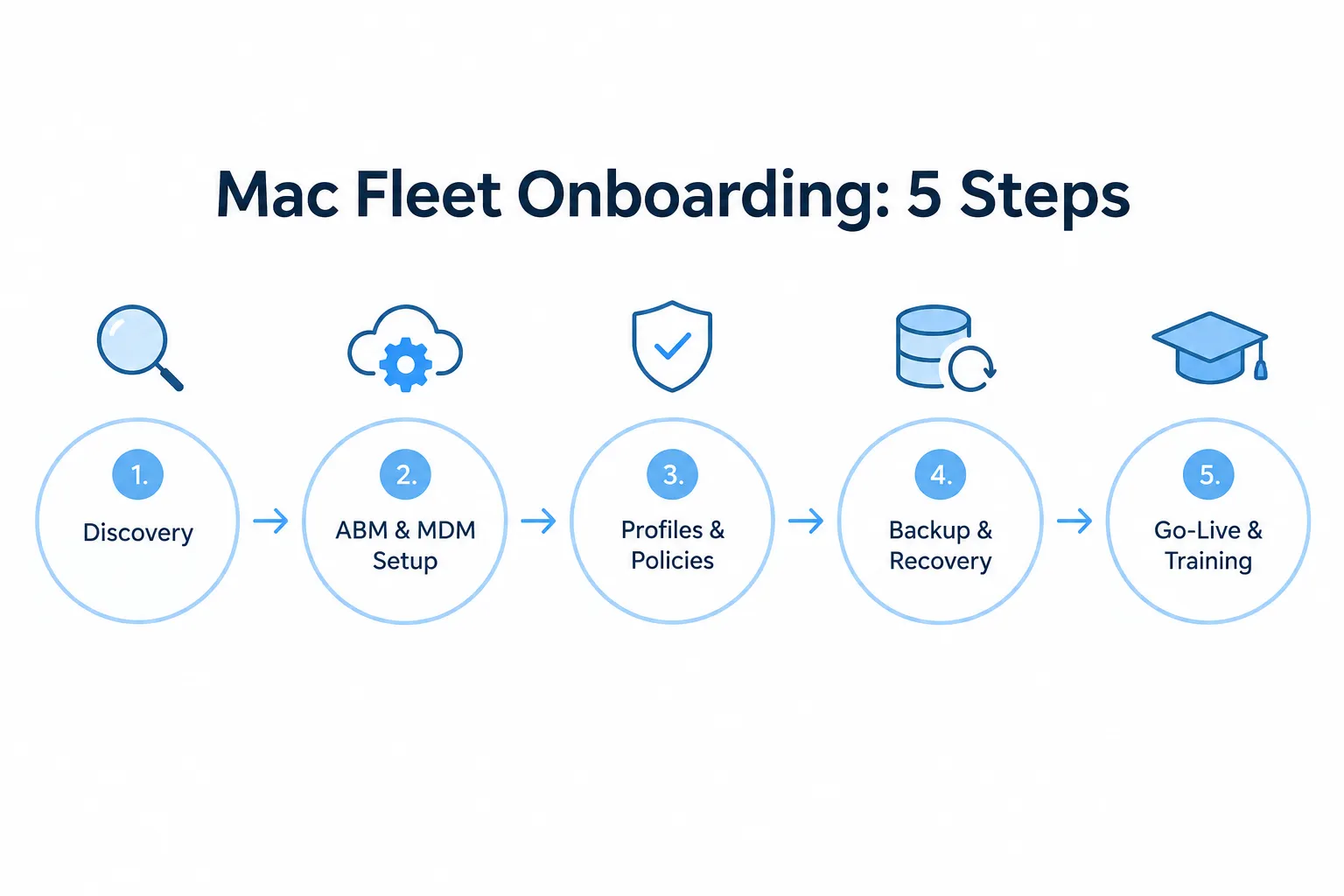
Switching to managed IT for Mac generally takes one to three weeks and follows a structured onboarding process, not a single cutover event. Most of that time goes toward inventorying existing devices and configuring policies before go-live.
- Discovery: Inventory Macs, apps, licenses, storage, and existing security gaps.
- Apple Business Manager and MDM setup: Connect ABM and establish the device management foundation.
- Profiles and policies: Configure Wi-Fi, FileVault, firewall, browsers, printers, and app catalogs.
- Backup and recovery: Set up Time Machine targets, NAS shares, and cloud backup with documented test restores.
- Go-live and training: Deliver a staff onboarding guide, self-service app portal, and first-week check-ins.
Edge case: If your business is switching providers mid-contract with an existing IT vendor, ask the new provider how they handle license transfers and existing MDM enrollment records. Poorly handled transitions can temporarily lock devices out of management until re-enrollment completes.
Managed IT Support for Mac in Hybrid Environments
Hybrid Mac environments, where staff split time between home and office, need VPN configuration, cloud-based MDM, and remote help desk support working together so device policy stays consistent regardless of location. Zero-touch enrollment makes this practical at scale.
- New Macs ship directly to employees’ homes, pre-configured and ready to use without an office visit.
- VPN tunnels keep remote devices compliant with the same firewall and access rules as in-office devices.
- Help desk support via phone, chat, and remote assist covers issues without requiring a physical location.
- Monthly reporting shows device compliance regardless of where each Mac physically sits.
Decision rule: Choose a provider with documented remote onboarding experience if more than 20% of your team works outside a central office. Providers that primarily do on-site work may struggle to scale support for a distributed Mac fleet.
Frequently Asked Questions
Can managed IT support remote and hybrid Mac teams?
Yes. Zero-touch enrollment ships Macs to homes or offices pre-configured, and VPN plus MDM setup keeps remote devices compliant, secure, and connected regardless of location.
Do managed IT providers manage iPhones and iPads too?
Yes, most providers include iOS and iPadOS management in the same MDM stack and apply the same security policies used for Macs, keeping the whole Apple ecosystem under one consistent policy set.
What if a business already has AppleCare+ for Business?
AppleCare+ covers hardware repairs and part replacement, but it does not cover cybersecurity, network configuration, backup verification, or help desk support. Managed IT works alongside AppleCare+ rather than replacing it.
What about Apple Business Essentials (now called Apple Business)?
Apple Business provides free MDM and app distribution, which is a solid foundation, but it doesn’t include cybersecurity monitoring, network configuration, or help desk support. Learn more about setting up Apple Business for New Jersey companies and how managed IT builds on top of that foundation.
How quickly should a managed IT provider respond to issues?
A well-run local provider should respond within 5 to 15 minutes during business hours for urgent issues, since businesses need a direct line to someone who already understands their environment, not a generic ticket queue.
Is managed IT worth it for a business with fewer than 10 Macs?
Yes, if the business relies on those Macs for client work, revenue-generating tasks, or handles any sensitive data. Small fleets still face the same phishing, backup, and downtime risks as larger ones, just at a smaller scale.
What’s the biggest security risk for Mac-only offices?
Phishing and credential theft, not malware. Macs are targeted less often by traditional malware than Windows PCs, but Apple ID phishing and reused passwords remain common entry points. Review guidance on password breach exposure and enable two-factor authentication fleet-wide to reduce this risk significantly.
Ready for Managed IT for Mac That Works?
New Jersey businesses running Mac fleets need support built around Apple’s tools, not adapted from Windows-first processes. A free consultation with Richard covers current fleet size, security gaps, and which plan tier fits your team, whether that’s a five-person studio in Asbury Park or a fifty-device agency in Jersey City.