
15 Ways to Solve Call Failures on Your iPhone

Sure, we know that phone calls aren’t the most common thing people do on their iPhones—especially anyone under 30—but it’s still important to be able to make and take calls. […]
iCloud, Google Calendar, Microsoft Exchange: Choosing a Personal Calendar Service

We Mac, iPhone, and iPad users have an embarrassment of riches when it comes to calendaring flexibility. Apple provides free calendar services via iCloud, and the Calendar app lets you […]
Ease Vacation Navigation with Favorite Addresses in Maps

Imagine you’re on vacation, staying at an Airbnb and collecting tourist points in the surrounding area throughout the day. Since you’ll be heading back to your Airbnb regularly but may […]
Not Getting Full 5G When You Should? Try a New SIM Card

If you’ve been moving your SIM card from phone to phone over the years, you might inadvertently be preventing your current phone from taking full advantage of 5G connectivity. Cellular […]
Take Advantage of CarPlay in Rental Cars While Traveling

Renting a car has become more interesting in recent years due to changes automakers have been making to car electronics. For example, Apple’s CarPlay is becoming a common feature on […]
Use the iPhone Camera’s Zoom to Avoid Glare, Reflections, and Shadow

We increasingly need to take photos of documents—vaccination cards, driver licenses, passports, etc.—to submit for online verification. That’s often easier said than done, especially when taking a photo at night […]
Reduce iPhone and iPad Data Usage with Low Data Mode

Do you need to be careful about how much data you use with your iPhone or iPad, either via cellular or Wi-Fi? That could be true for those with Internet […]
Apple Works to Improve Safety in the Wake of AirTag Stalking Reports

Over the past few months, there has been a spate of media reports about how people may have been tracked without their knowledge using AirTags, Apple’s elegant location trackers. Like […]
Can’t Rotate the Screen on an iPad or iPhone? Fix the Problem in Control Center

Normally, when you rotate an iPad, the screen happily flips from portrait (vertical) to landscape (horizontal) orientation as appropriate. Rotating an iPhone has the same effect in some apps, though […]
Badges? We Don’t Need No Stinkin’ Red Badges (On Our iPhone Apps)
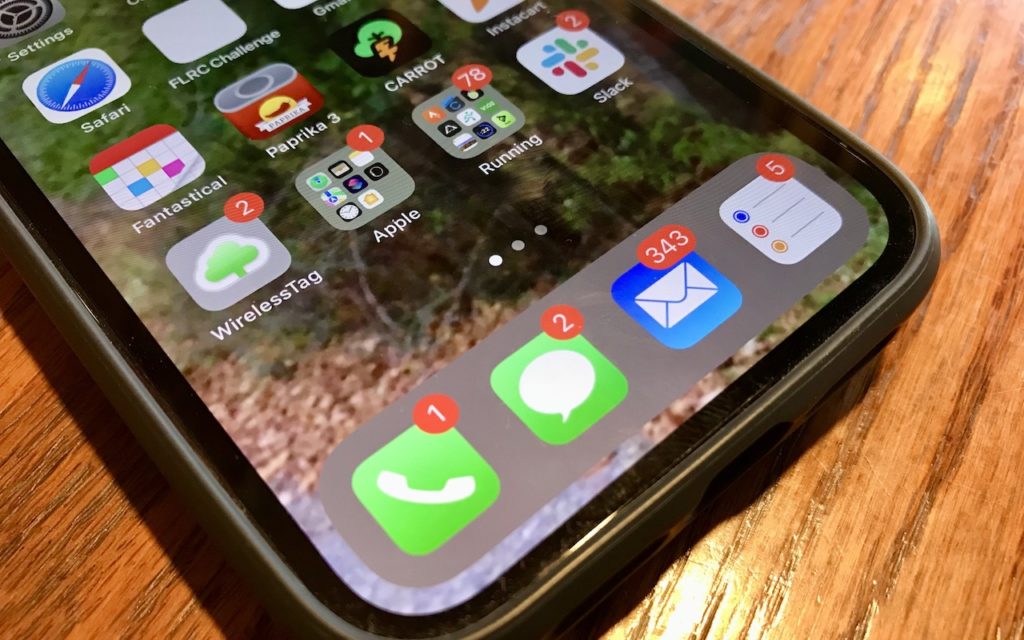
Quick quiz: what does a red number badge on the Phone icon on your iPhone mean? You’d be right if you said that it indicates the number of missed calls […]