
Skip to content
MacWorks 360
HomeAboutServicesCase StudiesAreas We ServeBlogTestimonialsFree Consultation: 973-671-1122

Category: Apple

Apple Computers

Quickly Catalog Books or Other Named Items on Shelves

A wooden bookshelf filled with numerous books, mostly nonfiction, including titles about technology, Silicon Valley, Apple, Steve Jobs, hacking, and internet culture. Perfect for those wanting to quickly catalog books or other named items on shelves.

If you have trouble finding particular items across multiple shelves of books, labeled boxes, or anything else that’s clearly identified with a text name, take carefully composed photos that capture […]

Apple’s iCloud Keychain Password Management Is All Many People Need

A hand holding a metal keyring with two silver keys against a blue sky with white clouds, symbolizing how Apple’s iCloud Keychain Password Management is all many people need for secure and convenient access.

Apple’s iCloud Keychain Password Management Is All Many People Need We constantly recommend using a password manager like 1Password, BitWarden, or Dashlane. But many people resist committing to yet another […]

How to Display the Battery Percentage in Your Mac’s Menu Bar
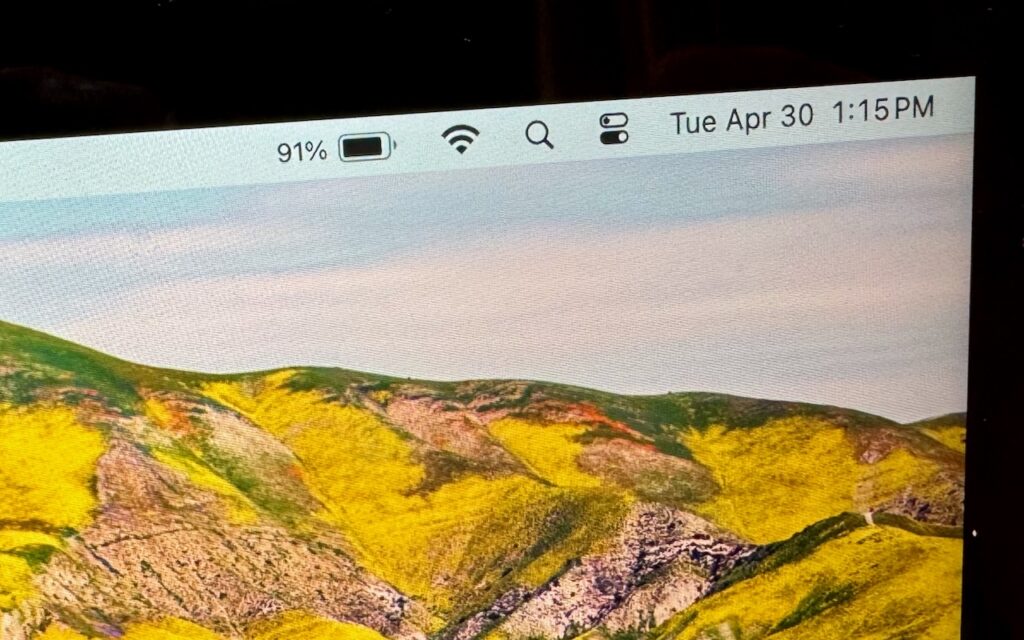
A close-up of a computer screen shows 91% battery, Wi-Fi, and control center icons—demonstrating how to display the battery percentage in your Mac’s menu bar. The background displays hills with green and yellow vegetation.

By default, the battery icon in your Mac laptop’s menu bar shows how full your battery is. Clicking it reveals the exact percentage, but you can also set macOS to […]

Where Can You Control Automatic Smart Quotes and Dashes in macOS?

Smiling young girl in a white shirt making air quotes with both hands, standing against a plain light background—perfect for illustrating "Where Can You Control Automatic Smart Quotes and Dashes in macOS?" in a fun, relatable way.

Most people like smart quotes and dashes, at least most of the time. Your Mac is probably set up to turn the single (‘) and double (“) hash marks and […]

Display an Album of Photos on Your iPhone or iPad Lock Screen

Three smartphones display lock screens with nature backgrounds: a canyon, a hot air balloon in a forest, and sandy dunes. Each screen shows time, date, weather, and notifications—perfect to Display an Album of Photos on Your iPhone or iPad Lock Screen.

A popular feature of iOS 16 was the Photo Shuffle option for customizing the iPhone Lock Screen. It used machine learning to select photos in four categories—People, Pets, Nature, and […]

Select Non-Contiguous Text in Pages, Keynote, and Numbers 14

A computer screen displays the Pages app with a document open. Several paragraphs of text are highlighted in orange, demonstrating how to Select Non-Contiguous Text in Pages. Formatting tools are visible on the right, and the desktop has a dark red background.

The latest versions of the Mac and iPad apps in Apple’s iWork suite—Pages 14, Keynote 14, and Numbers 14—have gained a helpful feature: non-contiguous text selection. By holding down the […]

Apple Introduces New iPad Air, iPad Pro, Apple Pencil Pro, and Magic Keyboard

A person with braided hair uses an Apple Pencil Pro to draw colorful digital art on an iPad Pro at a desk, surrounded by art supplies, paper swatches, and a glass of water.

After no new iPads throughout 2023, Apple has unveiled new 11-inch and 13-inch iPad Air and iPad Pro models, plus a more capable Apple Pencil Pro and a redesigned Magic […]

Did You Know Most Mac Apps Keep Versions of Your Documents as You Work?

Screenshot showing two versions of a park map with labeled areas for parking and a picnic area, highlighted by red arrows and text. Did you know most Mac apps keep versions of your documents as you work? See "Current Document" versus the saved version.

We all make mistakes, which is why Undo exists. Immediately choose Edit > Undo or press Command-Z to undo your last change. Most Mac apps support multiple levels of Undo, […]

Take Advantage of the Reference Library in Your Mac

An open book lies on top of a laptop, surrounded by stacks of books on a wooden table in a library aisle. Take Advantage of the Reference Library in Your Mac to complement your research in this inspiring setting. The background is softly blurred.

You may be used to Mac apps using red underlines to mark misspelled words, but did you know that macOS has also long included a fully featured Dictionary app? It […]

How to Sync Your Text Messages across All Your Apple Devices

A person in a blue shirt uses a smartphone while sitting at a table with an open laptop, exploring how to sync your text messages across all your Apple devices in a bright café with a window and cup in the background.

Although many of us think of Messages as an iPhone app, Apple’s platform integration lets you read and reply to conversations in Messages on other Apple devices, including the Mac […]

← Previous
Next →

Reliable Mac Support. Local Expertise.

Proudly serving Northern and Central New Jersey, with on-site support within about 20 miles of Springfield.

No walk-ins — on-site service by appointment across our service area.

Contact

973-671-1122
info@macworks360.com

Mon–Fri 7:30 AM–6:00 PM
Weekends by appointment

Explore

Services
Case Studies
Areas We Serve
Blog
Contact
Terms of Service

Popular areas

Springfield
Summit
Westfield
Morristown
Montclair
Millburn
Livingston
Madison
Berkeley Heights
Cranford
Chatham Borough
Bridgewater

Services

Managed Mac IT Plans
Small Business Support
Creative Professionals
Remote Support
Emergency Support
Co-Managed IT
Pay-As-You-Need


Independent consultant; not affiliated with Apple Inc. © 2026 MacWorks 360. All Rights Reserved.