
How to Stop Hackers from Entering Through Your Router: Essential Security for Mac-Based Businesses
Your router is the digital front door to your business—and hackers know exactly how to pick the lock. In 2025, cybercriminals are targeting small businesses and creative agencies through vulnerable routers at an alarming rate, with over 60% of successful breaches starting at the network perimeter. For Mac-based businesses managing valuable creative assets and client data, understanding how to stop hackers from entering through your router isn’t just good practice—it’s business survival.
Key Takeaways
• Router security is your first line of defense against cybercriminals targeting your Mac fleet and creative assets
• Default passwords and outdated firmware create easy entry points that hackers exploit within minutes
• Implementing proper network segmentation protects your valuable client work and business data from lateral movement attacks
• Regular security audits and proactive monitoring prevent breaches before they impact your creative workflows
• Professional IT support ensures your router security integrates seamlessly with your Mac ecosystem without disrupting productivity
Understanding Router Vulnerabilities in Creative Environments
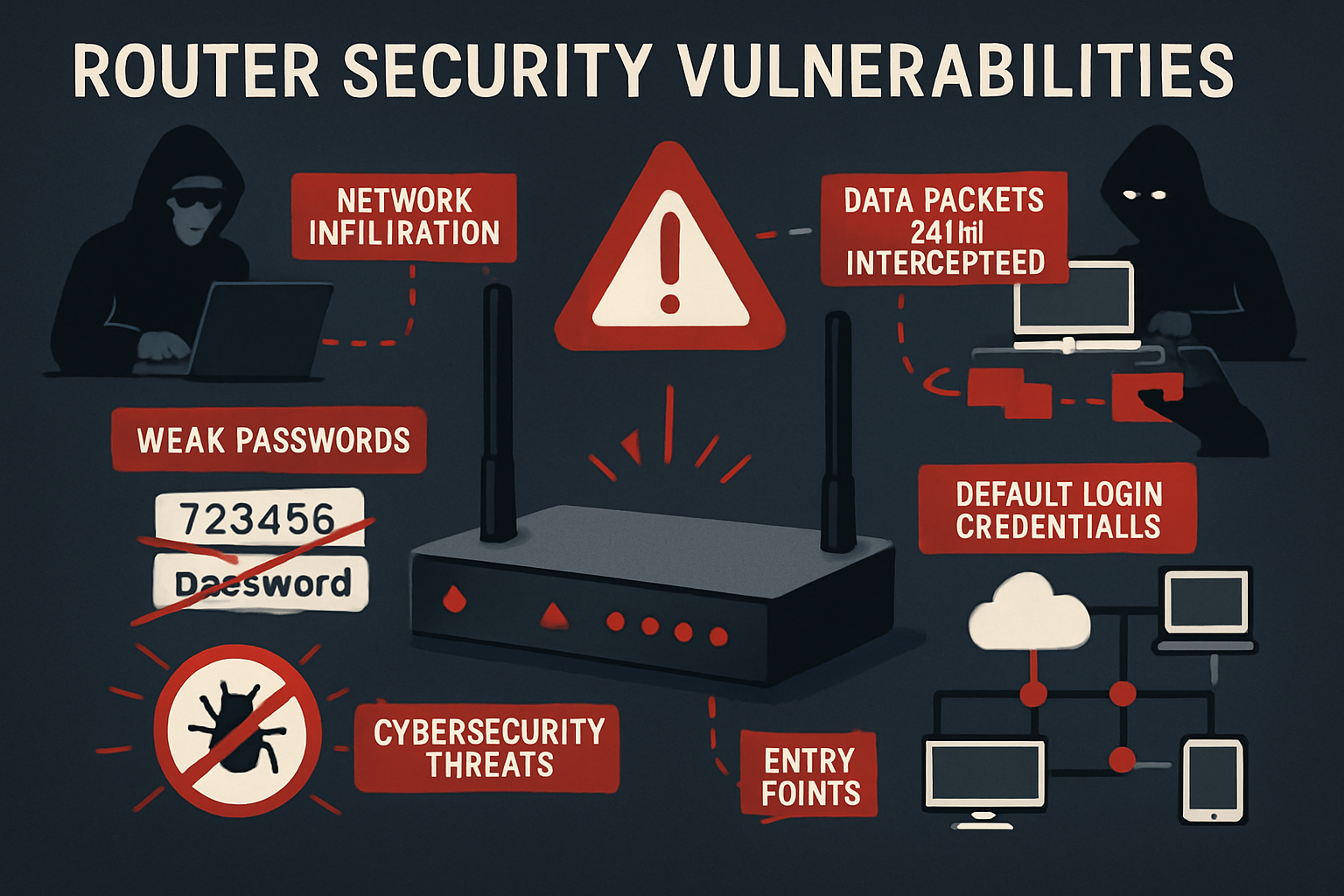
Creative professionals and small business owners often focus on securing their Macs while overlooking the router—the very gateway that connects their valuable assets to the internet. This oversight creates a dangerous blind spot that cybercriminals actively exploit.
Why Hackers Target Routers First
Routers represent the path of least resistance for cybercriminals. Unlike your carefully maintained Mac devices, routers often ship with default configurations and minimal security oversight. Once inside your network perimeter, hackers can:
- Monitor all network traffic, including client communications and file transfers
- Access shared storage devices containing years of creative work
- Install malware on connected devices without detection
- Use your network as a launching pad for attacks on other businesses
For creative agencies managing client projects worth hundreds of thousands of dollars, a single router breach can result in devastating data theft, project delays, and reputation damage. Understanding proper digital security practices becomes crucial when protecting these valuable assets.
Common Router Security Weaknesses
Most business routers ship with configurations that prioritize ease of setup over security. The most dangerous vulnerabilities include:
Default Administrative Credentials: Many routers use predictable username/password combinations like “admin/admin” or “admin/password.” Hackers maintain databases of these defaults and can gain access within minutes.
Outdated Firmware: Router manufacturers regularly release security patches, but unlike Mac software updates, router firmware updates require manual installation. Unpatched routers contain known vulnerabilities that automated hacking tools exploit.
Weak Encryption Protocols: Older routers may still use WEP or outdated WPA encryption that modern computers can crack in hours. Even some WPA2 implementations contain weaknesses that sophisticated attackers exploit.
Unnecessary Services: Many routers enable features like remote management, WPS, and UPnP by default. Each enabled service creates additional attack vectors that hackers can exploit.
Essential Router Security Configuration Steps
Securing your router requires a systematic approach that balances protection with usability. These steps form the foundation for preventing hackers from entering your network through your router while maintaining the seamless workflows your creative team depends on.
Step 1: Change Default Administrative Access
Your first action should be replacing default login credentials with strong, unique passwords. Access your router’s administrative interface by typing its IP address (typically 192.168.1.1 or 192.168.0.1) into your web browser.
Create a Strong Administrative Password: Use a password manager to generate a complex password with at least 16 characters, including uppercase and lowercase letters, numbers, and symbols. Avoid using dictionary words or personal information that social engineering attacks could exploit.
Change the Default Username: If your router allows it, change the administrative username from “admin” to something unique. This adds an extra layer of protection since attackers must guess both the username and password.
Enable Two-Factor Authentication: Modern business routers increasingly support 2FA for administrative access. Enable this feature if available, using an authenticator app rather than SMS for better security.
Step 2: Update Firmware Immediately
Router firmware updates often contain critical security patches that close known vulnerabilities. Unlike Mac systems that prompt for updates, router firmware requires proactive management.
Check Current Firmware Version: In your router’s administrative interface, locate the firmware version information. Compare this against the manufacturer’s website to identify available updates.
Enable Automatic Updates: If your router supports automatic firmware updates, enable this feature. However, verify that updates don’t interfere with critical business operations by scheduling them during off-hours.
Establish Update Monitoring: Create a quarterly calendar reminder to manually check for firmware updates. Some manufacturers don’t provide automatic notifications, making regular checks essential for maintaining security.
Step 3: Configure Strong Wireless Security
Your wireless network configuration directly impacts how easily hackers can intercept communications and gain network access.
Implement WPA3 Encryption: Use WPA3 encryption if your router supports it, or WPA2 with AES encryption as a minimum standard. Avoid WEP and WPS entirely, as these protocols contain fundamental security flaws.
Create a Complex Network Password: Generate a wireless password of at least 20 characters using a password manager. Share this password securely with authorized team members rather than writing it on sticky notes or whiteboards.
Change the Network Name (SSID): Replace the default name with one that doesn’t identify your router’s manufacturer or model. Avoid using your business name, as this provides information that social engineering attacks can exploit.
Hide Network Broadcasting: While not a strong security measure on its own, disabling SSID broadcasting adds a minor obstacle for casual attackers and reduces your network’s visibility to neighbors and passersby.
Step 4: Implement Network Segmentation
Network segmentation creates barriers that prevent hackers from moving freely through your systems once they gain initial access. This strategy is crucial for creative businesses handling sensitive client data.
Create a Guest Network: Establish a separate wireless network for visitors, contractors, and IoT devices. This prevents unauthorized users from accessing your primary business network, which includes Macs and file servers.
Segment Critical Assets: If your router supports VLAN configuration, create separate network segments for different device types. Place file servers and backup systems on an isolated segment with restricted access.
Control Inter-Network Communication: Configure firewall rules that prevent devices on the guest network from communicating with your primary business network. This containment strategy limits damage if guest devices become compromised.
When implementing these security measures, consider how they integrate with your existing Mac infrastructure. Proper device management ensures that security enhancements support rather than hinder your creative workflows.
Advanced Protection Strategies for Mac-Based Networks
Beyond basic router security, creative professionals need advanced protection strategies that account for the unique requirements of Mac-based workflows and the valuable intellectual property they handle.
Implementing Network Monitoring and Intrusion Detection
Deploy Network Monitoring Tools: Install network monitoring software that tracks device connections and data flows. Tools like GlassWire or Little Snitch can identify unusual network activity that might indicate a breach.
Monitor Connected Devices: Regularly audit the devices connected to your network. Unknown devices could indicate unauthorized access or compromised IoT equipment that hackers are using as entry points.
Set Up Bandwidth Alerts: Configure alerts for unusual bandwidth usage patterns. Sudden spikes in upload traffic might indicate data exfiltration, while download spikes could suggest malware distribution.
Log Analysis: Enable detailed logging on your router and review logs monthly for suspicious activity. Look for failed login attempts, unusual connection patterns, and access from unexpected geographic locations.
Configuring VPN and Remote Access Security
Creative teams increasingly work remotely, requiring secure access to business networks and file servers. Proper VPN configuration ensures remote access doesn’t compromise network security.
Business VPN Solutions: Implement a business-grade VPN solution rather than relying on consumer services. Solutions like NordLayer or Perimeter 81 provide enterprise-grade encryption and access controls specifically designed for business use.
Multi-Factor Authentication: Require MFA for all VPN connections. Use authenticator apps or hardware tokens rather than SMS, which can be intercepted via SIM-swapping attacks.
Access Control Policies: Configure VPN access policies that limit user permissions by role. Freelance designers might have access to project files but not to financial systems, while full-time employees receive broader access.
Session Management: Implement automatic session timeouts and concurrent session limits. This prevents abandoned sessions from providing persistent access if devices are lost or stolen.
Protecting Against Advanced Persistent Threats
Sophisticated attackers often establish persistent access to networks, maintaining presence for months while slowly extracting valuable data. Creative businesses must implement defenses against these advanced threats.
Regular Security Audits: Conduct quarterly security assessments that examine router configurations, connected devices, and network traffic patterns. Professional IT support can identify vulnerabilities that internal teams might miss.
Backup and Recovery Planning: Implement comprehensive backup strategies that include offline storage options. If hackers breach your network, reliable backups ensure business continuity and reduce the temptation to pay ransom.
Incident Response Procedures: Develop clear procedures for responding to security incidents. Include steps for isolating affected systems, preserving evidence, notifying clients, and restoring operations.
Security Awareness Training: Train team members to recognize social engineering attempts, phishing emails, and other attack vectors that might compromise router security. Understanding phishing tactics helps prevent credential theft that could lead to network access.
Integrating Router Security with Mac Device Management
For businesses operating Mac fleets, router security must integrate seamlessly with device management strategies to create comprehensive protection without disrupting creative workflows.
Apple Ecosystem Security Integration
iCloud Private Relay Considerations: Understand how Apple’s Private Relay feature interacts with your network monitoring and security tools. While Private Relay enhances privacy, it can complicate network traffic analysis and content filtering.
AirDrop Security: Configure network settings to control AirDrop functionality across your business network. Unrestricted AirDrop can allow unauthorized file transfers that bypass network security controls.
Device Trust Relationships: Implement certificate-based device authentication that ensures only managed Macs can access sensitive network resources. This prevents unauthorized devices from connecting even if they obtain network passwords.
Software Update Management: Coordinate router security updates with Mac software update schedules to minimize disruption. Understanding Apple’s update cycles helps plan maintenance windows effectively.
Mobile Device Integration
Creative teams increasingly rely on iPads and iPhones for client presentations, remote work, and quick edits. Securing these mobile connections requires specific considerations.
Mobile Device Management (MDM): Implement MDM solutions that enforce security policies on iOS devices connecting to your network. This ensures mobile devices meet security standards before accessing business resources.
App-Specific VPN: Configure per-app VPN policies that route only business applications through secure tunnels while allowing personal apps to use direct internet connections.
Certificate Management: Deploy device certificates that automatically configure secure network connections on iOS devices. This eliminates the need to enter complex passwords while still ensuring strong encryption is manually enforced.
Remote Wipe Capabilities: Ensure that mobile devices can be remotely wiped if lost or stolen, preventing unauthorized access to network credentials and cached business data.
Monitoring and Maintaining Router Security
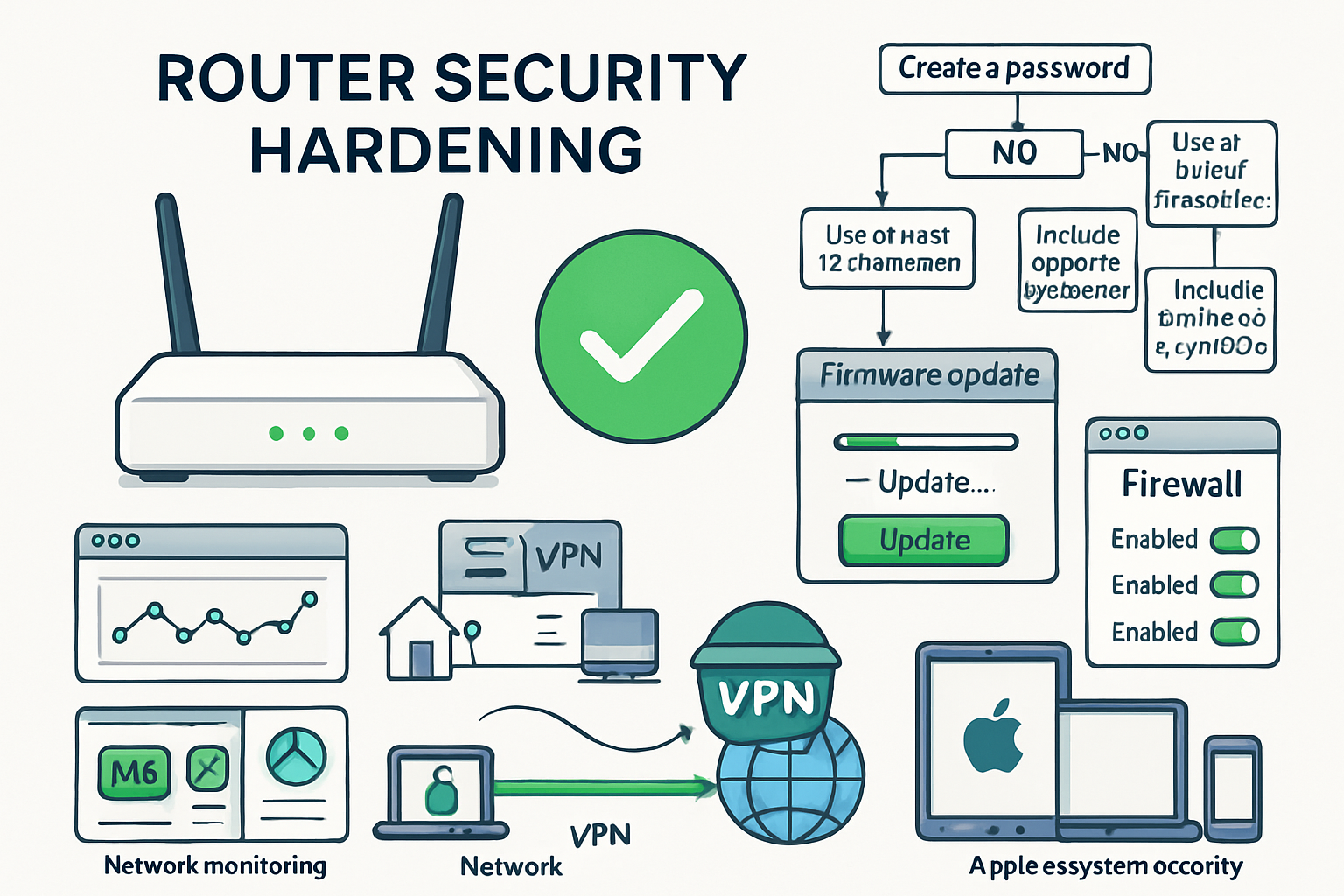
Implementing router security measures is only the beginning. Ongoing monitoring and maintenance ensure that your defenses remain effective against evolving threats.
Establishing Security Monitoring Routines
Weekly Network Audits: Conduct weekly reviews of connected devices to identify unauthorized connections or suspicious activity patterns. Document any changes to help identify trends or recurring issues.
Monthly Firmware Checks: Schedule monthly reviews of router firmware status, even if automatic updates are enabled. Some critical security patches require manual intervention or configuration changes.
Quarterly Security Assessments: Conduct comprehensive reviews of all security configurations, access logs, and network performance metrics. These assessments help identify gradual security degradation or configuration drift.
Annual Penetration Testing: Consider annual penetration testing by security professionals who can identify vulnerabilities that internal monitoring might miss. This investment provides valuable insights into real-world attack scenarios.
Responding to Security Incidents
Despite best efforts, security incidents can occur. Having clear response procedures minimizes damage and accelerates recovery.
Immediate Containment: If suspicious activity is detected, immediately isolate affected network segments and change administrative passwords. Document all actions taken for later analysis.
Evidence Preservation: Preserve network logs and system states before making changes that might eliminate evidence. This information proves valuable for understanding attack methods and preventing recurrence.
Communication Protocols: Establish clear communication procedures for notifying team members, clients, and authorities about security incidents. Proper incident communication maintains trust while meeting legal obligations.
Recovery and Lessons Learned: After resolving incidents, conduct thorough post-incident reviews that identify improvement opportunities and update security procedures based on lessons learned.
Professional IT Support for Router Security
While many security measures can be implemented internally, professional IT support provides expertise and resources that small creative businesses often lack.
When to Seek Professional Help
Complex Network Architectures: If your business operates multiple locations, extensive remote work arrangements, or complex file sharing requirements, professional network design ensures security measures support rather than hinder operations.
Compliance Requirements: Clients in healthcare, finance, or government sectors may require specific security certifications or compliance standards. Professional IT consultants understand these requirements and can implement appropriate measures.
Incident Response: When security incidents occur, professional incident response teams provide expertise and resources that minimize damage and accelerate recovery. Their experience with similar incidents proves invaluable during crises.
Ongoing Management: For businesses without dedicated IT staff, managed security services provide continuous monitoring and maintenance to keep router security up to date with evolving threats.
Choosing the Right IT Partner
Apple Ecosystem Expertise: Select IT partners with specific experience managing Mac-based networks and understanding Apple’s security frameworks. Generic IT providers may not fully understand macOS security integration requirements.
Proactive Approach: Look for partners who emphasize proactive security management rather than reactive problem-solving. Proactive IT support prevents security incidents rather than just responding to them.
Local Presence: While remote support handles many tasks effectively, local presence becomes crucial during major incidents or hardware failures that require on-site intervention.
Transparent Communication: Choose partners who explain security measures in understandable terms and provide regular reports on network security status. Transparency builds trust and helps internal teams understand their role in maintaining security.
Conclusion
Understanding how to stop hackers from entering your network through your router requires a comprehensive approach that goes beyond simple password changes. For Mac-based creative businesses, router security forms the foundation of a broader security strategy that protects valuable intellectual property, client data, and business operations.
The key steps—changing default credentials, updating firmware, implementing strong encryption, and establishing network monitoring—create multiple barriers that significantly reduce the risk of successful attacks. However, these technical measures must be supported by ongoing maintenance, staff training, and professional expertise when needed.
Take Action Today:
- Audit your current router security by checking for default passwords, outdated firmware, and weak encryption settings.
- Implement the essential security configurations outlined in this guide, prioritizing firmware updates and strong authentication.
- Establish monitoring routines to detect suspicious activity before it escalates into a significant incident.
- Consider professional IT support if your business handles sensitive client data or operates complex network requirements.
Remember that router security is not a one-time project but an ongoing responsibility that requires regular attention and updates. By treating your router as the critical security component it is, you create a strong foundation for protecting your creative business in an increasingly dangerous digital landscape.
For creative professionals and small business owners who need reliable, expert guidance on Mac IT security without the complexity of enterprise solutions, professional support ensures that security measures enhance rather than hinder your creative workflows. Peace of mind through technology solutions allows you to focus on what you do best—creating exceptional work for your clients.
References
[1] Cybersecurity and Infrastructure Security Agency. “Router Security Best Practices.” CISA.gov, 2025.
[2] National Institute of Standards and Technology. “Small Business Cybersecurity Framework.” NIST Special Publication 800-171, 2025.
[3] FBI Internet Crime Complaint Center. “2024 Internet Crime Report: Small Business Targeting Trends.” IC3.gov, 2025.

Want this Mac Email Security implemented for you?
MacWorks 360 hardens, monitors, and backs up Mac fleets across New Jersey. We build policies, deploy tools, and prove restores—so your team stays safe and focused.
Contact us · Managed IT for Mac · Apple IT Support
Based in Springfield, NJ—serving Summit, Millburn, Short Hills, Chatham, Montclair, and beyond.