

We continually recommend that every Apple user rely on a password manager like 1Password for creating, managing, and entering passwords securely. What we haven’t encouraged as heavily is relying on Apple’s built-in password management features. Although they’re free, they’ve been too basic and hard to use over the years, relying largely on an ancient utility called Keychain Access.
However, with the release of iOS 15, iPadOS 15, and macOS 12 Monterey, Apple has at long last created a coherent platform-wide interface—the bluntly named Passwords—for viewing, editing, and deleting passwords on each of its platforms. You might wonder if you need a separate password manager anymore. First, let’s dispense with two common scenarios:
- Start if you’re new to password management: If you have so far resisted adopting a password manager, you should start using Passwords on your Apple devices immediately. In all likelihood, you already have some login credentials stored there.
- Don’t switch if you like your password manager: If you’re already using another password manager that you like, there’s no reason to switch to Apple’s password manager. It’s fine, but it doesn’t offer any capabilities beyond most independent password managers.
Those who are already using a password manager but aren’t entirely happy with it or would prefer not to pay for it face a tougher decision. How much your password manager is worth to you is a question only you can answer, but would Apple’s Passwords provide the features you need? Here’s what it can do:
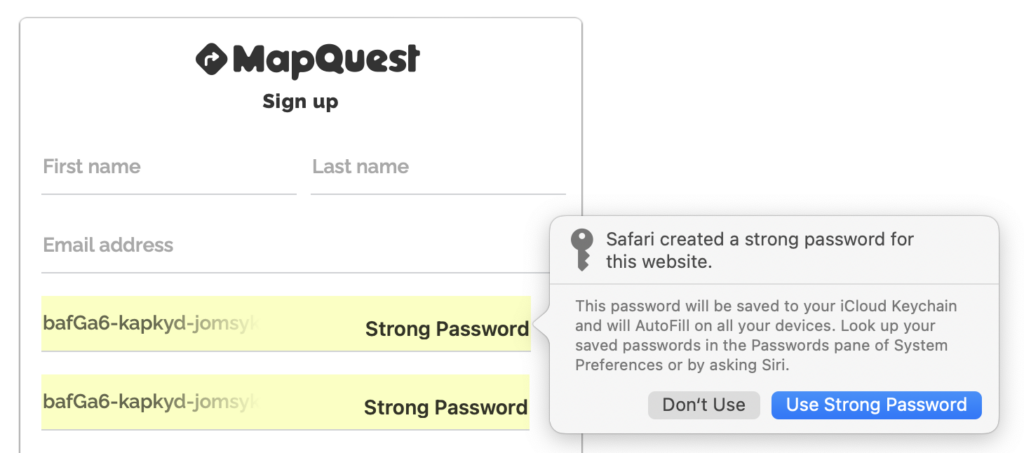
- Create strong passwords: Safari suggests strong passwords when it detects that you’re creating a new login. In iOS and iPadOS, make sure Settings > Passwords > AutoFill Passwords > AutoFill Passwords is enabled. On the Mac, make sure Safari > Preferences > Autofill > User Names and Passwords is selected.
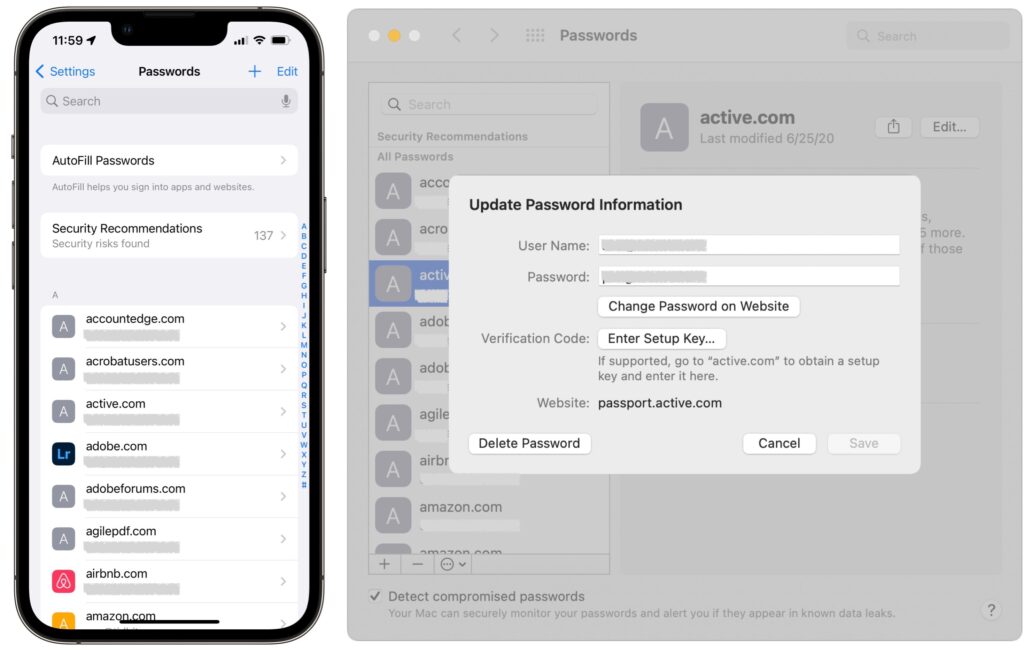
- Manage passwords: To see all your passwords, look in Settings > Passwords in iOS 15 and iPadOS 15, and in System Preferences > Passwords in Monterey. Tap or click one to view its details; once inside, use Edit to make changes. You can delete an unused login while editing or from the list. In iOS and iPadOS, swipe left on a login and tap Delete; on the Mac, Control-click the login and choose Delete.
- Sync passwords: Passwords are most useful when they’re accessible on all your devices. That will be true as long as Settings > Your Name > iCloud > Keychain > iCloud Keychain is enabled in iOS and iPadOS, and System Preferences > Apple ID > iCloud > Keychain is selected on the Mac. And, of course, all your devices must be signed in to the same iCloud account.
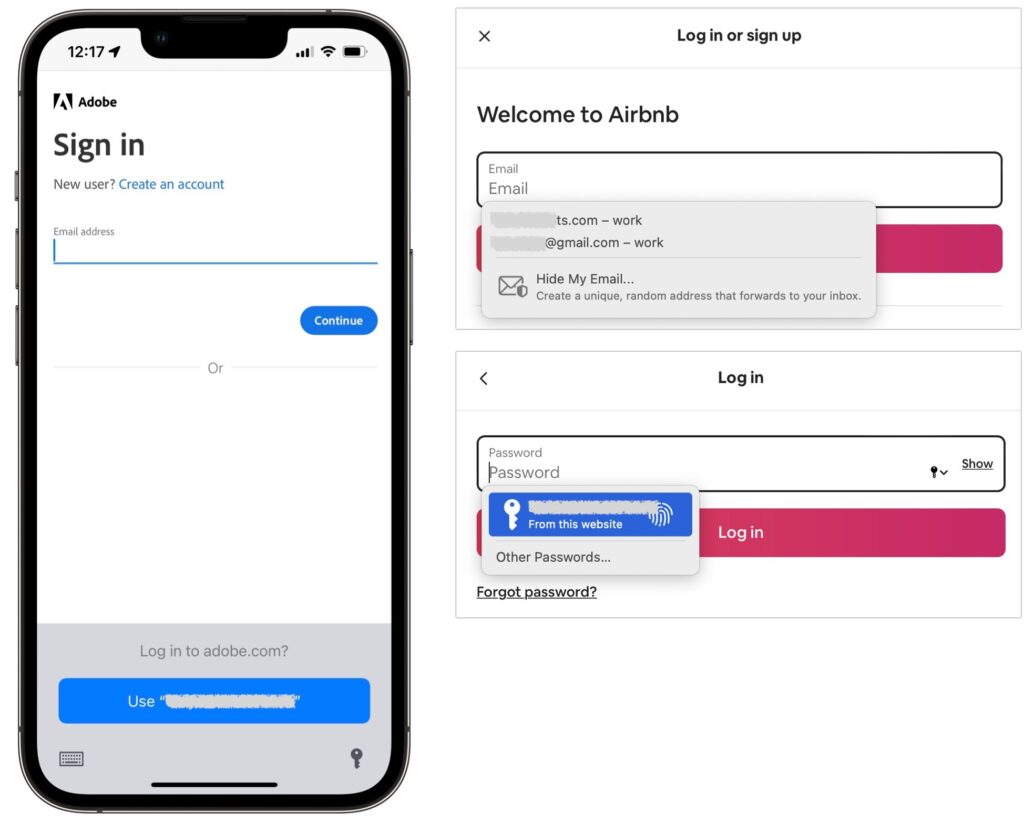
- Autofill passwords: As long as the autofill settings mentioned earlier are active, Safari will offer to autofill passwords when you log in to a site whose credentials you’ve stored. iOS and iPadOS apps also support autofill through the keyboard.
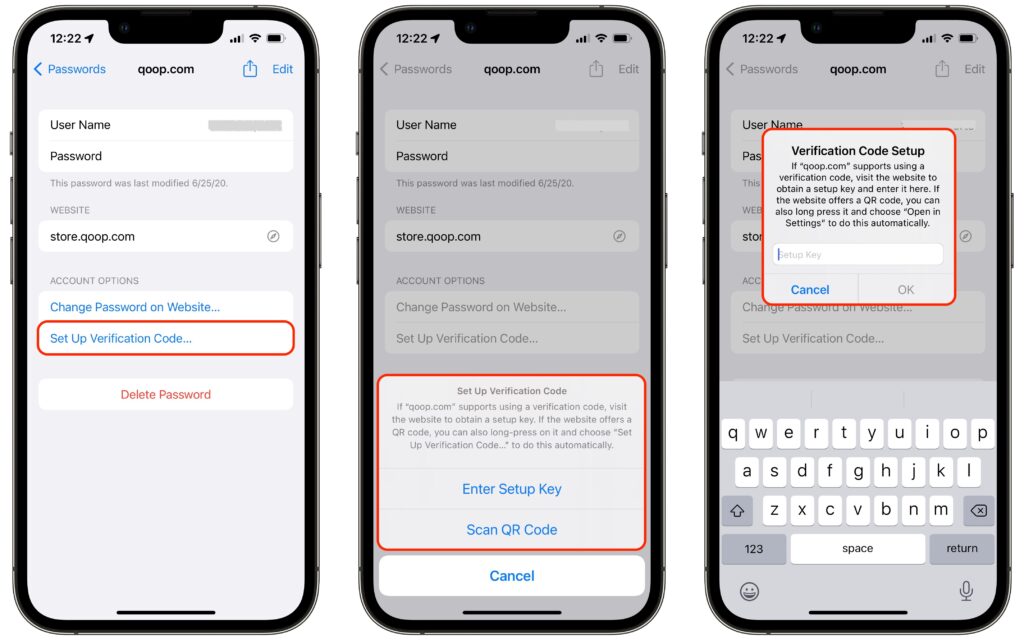
- Support two-factor authentication (2FA): This new feature allows you to add the setup secret (usually a scanned QR code or manually entered key) that enables the creation and automatic entry of 2FA codes.
- Import and export passwords: In the Passwords preference pane on the Mac, you can now import and export passwords, simplifying migration.
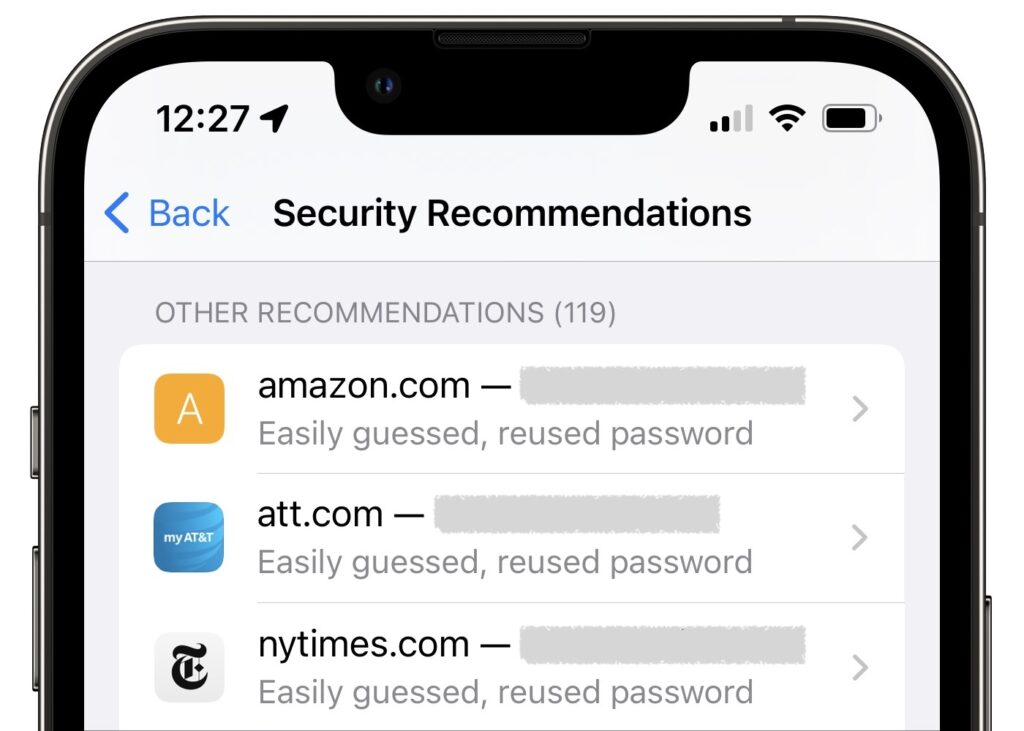
- Report questionable passwords: We all have passwords that are easily guessed or reused on multiple sites—the Passwords interface calls out such passwords so you can change them.
- Share passwords: If you need to share a password with a family member or colleague, the Share button lets you do that via AirDrop. Passwords are saved into the recipient’s keychain directly.
- Detect compromised passwords: Both Settings > Passwords > Security Recommendations and System Preferences > Passwords have a Detect Compromised Passwords option. Select it to be alerted if any of your login credentials are compromised in a site’s security breach.
That’s a solid set of features, and for many people, it will be sufficient. However, independent password managers like 1Password and LastPass have evolved over many years and boast very real advantages:
- Multiple platforms and Web browsers: Apple’s password management features focus on Apple operating systems and Safari. There is an iCloud Passwords Chrome extension for Windows, and Web browsers in iOS and iPadOS can tie into the system-wide password features. But for broad support across platforms and use within browsers other than Safari, stick with an independent password manager.
- Data beyond Web logins: Want to store your bank account numbers, driver’s license, credit cards, vaccination card, and the like in your password manager? Many independent password managers support secure storage of types of data beyond logins. They also often let you leave notes on items and include file attachments—a screenshot of a screen summarizing login requirements, for instance.
- Families and teams: Although Apple is inching in this direction with the forthcoming Digital Legacy program, in which you can specify someone as a Legacy Contact so they can access to your iCloud account in the event of your death, the group sharing features of independent password managers are much more useful here and now. Share key passwords with your spouse or your college-bound child to ensure that everyone will have the access they need to shared accounts.
- One-time password sharing: 1Password added this feature recently, and there are independent sites like 1ty.me and onetimesecret.com that provide it as well. In essence, it lets you securely share a single password with anyone else, embedding it in a link that can be viewed only once. That prevents passwords from being sent around in email or text messages where they could be stolen.
In the end, Apple’s new password management features are like so many other built-in features. They offer the basic capabilities that most users need while leaving plenty of room for enterprising developers to offer compelling additional features. Use Apple’s Passwords or another password manager, whichever you prefer. Just don’t rely on a simple text file or physical notebook to manage passwords. It’s more work, easily lost, and far less secure.
(Featured image by iStock.com/peshkov)
Social Media: Should you start using Apple’s built-in password manager? Most Apple users probably have at least some passwords stored there already, and our article explains who can benefit from it right away and how it differs from popular third-party password managers.